Getting started
15
Inserting the SIM card
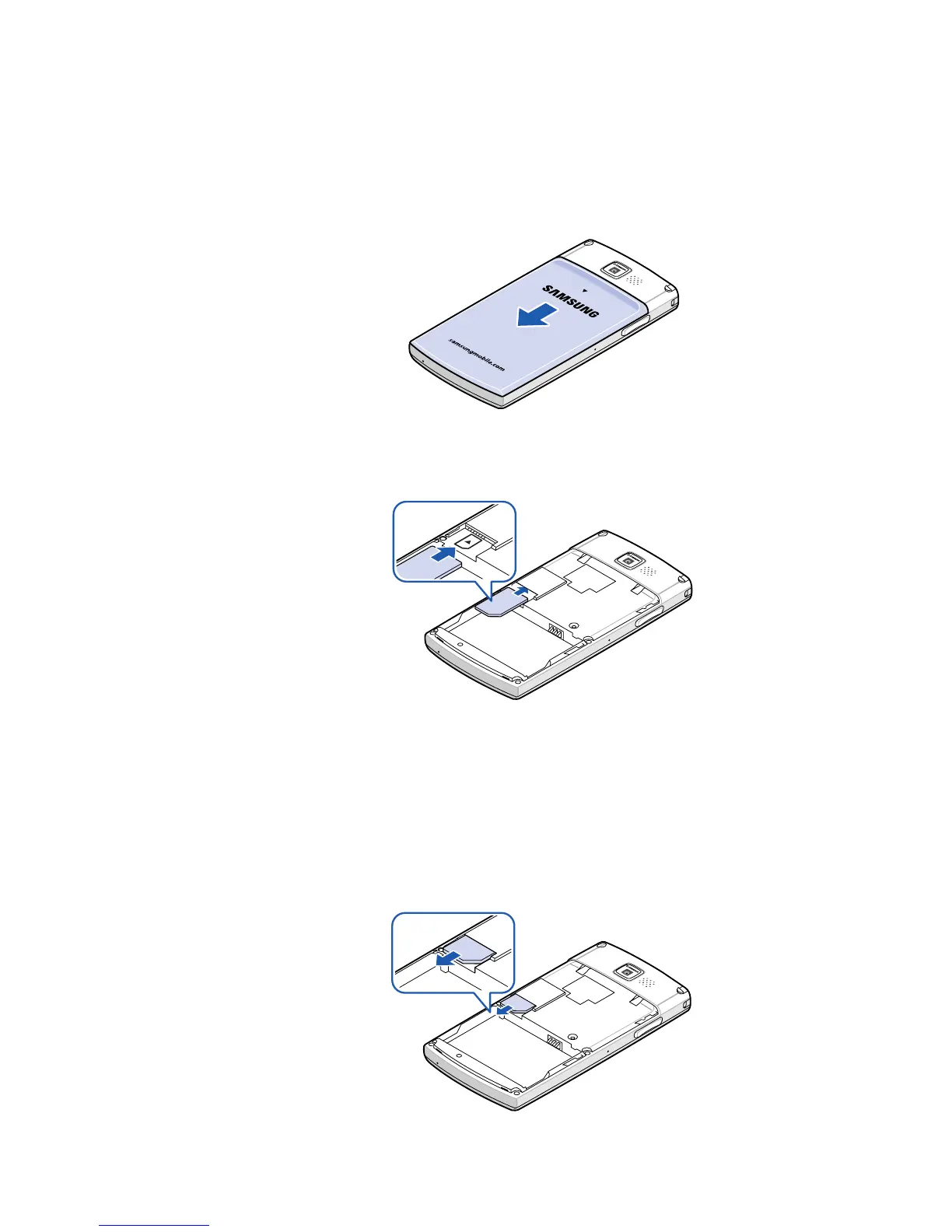
1. Remove the battery cover.
2. Insert the SIM card, as shown, ensuring that the gold-
coloured contacts of the card are face down.
Continue to install the battery. See “Installing the
battery.”
Removing the SIM card
To remove the SIM card, slide the card out of the holder.










 To Next Page