EasyManua.ls Logo

Samsung IL020F - Changing the Input Source; Source

Samsung IL020F
95 pages
Print Icon
To Next Page IconTo Next Page
To Previous Page IconTo Previous Page
Loading...
29
Changing the Input source
Source
SOURCESource
Source
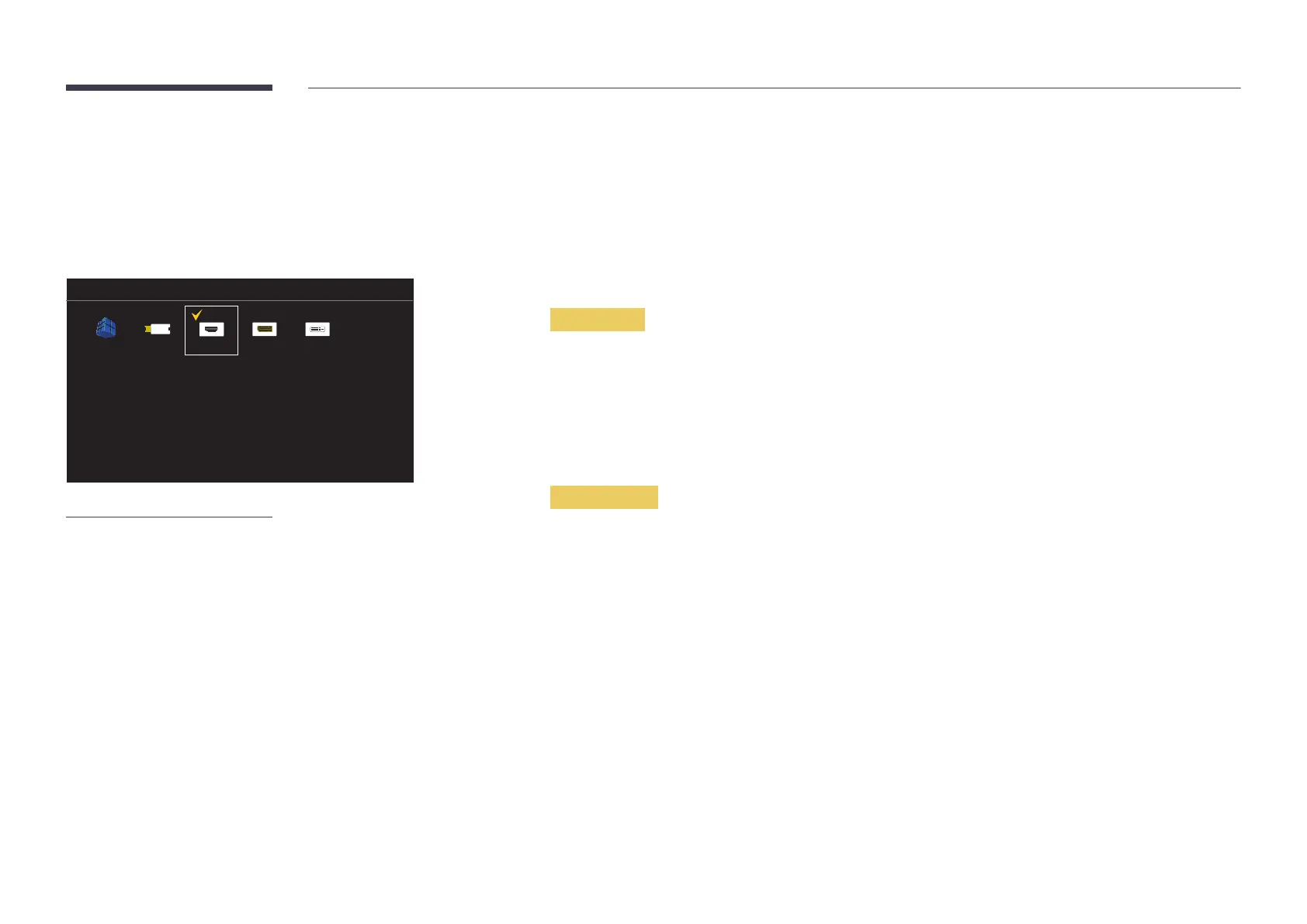
MagicInfo S HDMI
DVI

DisplayPortUSB
– The displayed image may differ depending on the model.
Source
You can display the screen of a source device connected to the product. Select a source from source list to display
the screen of the selected source.
After connecting an external device, press the SOURCE
select the connected external device.

to.
TOOLSSource page.
Edit Name
SOURCESourceTOOLSEdit NameENTER E

Source devices on the list differ depending on the selected
source.
PCCable STBSatellite STBPVR STBGameBlu-rayDVDVCRAV ReceiverCamcorderDVI PCDVI
DevicesTV IPTVHD DVDDMA
Information
SOURCESourceTOOLSInformationENTER E


Table of Contents