English-18
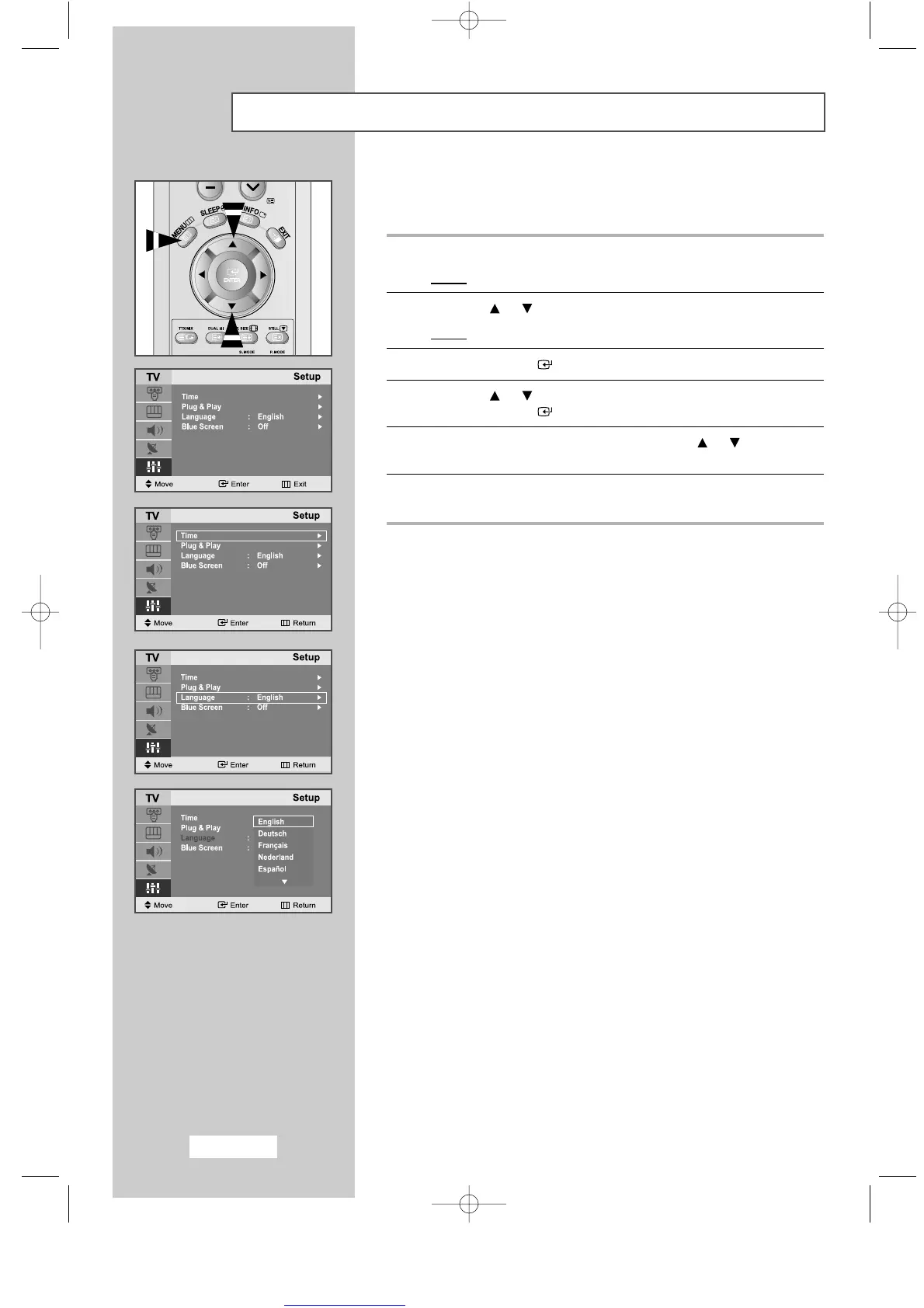
Choosing Your Language
When you start using your set for the first time, you must select the
language which will be used for displaying menus and indicators.
1
Press the
MENU
button.
Result
: The main menu is displayed.
2
Press the or button to select the
Setup
.
Result
: The options available in the
Setup
group are displayed.
3
Press the
ENTER
button.
4
Press the or button to select the
Language
.
Press the
ENTER
button.
5
Select a particular
Language
by pressing the or button
repeatedly.
6
When you are satisfied with your choice, press the
EXIT
button to
return to normal viewing.
ENG-14-29.qxd 10/1/03 10:10 AM Page 18



 To Next Page