English-6
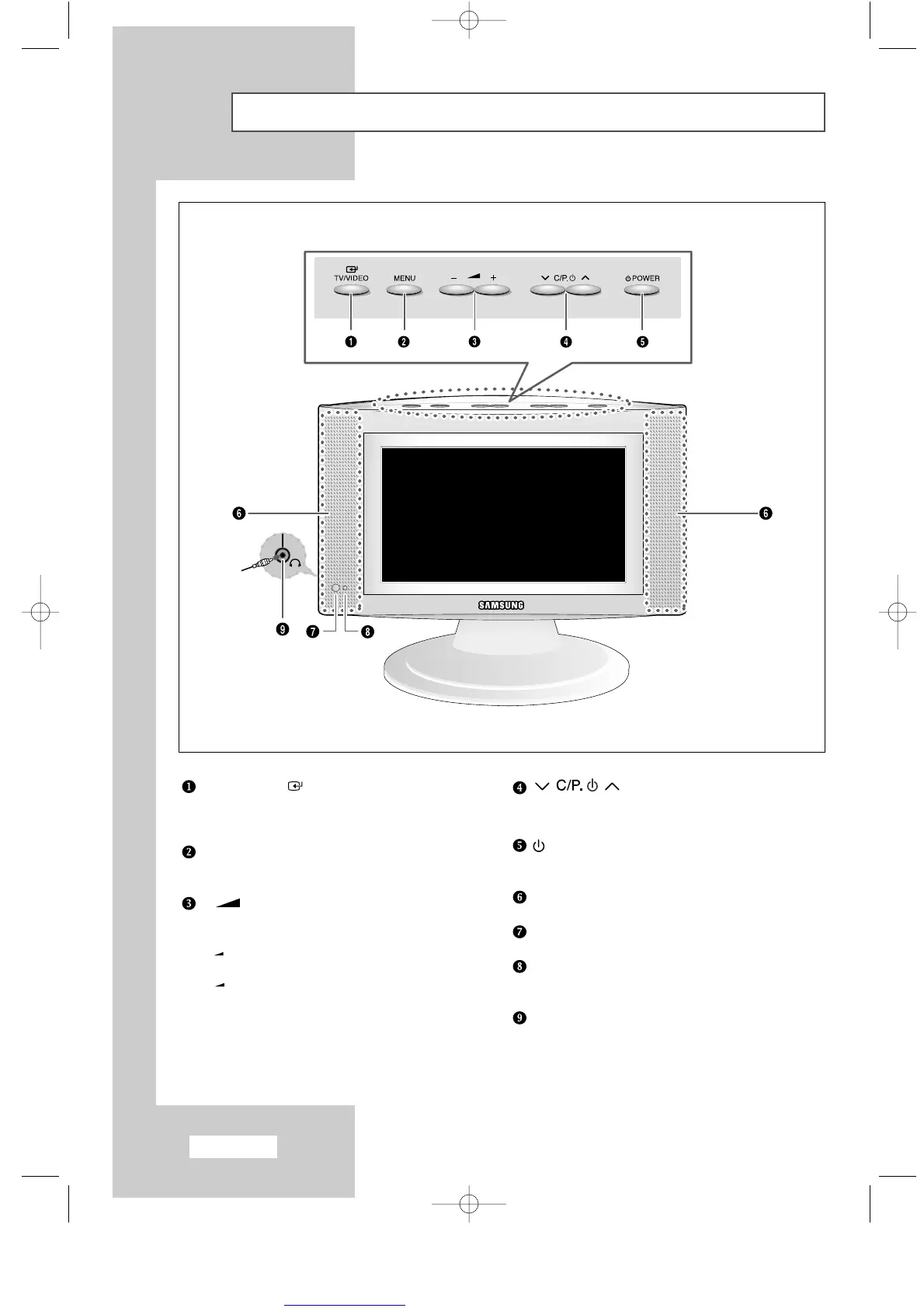
Viewing the Control Panel
TV/VIDEO
Displays a menu of all of the available input sources
(TV - AV1 - AV2 - S-VIDEO).
MENU
Opens the on-screen menu.
- +
Moves the selector left or right on the OSD.
Increases or decreases the level of audio volume.
+
:
Display a submenu containing selections
for the current menu option.
-
: Return to the previous menu.Close the
on-screen menu system on main menu.
Moves the selector up or down on the OSD.
Increases or decreases the channel number.
POWER
Turns ON/OFF your set.
SPEAKERS
REMOTE CONTROL SENSOR
POWER INDICATOR
Lights up when you turn the power off.
HEADPHONE JACK
ENG-00-13.qxd 10/1/03 10:09 AM Page 6



 To Next Page