English-29
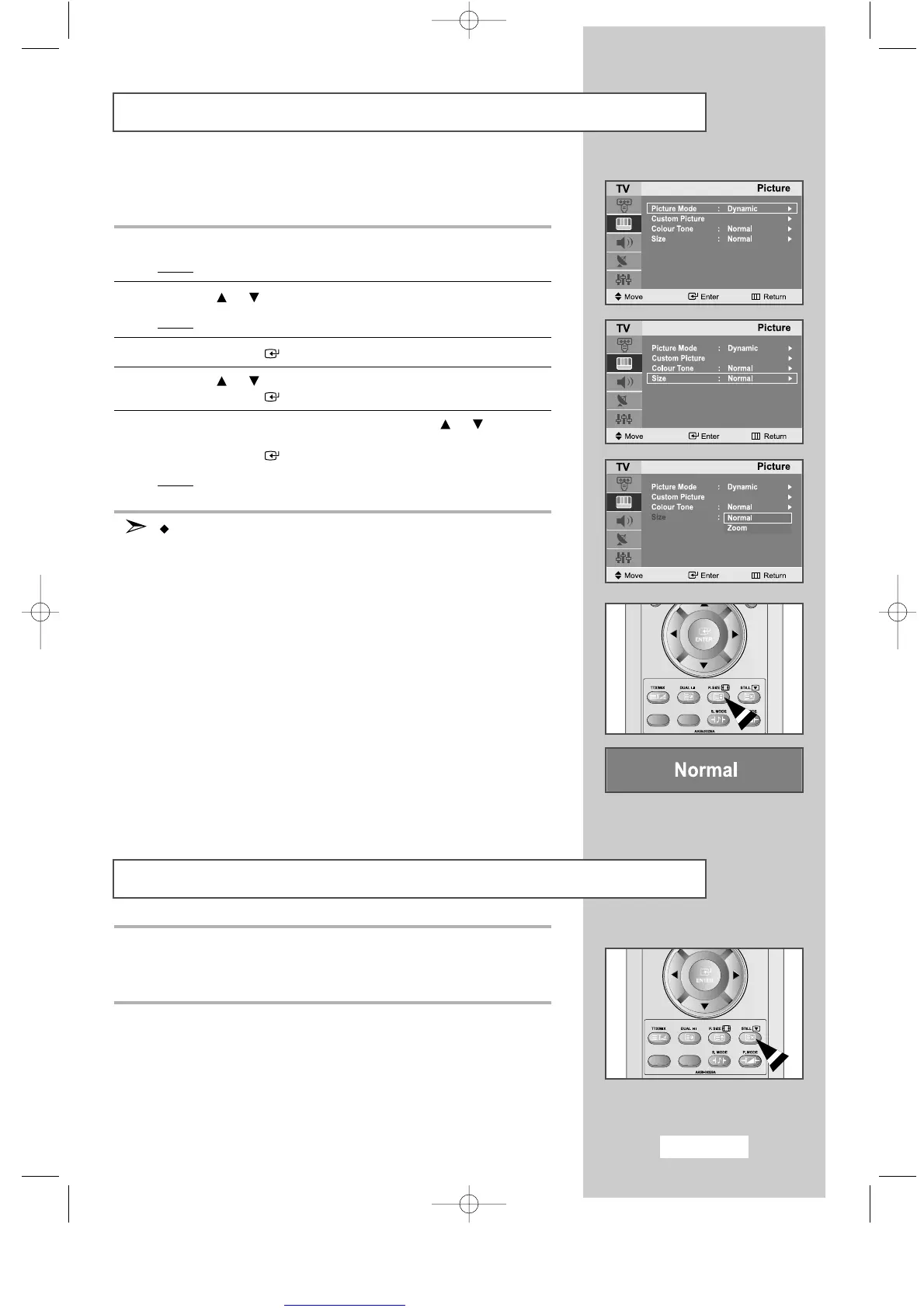
Changing the Picture Size
Freezing the Current Picture
You can select the picture format which best corresponds to
your viewing requirements.
1
Press the
MENU
button.
Result
: The main menu is displayed.
2
Press the or button to select the
Picture
.
Result
: The options available in the
Picture
group are displayed.
3
Press the
ENTER
button.
4
Press the or button to select the
Size
.
Press the
ENTER
button.
5
Select the required picture format by pressing the or button
repeatedly.
Press the
ENTER
button.
Result: The following options are available:
Normal - Zoom
You can also set these options simply by pressing the
P.SIZE
(Picture SIZE) button.
Press the
“STILL”
button on the remote control to freeze the picture
on a given frame.
To return to normal viewing, press the
“STILL”
button again.
ENG-14-29.qxd 10/1/03 10:10 AM Page 29



 To Next Page