English-35
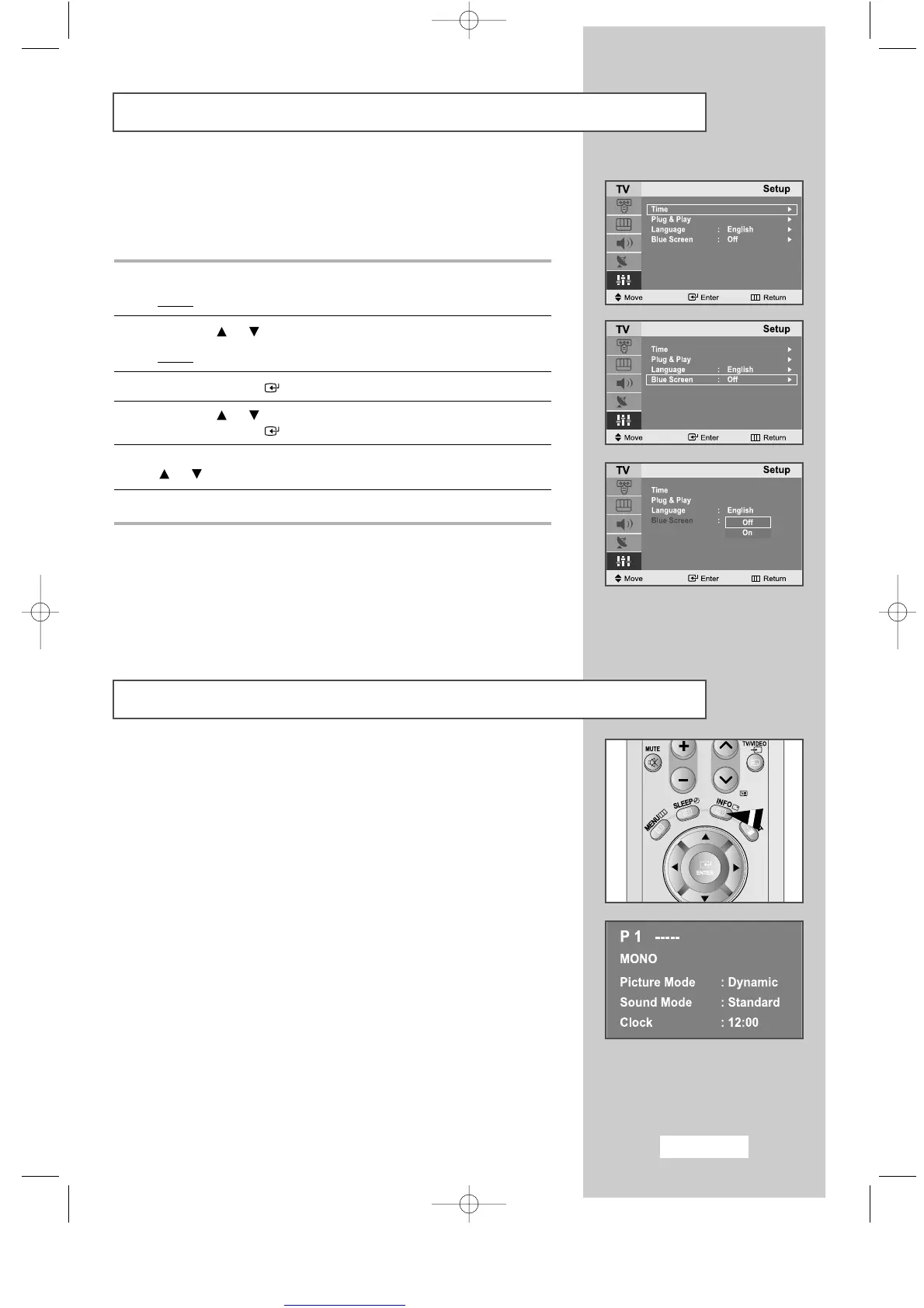
Setting the Blue Screen Mode
Displaying Information
If no signal is being received or the signal is very weak, a blue screen
automatically replaces the noisy picture background.
If you wish to continue viewing the poor picture, you must set the
"Blue Screen"
mode to
"Off"
.
1
Press the
MENU
button.
Result
: The main menu is displayed.
2
Press the or button to select
Setup
.
Result
: The options available in the
Setup
group are displayed.
3
Press the
ENTER
button.
4
Press the or button to select
Blue Screen
.
Press the
ENTER
button.
5
Select the required option (
On
or
Off
) by pressing the
or button.
6
Press the
EXIT
button to return to normal viewing.
You can view the setting status of the selected source by pressing the
"INFO"
button on the remote control.
The information displayed varies according to the selected source.
ENG-30-43.qxd 10/1/03 10:38 AM Page 35



 To Next Page