English-38
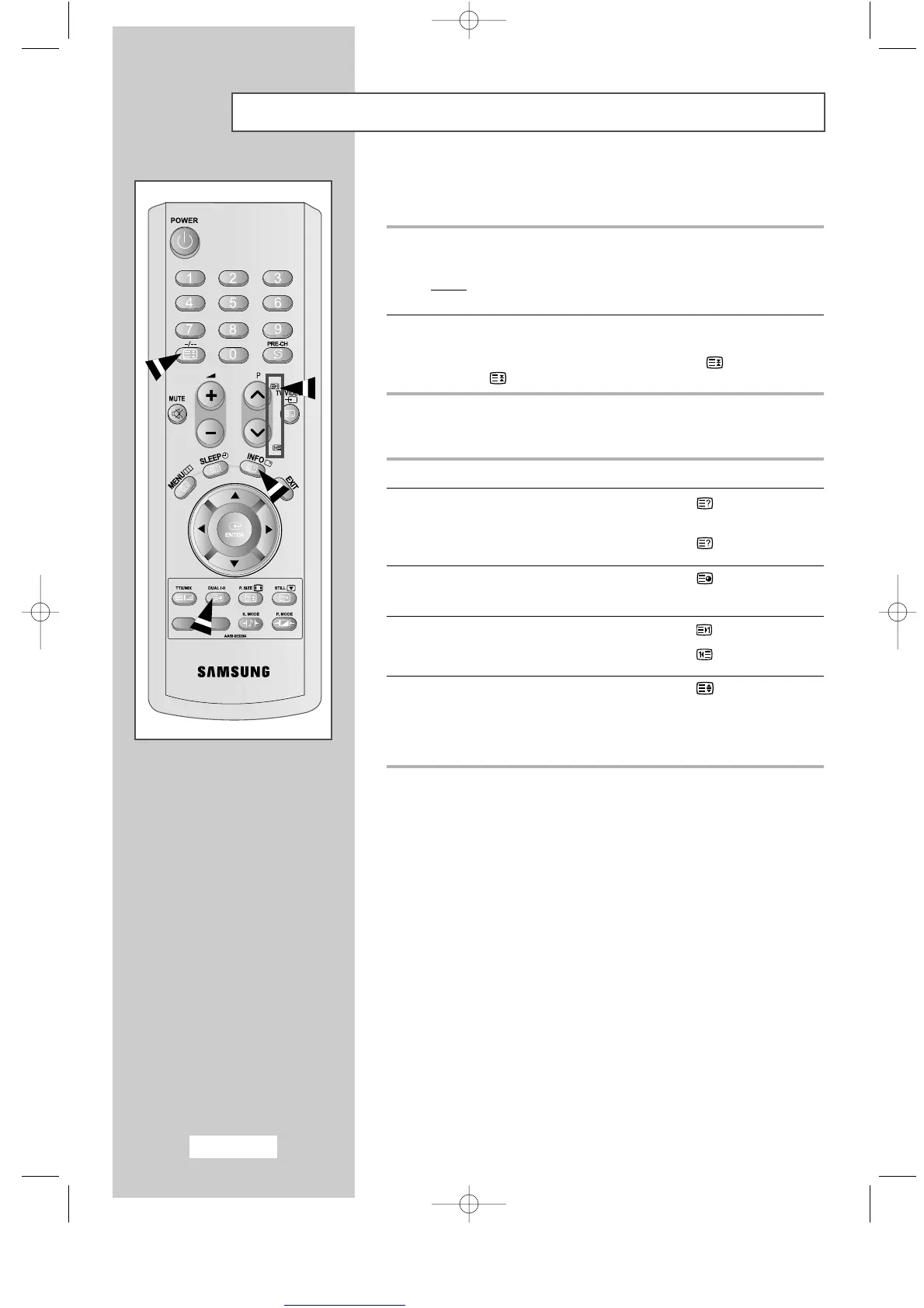
Selecting a Page by Number
You can enter the page number directly by pressing the numeric
buttons on the remote control.
1
Enter the three-digit page number given in the content by pressing
the corresponding numeric buttons.
Result
: The current page counter is incremented and the page
is then displayed.
2
If the selected page is linked with several secondary pages,
the secondary pages are displayed in sequence.
To freeze the display on a given page, press the (hold) button.
Press the (hold) button again to resume.
Using the various display options:
To display... Press the...
◆ Hidden text (reveal)
(answers to quiz games, for example)
◆ The normal screen (reveal) again
◆ A secondary page, (subpage)
by entering its 4-digit number
◆ The next page (page up)
◆ The previous page (page down)
◆ Double-size letters in the: (size)
• Upper half of the screen • Once
• Lower half of the screen • Twice
◆ Normal screen • Three times
ENG-30-43.qxd 10/1/03 10:38 AM Page 38



 To Next Page