33
Overview
Before You Start!
■
*
Theitemsmarkedwiththissymbolareoptionalitemswhichmaybechangedormaynotbeprovideddependingonthe
computermodel.
■
Theactualcolorandappearanceofthecomputermaydifferfromthepicturesusedinthisguide.
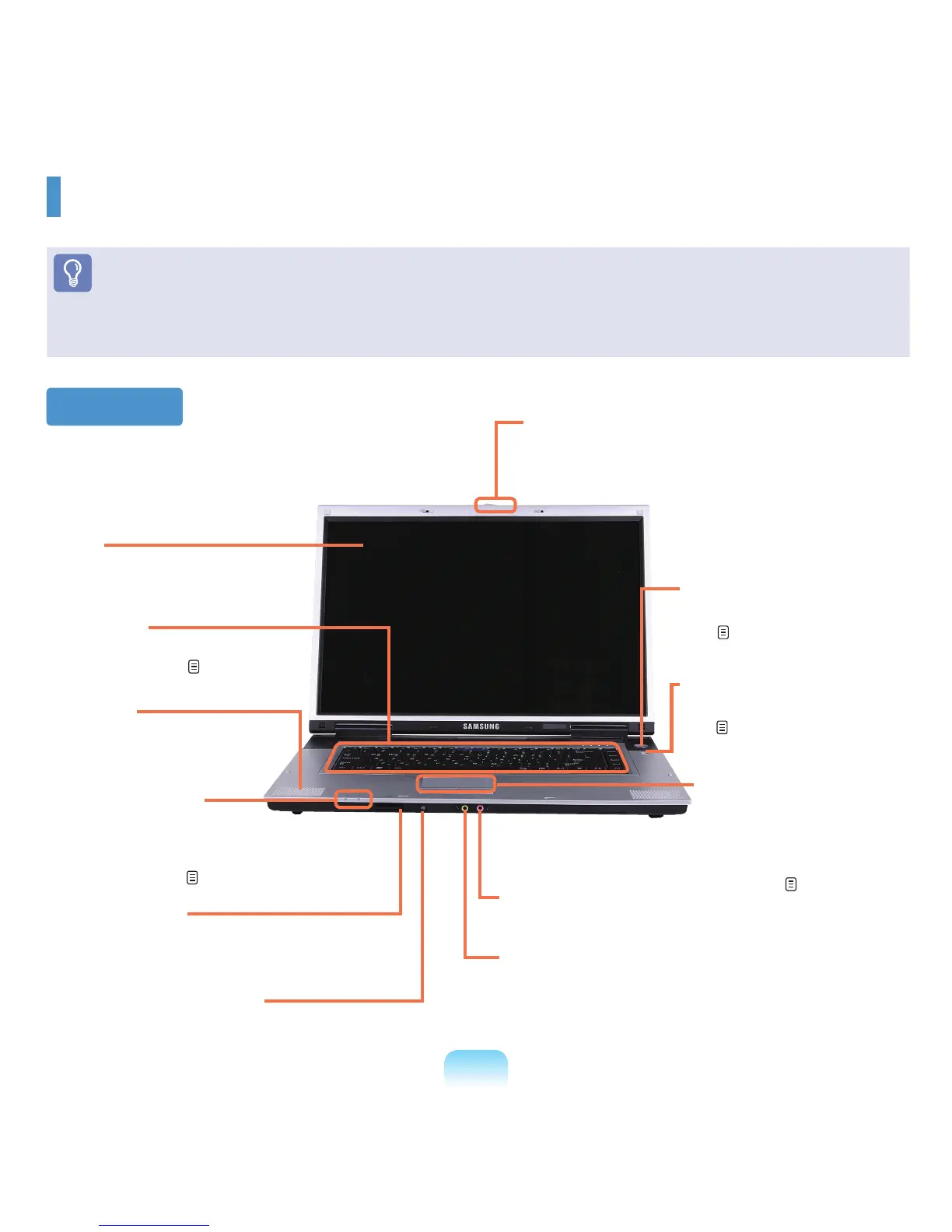
Front View
2 LCD
The screen images are
displayedhere.
3 Keyboard
Adevicetoenterdataby
pressingthekeys.
p.41
5 Status Indicators
Shows the operating status of the
computer.Thecorrespondingoperating
LED is lit when the corresponding
functionoperates.
p.34
12 Power Button
Turnsthecomputeronandoff.
p.39
1 LCD Latch
ThislatchisusedtoopenandclosetheLCDpanel.
ToopentheLCDpanel,slidethelatchtotheright
andthenlifttheLCDpanelup.
11 AV Now Button
LaunchesAVStationNow.
p.130
6 Multi Card Slot
AcardslotthatsupportsMemoryStick,Memory
StickPro,SDCard,MMC,MMCPlusandxD
cards.
9 Microphone Jack
Ajackusedtoconnectthemicrophone.
7 Remote Control Sensor
*
Theremotecontrolsensorthatdetectsthesignal.
10 Touchpad/Touchpad
Buttons
The touchpad and touchpad
buttonsprovidefunctions
similartothemouseballand
buttons.
p.44
4
Speaker
Adeviceusedtogeneratesound.
8
Headphone Jack (S/PDIF Support)
YoucanconnectaheadphoneorS/PDIF(digitaloutput,
opticalcablesupport)cable.Youcanconnecttoanexternal
digitalamplierusingthisportandenjoymulti-channel
surroundsound.












 To Next Page