37
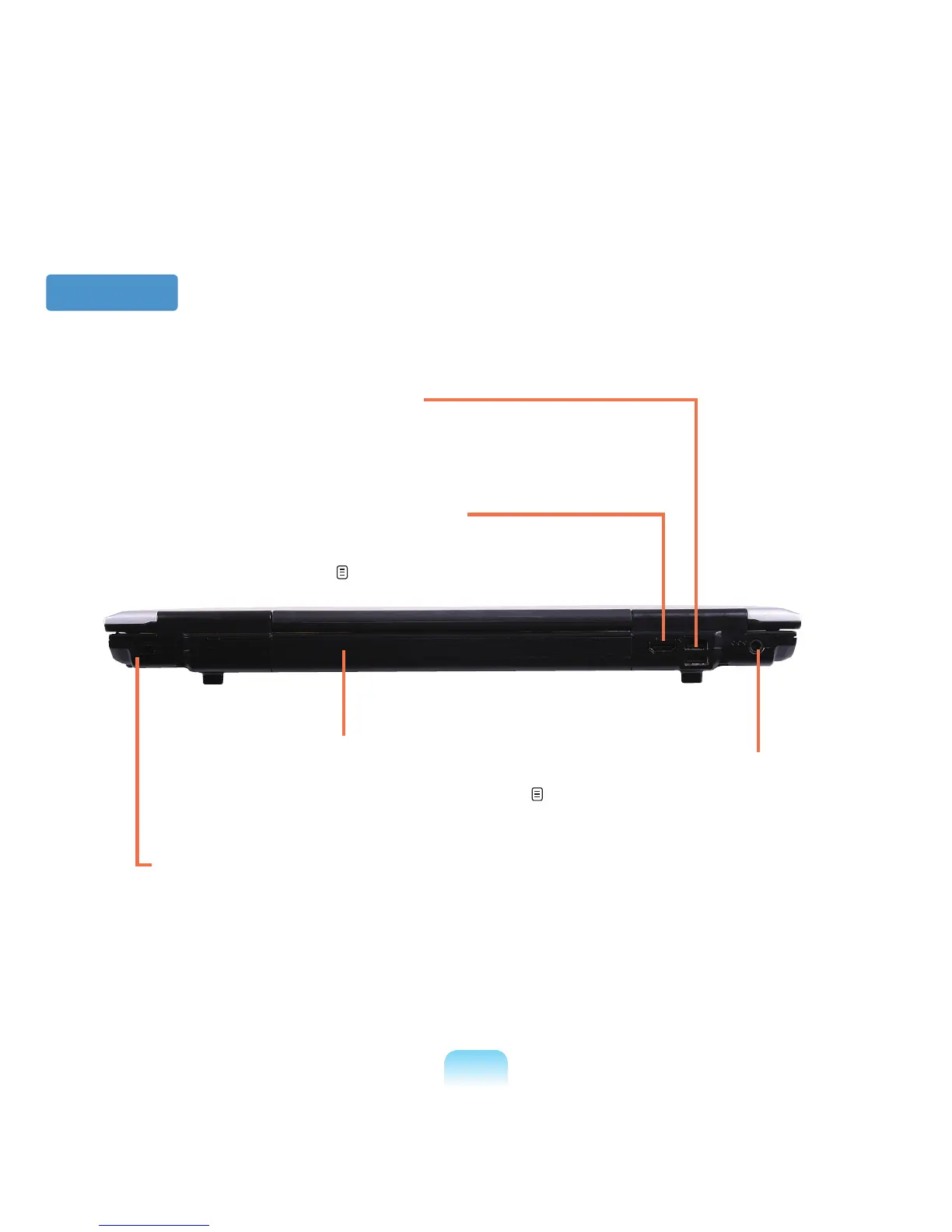
1 Security Lock Port
YoucanconnectaKensingtonlocktotheSecurityLock
Porttopreventthecomputerfrombeingstolen.
Back View
2 Battery
ThisisaLithium-Ionrechargeablebatterythat
suppliespowertothecomputer.
p.142
5 DC Jack
AjacktoconnecttheAC
adapter that supplies power
tothecomputer.
4 USB Port
You can connect USB devices to the USB port such
asakeyboard/mouse,digitalcamera,etc.
3 Digital Video/Audio Port [HDMI]
TheporttowhichtheHDMIcableisconnected.Youcan
enjoybothdigitalvideoandaudiobyconnectingyour
computertoaTV.
p.60








 To Next Page