57
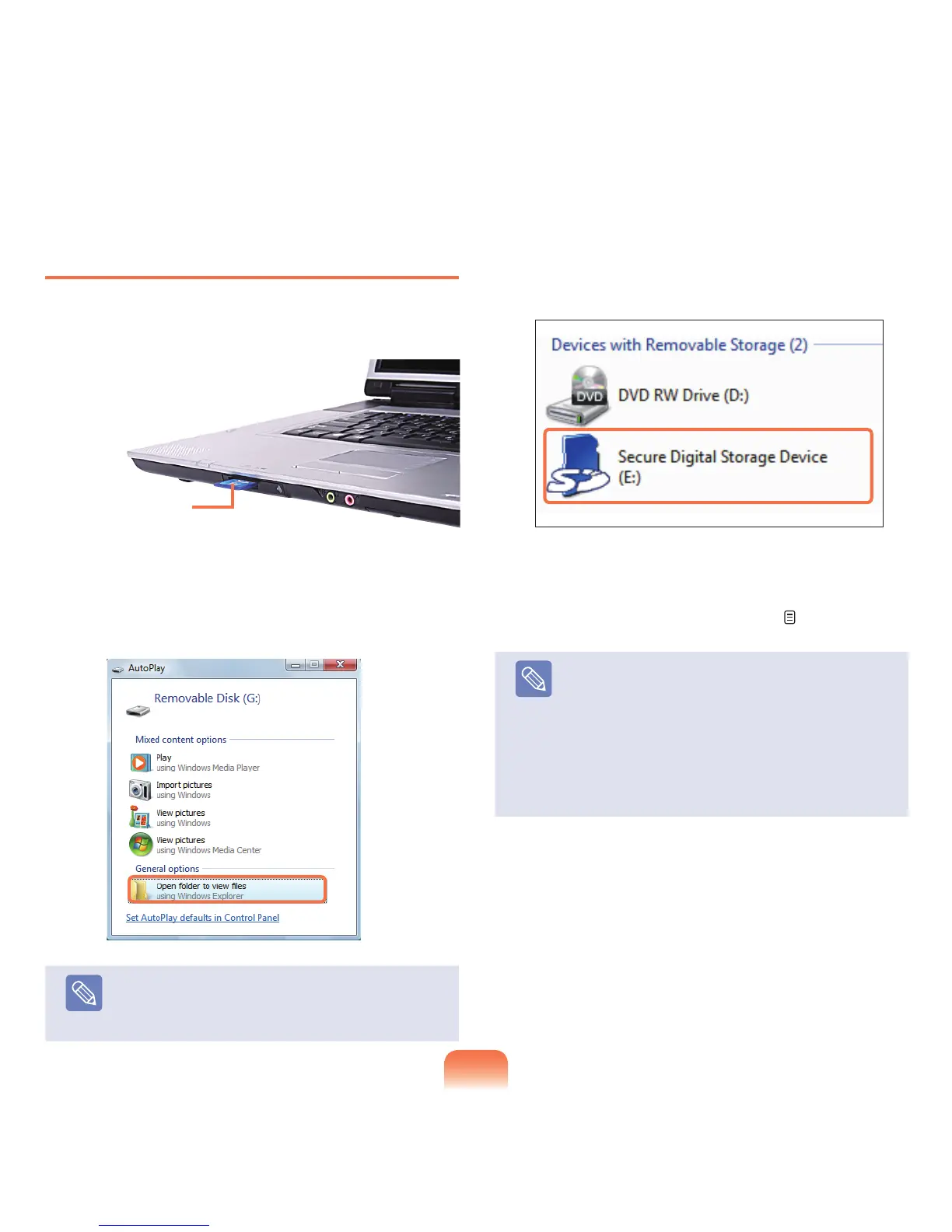
To Insert and Use a Memory Card
1
Insert a card into the slot according to the directions
printedontheslot.
2
Thecarddriveappears.ClickOpen folder and view
les.Ifthewindowdoesnotappear,clickStart >
Computer.
Note
Ifawindowaskingtoscanandchangeappears,
click Continue Without Scanning.Thiswillproceed
toStep2above.
3
Youcansave,moveanddeletedatabydouble-
clickingthecorrespondingdrive.
Sinceyoucanonlyusethecardafterformattingit,
ifitisnotformatted,formatthecardreferringtothe
descriptionsof“Formattingacard”.
p.58
Note
Using a Memory Stick Duo, Mini SD and RS-MMC
Sincetheabovecardsaretoosmall,youcannot
insertthecardsintotheslotdirectly.
Insert the card into the dedicated adapter and then
inserttheadapterintothemulticardslot.
However,theMemoryStickDuomaynotbe
recognizedproperlydependingontheadapter
status.
Example) SD Card












 To Next Page