96
5
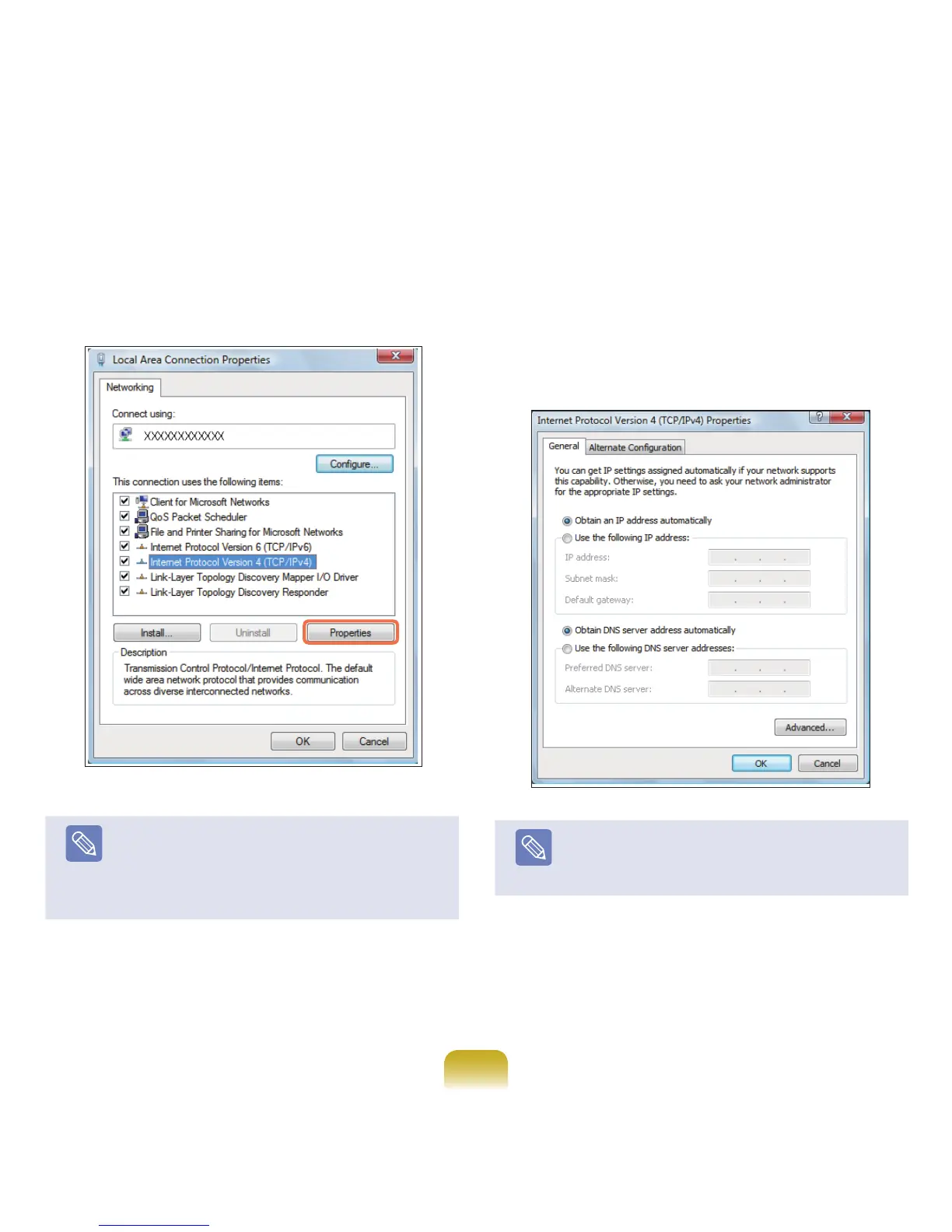
Select Internet Protocol Version 4 (TCP/IPv4) from
the NetworkingtabandclickProperties.
Note
■
TheLANdevicedrivermaydifferdependingon
yourLANdevicemodel.
■
Toaddanetworkcomponent,clickInstall in the
screenshowninthegureabove.Youcanadd
clients,services,andprotocols.
6
ConguretheIPsettings.
WhenusingDHCP,selectObtain an IP address
automatically.TouseastaticIPaddress,select
Use the following IP address,andsettheIP
addressmanually.
Note
WhennotusingDHCP,askyournetwork
administratorfortheIPaddress.
7
Whenyouhavecompletedthesettings,clicktheOK
button.
Thenetworksettingshavebeencompleted.












 To Next Page