English - 29
04 OVEN USE
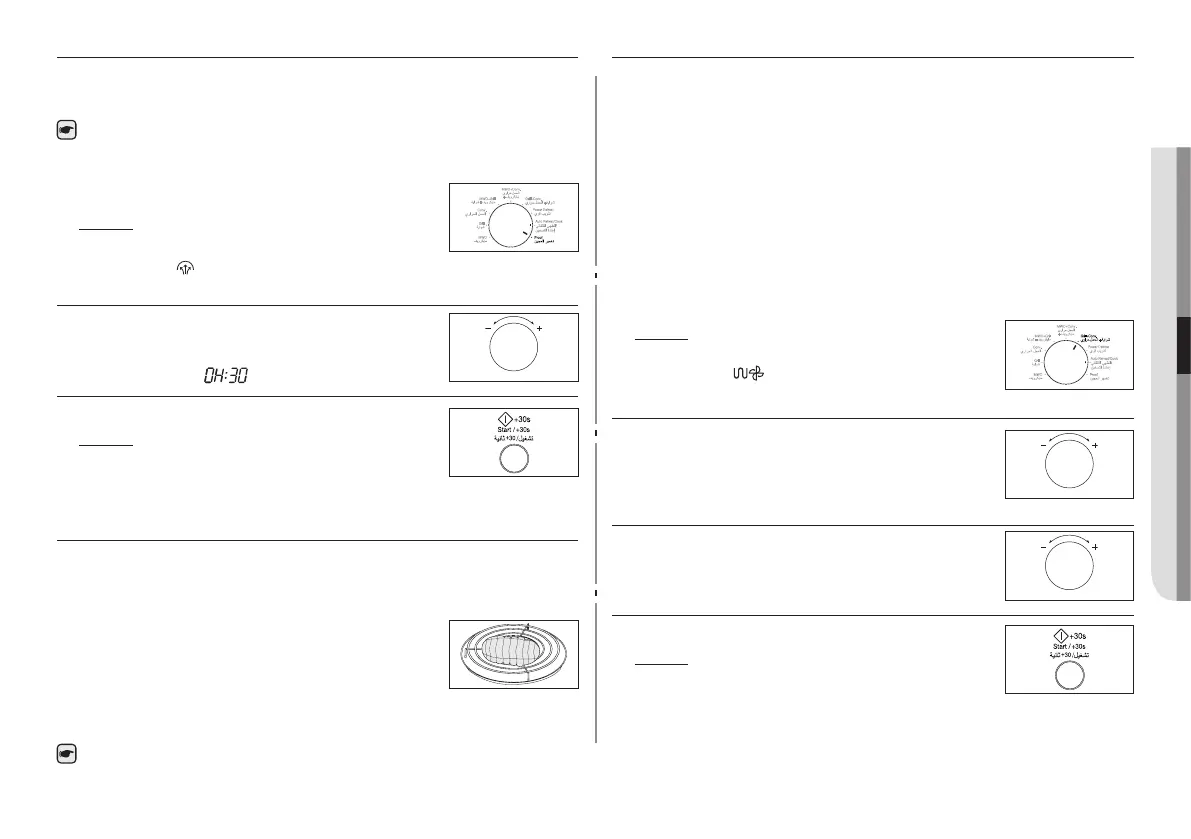
FERMENTATION PROOF MODE
This mode can be used for rising yeast dough as well as preparing
yoghurt.
For further details on suitable Fermentation (Proof) Guide,
refer to the Guide for Fermentation (Proof) Mode on page 39.
1. Turn Mode Selector Dial to Fermentation
(Proof) mode position.
Result: The following indications are
displayed:
(Fermentation (Proof)
mode)
2. Set the cooking time by turning the Multi
Function Selector Dial.
ex)
(h:mm)
3. Press the Start/ + 30s button.
Result: Cooking starts:
• When cooking has nished, the
oven will beep and ash “0” four
times. The oven will then beep one time per minute.
CHOOSING THE ACCESSORIES
Traditional convection cooking does require cookware. You
should, however, use only cookware that you would use in your
normal oven.
Microwave-safe containers are not usually
suitable for convection cooking; don’t use plastic
containers, dishes, paper cups, towels, etc.
If you wish to select a combined cooking mode
(microwave and grill or convection), use only recipients that are
microwave-safe and oven-proof.
For further details on suitable cookware and utensils, refer to
the Cookware Guide on page 32.
COMBINING CONVECTION AND GRILL
You can also combine convection with the grill, to cook quickly
and brown at the same time.
ALWAYS use oven-proof cookware and oven gloves when
touching the recipients in the oven, as they will be very hot.You
can improve cooking and grilling, if you use the high rack.
Open the door. Place the food on the rack best suited to the type
of food to be cooked. Place the rack on the turntable. Close the
door.
Open the door. Place the food on the rack best suited to the type
of food to be cooked. Place the rack on the turntable. Close the
door.
1. Turn Mode Selector Dial to Convection + Grill mode position.
Result: The following indications are
displayed:
(Convection + Grill)
220 °C (temperature)
2. Turning the Multi Function Selector Dial to set
the temperature. At that time, press the Multi
Function Selector Dial to select temperature.
(Temperature : 220, 200, 180, 160, 140, 100,
40 °C)
3. Set the cooking time by turning the Multi
Function Selector Dial.
4. Press the Start/ + 30s button.
Result: Cooking starts:
• When cooking has nished, the
oven will beep and ash “0”
four times. The oven will then beep one time per
minute.



 To Next Page