ŝ15Ş
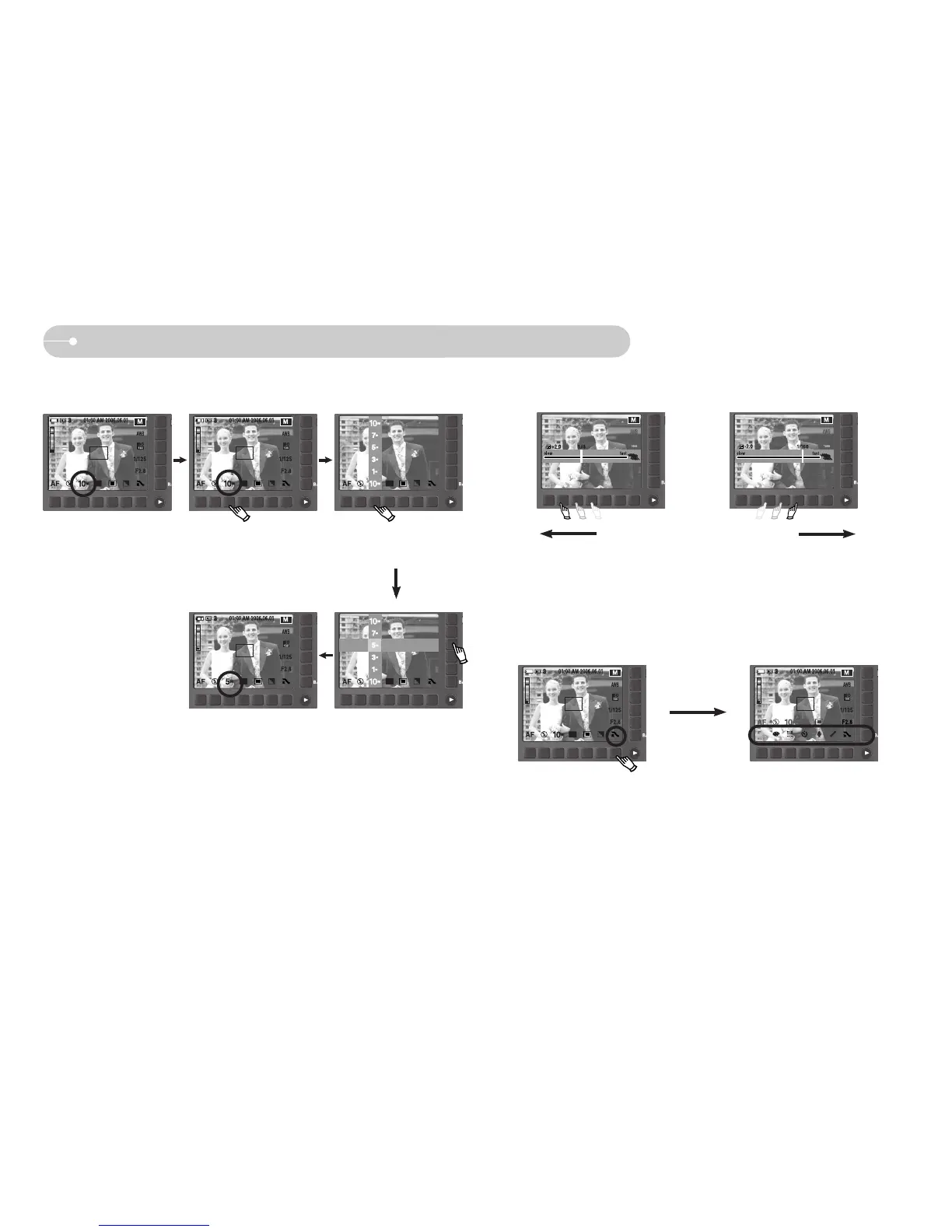
ƈ Extending the menus : Press the extension menu button and the more available
menus will display.
Pressing the
extension menu
button
When Using the Camera for the First Time : Smart button
ƈ This button is used for shifting the menu cursor to select or for confirming the
selected menu.
ƈ To select sub menu, in some menus, touch the button and slide your finger to
the left / right.
[Selecting the main menu :
Touching the button]
[Confirming the main menu :
Pressing the button]
[Confirming the sub menu :
Pressing the button]
[Selecting the sub menu :
Touching the button]
[e.g. : Selecting the shutter speed]
Slow
Fast
3648x2736
3136x2352
2688x2016
2240x1680
1024x768
3648x2736
3136x2352
2688x2016
2240x1680
1024x768
SIZE



 To Next Page