2.13
2.5.5 OfficeServ™ Communicator Softphone
Samsung OfficeServ™ Communicator Softphone is a software-based application that turns your computer into a
full-featured Samsung IP telephone. It is installed directly onto your laptop or desktop PC running Microsoft
Windows XP or higher operating system. Once a USB headset or a USB handset is connected; the Softphone deliv-
ers virtually identical functionality as the IP desktop phones.
OfficeServ™ Communicator Softphone is ideal for telecommuter and mobile users. Remote workers can simply
connect their laptop to the corporate network, snap in a USB headset, and function as if they were in their own
office. They can place, receive, and handle calls on both the internal and external network, providing a truly
portable and practical solution.
Note: OfficeServ Link is not required for implementation of OfficeServ Communicator Softphone.
2.5.6 OfficeServ™ Wireless
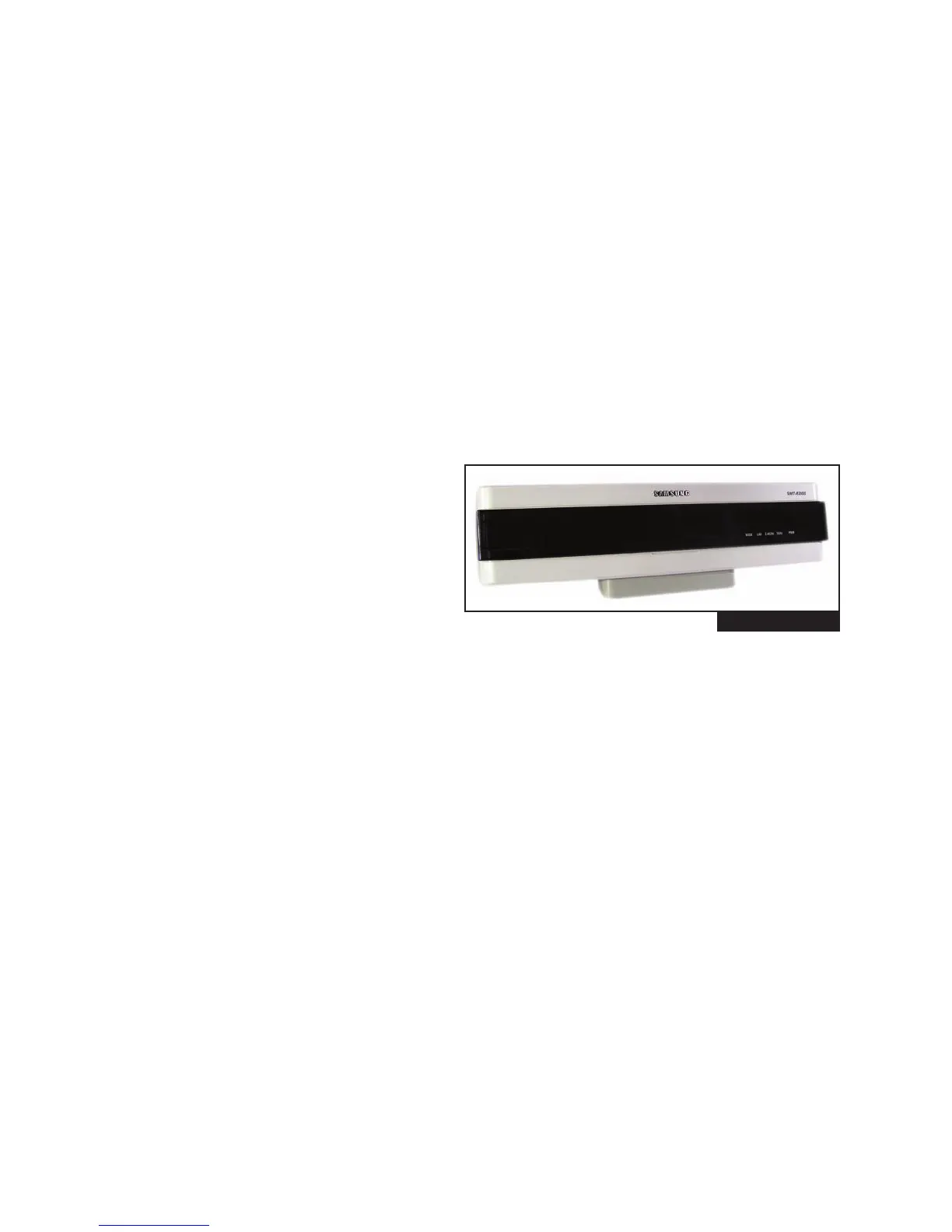
WIRELESS LAN ACCESS POINT (SMT-R2000) (See Figure 2–23)
The wireless access point (SMT-R2000) provides
wireless coverage throughout a building and sur-
rounding areas. It supports IEEE 802.11a/b/g WLAN
standard for both voice and data. It gives priority to
voice packets. The quality of the service for voice is
always guaranteed.
Highlights of SMT-R2000 Features
• Two radios. Radio 1: 5GHz IEEE 802.11a (54 Mbps) and Radio 2: 2.4 GHz IEEE 802.11b/g (54 Mbps)
• 8 voice calls per Access Point.
• Wireless data stations or handsets association per AP, 802.11a: 255, 802.11b/g: 255. Total: 32
• Wireless Access Point or repeater mode
• RP-SMA type connector for external antenna
• Router mode support
• Enhanced security (WEP, WPA, WPA2, etc.)
• QoS supports 802.1 p/q, DSCP, 802.11e (WMM), ToS
• PoE (Power over Ethernet) support or External Power Adapter (supplied)
• Easy Web Management
• Wi-Fi certified
• No MGI channel required for conversation between handset to handset or handset to IP desktop phone
FIGURE 2-23









 To Next Page