1.4
Virtual Cabinet Slot Assignment
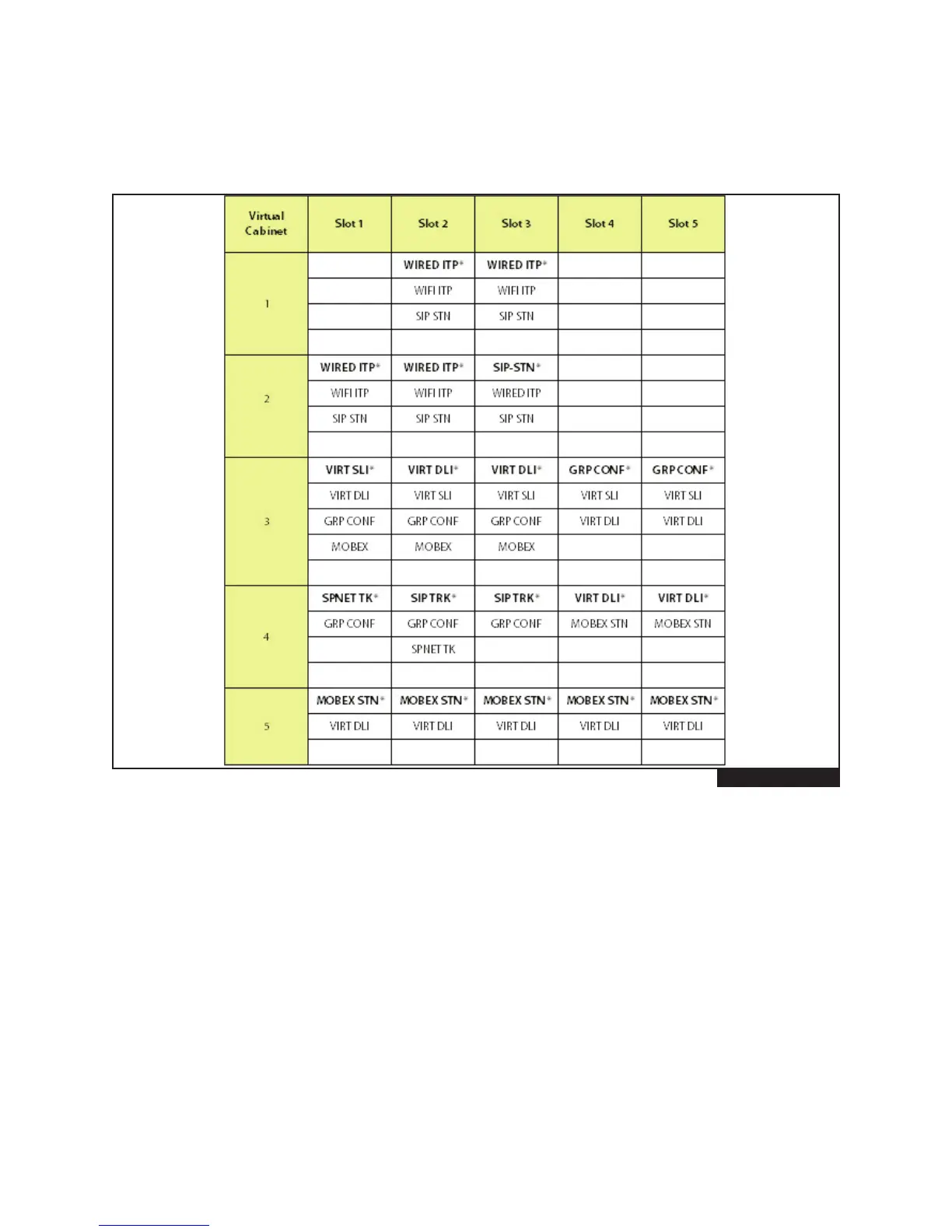
Figure 1.5 indicates what virtual stations and trunks can be assigned to each virtual cabinet and slot. Each virtu-
al slot can be assigned 4 devices of the same type.
FIGURE 1-4
*Default Selection
NOTE: Virtual cabinet 1 slots 2 and 3 can be used as physical card slot or virtual card slot depending on the
programming in MMC 857.
Cabinet 1, slots 2 and 3 are fixed slots. This means these two slots can be used for physical card or virtual cards.
These slots are set as a physical card (wired ITP) at default and will support 4DM, 2DM, 4SM, 4LM cards. When these
slots are used as virtual, no hardware (physical) card should be installed in the slot(s).









 To Next Page