DEVELOPMENT TOOLS S3C8275X/F8275X/C8278X/F8278X/C8274X/F8274X
20-4
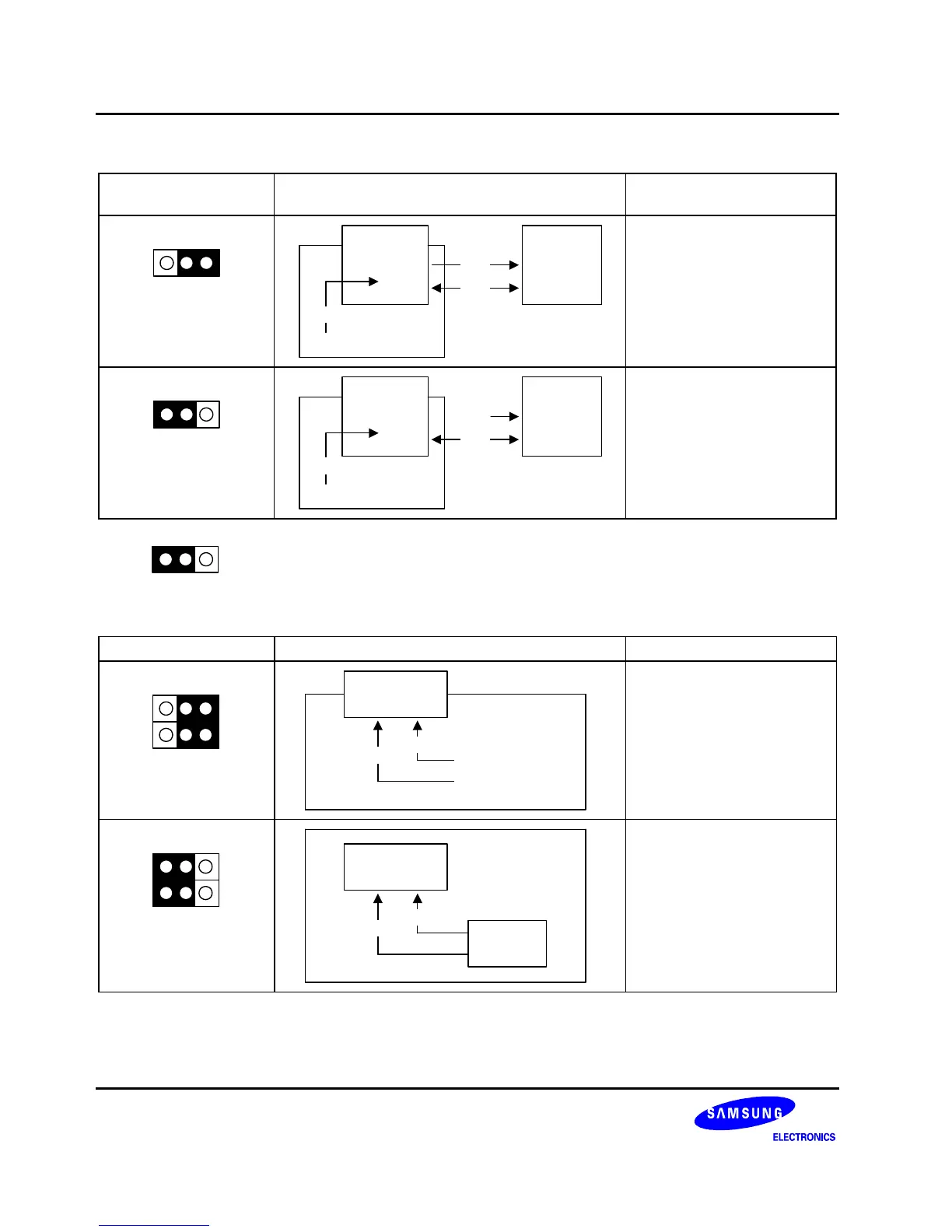
Table 20-1. Power Selection Settings for TB8275/8/4
"To User_Vcc"
Settings
Operating Mode Comments
To User_V
CC
Off On
Target
System
SMDS2/SMDS2+
TB8275
TB8278
TB8274
V
CC
V
SS
V
CC
The SMDS2/SMDS2+
supplies V
CC
to the target
board (evaluation chip) and
the target system.
To User_V
CC
Off On
Target
System
SMDS2/SMDS2+
TB8275
TB8278
TB8274
External
V
CC
V
SS
V
CC
The SMDS2/SMDS2+
supplies V
CC
only to the target
board (evaluation chip).
The target system must have
its own power supply.
NOTE: The following symbol in the "To User_Vcc" Setting column indicates the electrical short (off) configuration:
Table 20-2. Main-clock Selection Settings for TB8275/8/4
Main Clock Settings Operating Mode Comments
X
IN
XTAL
MDS
No Connection
SMDS2/SMDS2+
100 Pin Connector
EVA Chip
S3E8270
X
IN
X
OUT
Set the XI switch to “MDS”
when the target board is
connected to the
SMDS2/SMDS2+.
X
IN
XTAL
MDS
Target Board
EVA Chip
S3E8270
X
IN
X
OUT
XTAL
Set the XI switch to “XTAL”
when the target board is used
as a standalone unit, and is
not connected to the
SMDS2/SMDS2+.



 To Next Page