I ENGLISH I
USB Interface (SC-D352/D353/D354/D355 only)
Using the PC Camera Function
+ To usethe PC Camera function, the DV Driver,Video Codec and DirectX 9.0. programs must be installed in the PC.
€ You can usethis Camcorder as a PC CAMERA.
€ When you connect to a Web site that provides video chatting functions, you can use your Camcorder for such functions.
€ When using this camcorderfor video conferencing (such as NetMeeting),voice communication may not be supported
depending on the video conferencing software. Inthis case, connect an external microphone to the soundcard of the PC to
enable voice communication.
€ Using the Camcorder with PC Net-meeting program installed,you can participatein video conference.
€ The PC CAMERA's screen size (Transferredvideo frame rate for the PC Camera function is max 15fps.)
€ If PC is connected with the USB to the Camcorder,only the Power,Mode, Zoom and NITE PIXswitches can be operated.
(SC-D352/D354/D355only)
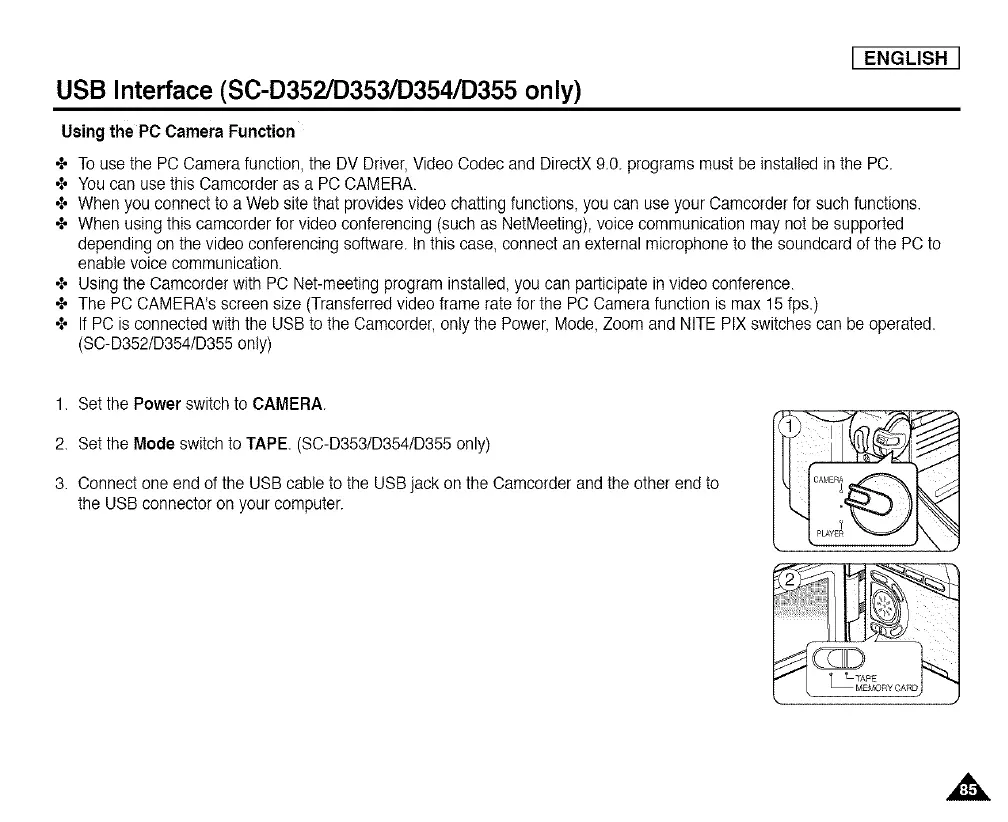
1. Set the Power switch to CAMERA.
2. Set the Mode switch to TAPE. (SC-D353/D354/D355 only)
3. Connect one end of the USB cable to the USB jack on the Camcorder and the other end to
the USB connector on your computer.














 To Next Page