EasyManua.ls Logo

Samsung SCA20 - Page 56

Samsung SCA20
134 pages
Print Icon
To Next Page IconTo Next Page
To Previous Page IconTo Previous Page
Loading...
Alignment and adjustment
5-26 Samsung Electronics
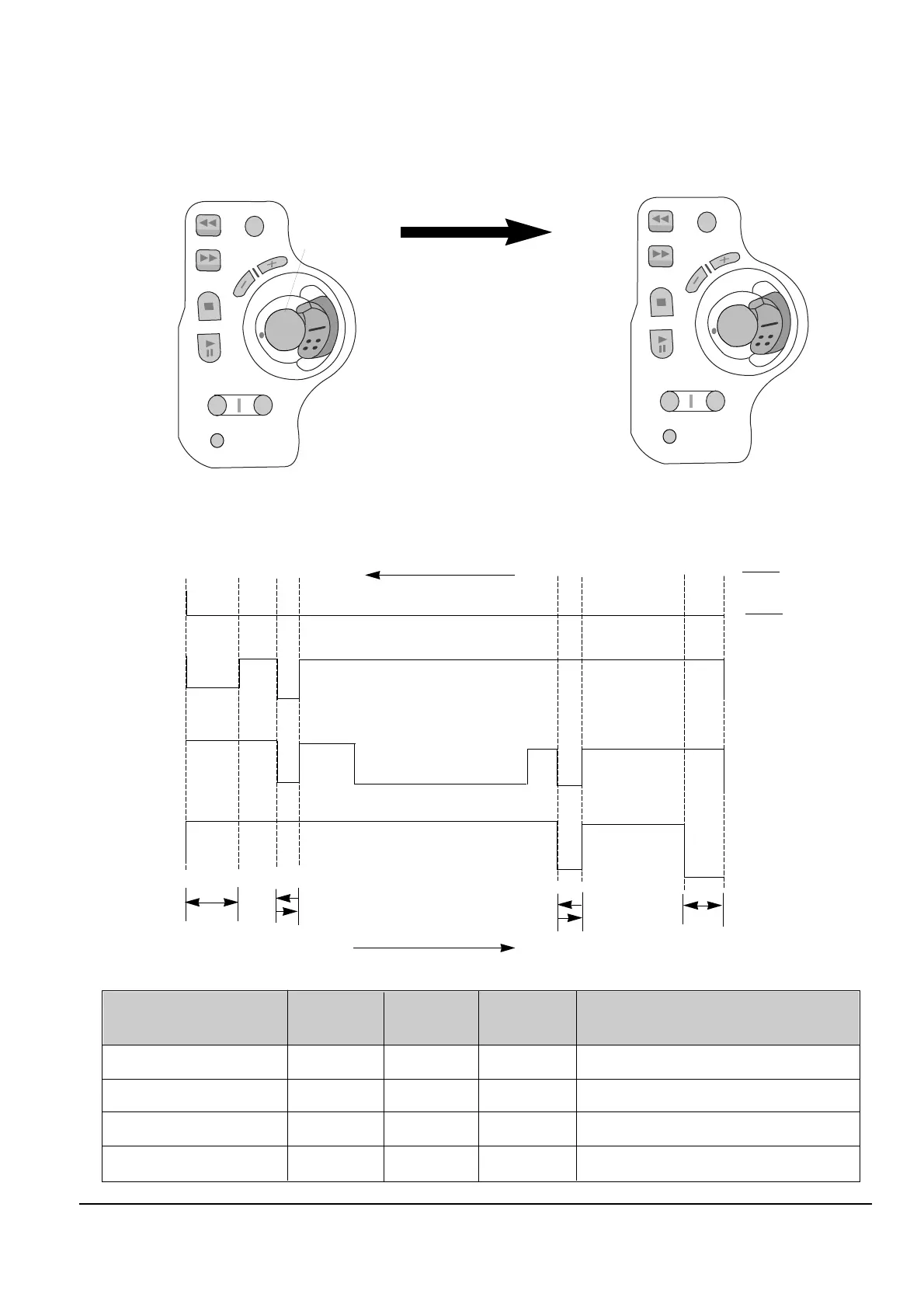
5. The location of function button.
5-3-2 Timing Chart of Program SWITCH
-
EJECT
UNLOADING STOP
LOADING STOP
PB
POSITION
IC601
30PIN
IC601
29PIN
IC601
28PIN
Action Mode
L
L
H
H
H
L
L
H
H
H
L
L
EJECT
UNLOADING STOP
LOADING STOP
PLAY,FF,REW,STILL...
IC601
29PIN
GROUND
IC601
28PIN
COMMON
IC601
30PIN
OPEN
EJECT
PLAY
LOADING
STOP
UNLOADING
STOP
LOADING
UNLOADING
DATE
TITLE
FADE
BLC
DISPLAY
P.AE
DSE
D.ZOOM
START/STOP
EJECT
CONFIRM
MODE CHANGE
DOWN/UP
DATA
Rear Board for camcorder adjustment
Figure of button placement when Rear Board is
used for service adjustment.
Reassignment
in the
adjustment mode
Note : In service adjustment
mode, button names are
different from those in
customer function control
mode. EX) DISPLAY button is
the same as CONFIRM.

Related product manuals