EasyManua.ls Logo

Samsung SCW71 - User Manual

Samsung SCW71
66 pages
Print Icon
To Next Page IconTo Next Page
Loading...
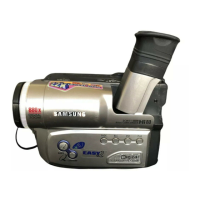
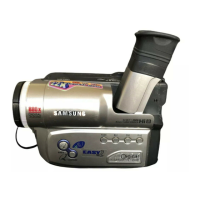
Video Camcorder
8mm
SCW71/W73
Owner’s Instruction Book
Before operating the unit, please read
this instruction book thoroughly, and retain it for
future reference.
ELECTRONICS
SCW71/W73
ENGLISH
Hi
US

Table of Contents

Questions and Answers

  • K
    Karen LopezJul 30, 2025
    What to do if the display is slow on my Samsung SCW71 Camcorder?
    • J
      Judy TownsendJul 30, 2025
      If the display on your Samsung Camcorder is running slowly, it is likely that the battery pack is almost discharged. Replace the discharged battery with a fully charged one.
  • B
    Brenda ChaseAug 4, 2025
    What to do if my Samsung Camcorder says 'TAPE END! no'?
    • A
      Andrew SanchezAug 4, 2025
      If your Samsung Camcorder displays 'TAPE END! no', it means the tape has reached its end. Replace it with a new one to continue recording or playback.
  • N
    ngreenAug 9, 2025
    What does 'TAPE END! slow' mean on my Samsung SCW71 Camcorder?
    • E
      Eddie LeeAug 9, 2025
      When your Samsung Camcorder shows 'TAPE END! slow', it indicates that the tape is almost at its end. Prepare a new tape to avoid interruption.
  • H
    heidi46Aug 14, 2025
    What to do if my Samsung Camcorder says 'TAPE! slow'?
    • D
      darlene75Aug 14, 2025
      If your Samsung Camcorder displays 'TAPE! slow', it means there is no tape inserted in the camcorder. Insert a tape to resolve this issue.
  • G
    Gregory McclainAug 18, 2025
    What does 'PROTECTION! slow' mean on my Samsung SCW71 Camcorder?
    • W
      woodardchristinaAug 18, 2025
      If your Samsung Camcorder displays 'PROTECTION! slow', it means the tape is protected from recording. If you want to record, release the protection on the tape.
  • C
    Cynthia CruzAug 25, 2025
    What to do if my Samsung SCW71 shows 'D.EMG C.EMG R.EMG L.EMG slow'?
    • D
      Dustin PerezAug 25, 2025
      If your Samsung Camcorder is displaying 'D.EMG C.EMG R.EMG L.EMG slow', it indicates a mechanical fault. Here's what you should do: 1. Eject the tape. 2. Set the camcorder to OFF. 3. Detach the battery. 4. Reattach the battery. If the problem persists after these steps, please contact your local authorized service center.

Summary

Notices and Safety Instructions

Battery Pack and Terminal Care

Guidelines for safely handling and maintaining the camcorder's battery pack and terminals, including cleaning.

Lens Safety Precautions

Instructions to prevent damage to the camcorder's lens, especially from direct sunlight exposure.

Viewfinder and Moisture Condensation Safety

Safety advice regarding the electronic viewfinder and precautions for moisture condensation inside the unit.

Battery Pack and Lithium Battery Handling

Specific instructions for using, charging, and handling battery packs and the internal lithium battery.

Hand Strap and Video Head Cleaning

Proper use of the hand strap and procedures for cleaning video heads to maintain performance.

General Safety Instructions

Comprehensive safety guidelines covering operation, cleaning, attachments, water, and accessories.

Getting to Know Your Camcorder

Preparing Your Camcorder

Adjusting Hand and Shoulder Straps

Instructions for properly adjusting the hand and shoulder straps for comfortable and secure handling.

Connecting the Power Source

Procedures for connecting either the AC power adapter or the battery pack for operation.

Using and Recharging the Battery Pack

Guide on how to use the battery pack and the process for recharging it using the AC adapter.

Basic Recording

Making Your First Recording

Step-by-step guide to performing the initial recording on the camcorder.

Advanced Recording Features

Playing Back a Tape

Troubleshooting Guide

Self Diagnosis Display Codes

Interpretation of self-diagnosis display codes and corresponding corrective actions.

General Checking and Solutions

A table of common symptoms and their potential explanations and solutions.

Specific Troubleshooting Symptoms

Solutions for specific issues like vertical strips, blurred images, and playback problems.

Moisture Condensation Issues

Guidance on addressing moisture condensation within the camcorder and its protective feature.

Technical Specifications

Samsung SCW71 Specifications

General IconGeneral
BrandSamsung
ModelSCW71
CategoryCamcorder
LanguageEnglish

Related product manuals