48
ENGLISH
Advanced Recording
✤ Demonstration automatically shows you the major functions that are included with your camcorder so that
you may use them more easily.
✤ The DEMO function is only available in CAMERA mode when tape is not in the camcoder.
✤ The Demonstration operates repeatedly until the POWER switch is set to OFF.
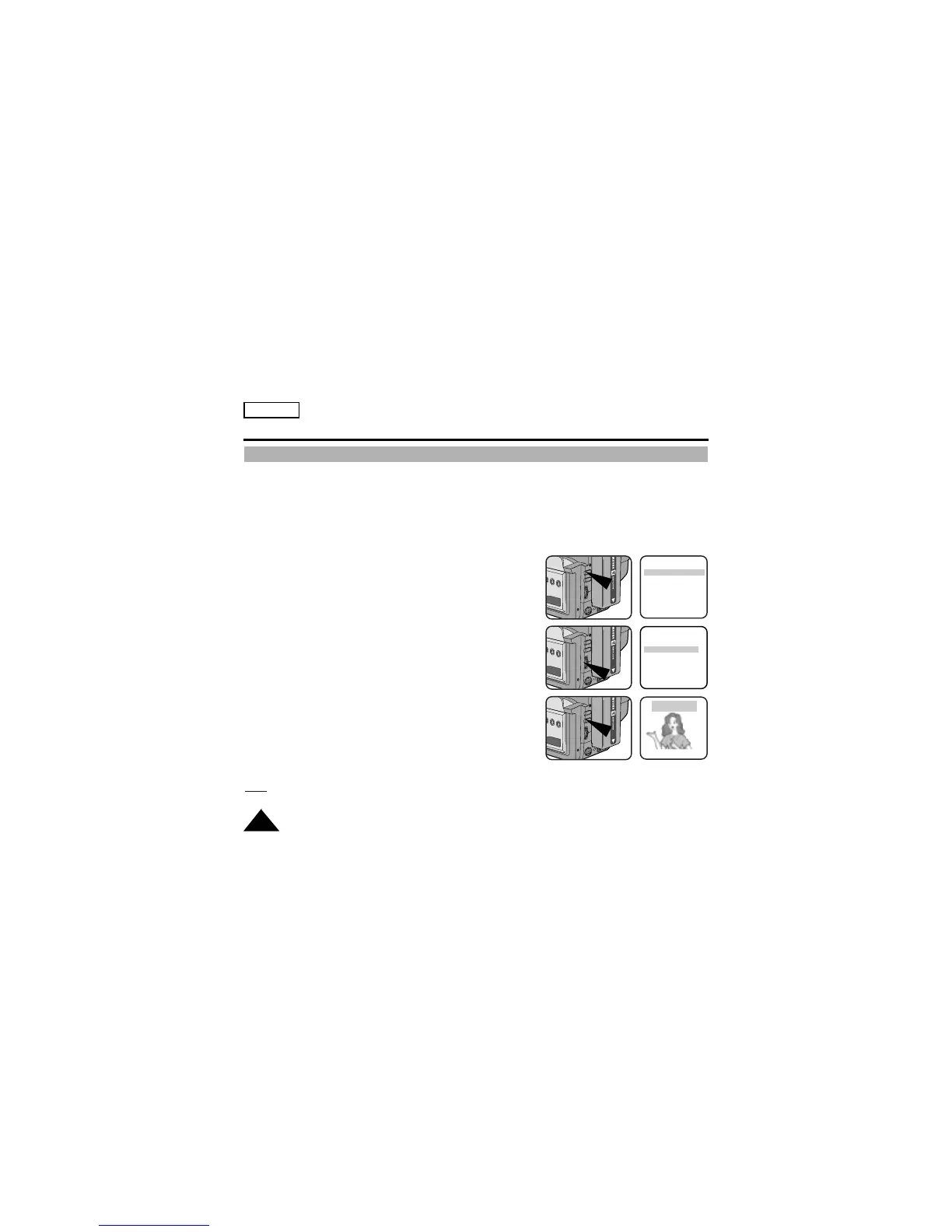
1. Set the power switch to CAMERA mode.
2. Press the MENU ON/OFF button, the MENU list will appear.
3. Turn the UP/DOWN dial so that DEMO is highlighted.
4. Press ENTER to select ON.
■ Demonstration will start.
5. Set the POWER switch to OFF to end the Demonstration.
Note:
The MENU ON/OFF function will not operate in EASY or REC mode.
Demonstration
MENU
C.RESET ............0:00:00
DEMO ..................OFF
EXIT: MENU
MENU
C.RESET ............0:00:00
DEMO ..................OFF
EXIT: MENU
SAMSUNG
DEMONSTRATION


 To Next Page