37
ENGLISH
Advanced Recording
BLC
BLC works in the CAMERA mode.
Back lighting exists when the subject is darker than the background:
- The subject is placed in front of a window.
- The person to be recorded is wearing white or shiny
clothes and is placed against a bright background;
the person’s face is too dark to distinguish their features.
- The subject is outdoors and the background is overcast.
- The light sources are too bright.
- The subject is against a snowy background.
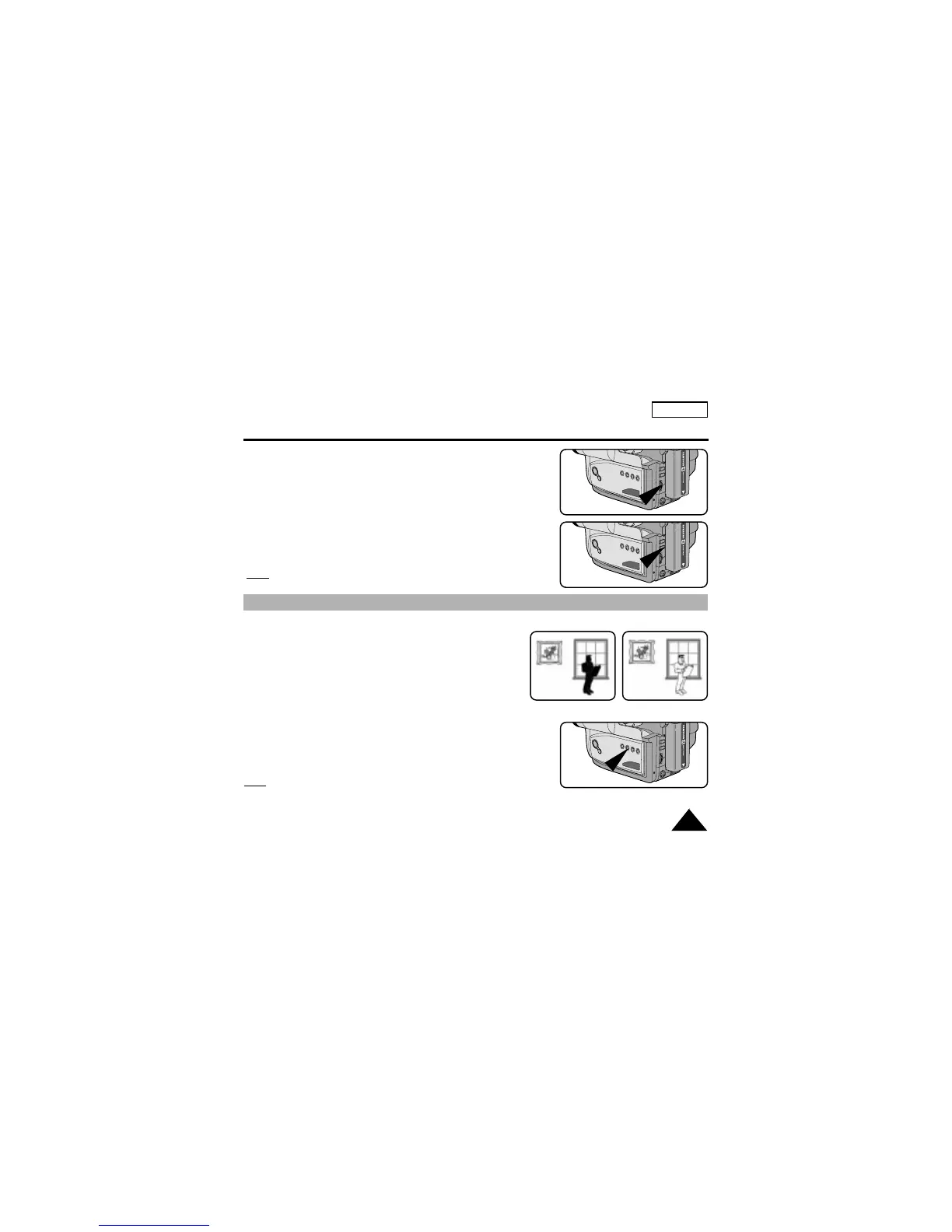
1. Set the power switch to CAMERA mode.
2. Press BLC button.
■ Normal BLC - Normal
■ BLC enhances only the subject.
Note:
BLC function will not operate in P.AE or EASY mode.
BLC on
BLC off
4. Turn the UP/DOWN dial up or down until the object is focused.
5. You will obtain a sharp picture after you zoom out.
6. To return to AF(Auto Focus), press the MF button again.
The MF symbol will disappear from the viewfinder.
Note:
The MF function will not operate in EASY mode.


 To Next Page