47
ENGLISH
Advanced Recording
White Balance
✤ WHITE BALANCE is a recording function that preserves the unique color of the object in any recording condition.
✤ You may select the appropriate WHITE BALANCE mode to obtain good image color quality.
- AUTO: This mode is generally used to control the WHITE BALANCE automatically.
- INDOOR (
): controls WHITE BALANCE according to the indoor ambience.
- OUTDOOR (
): controls WHITE BALANCE according to the outdoor ambience.
Setting a White Balance Mode
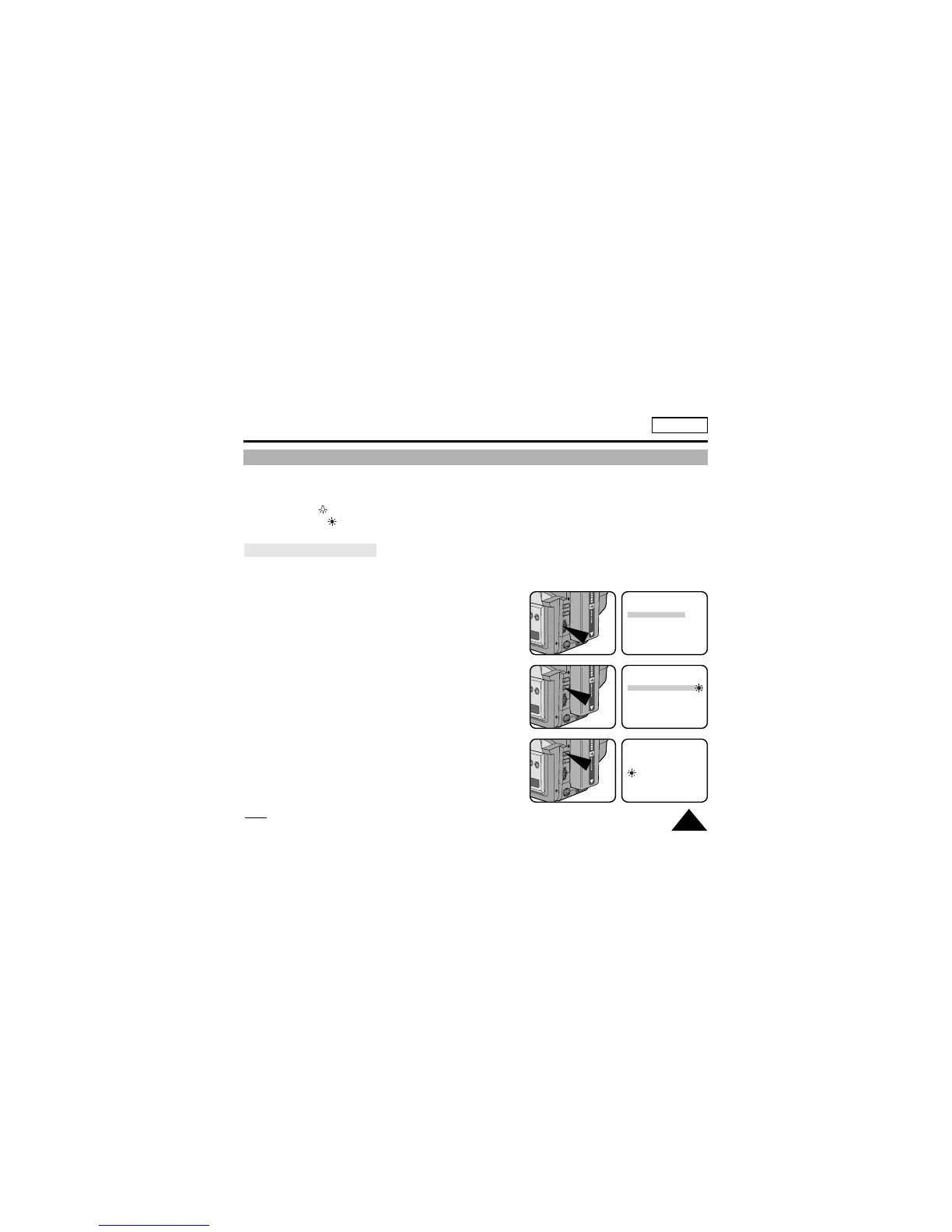
1. Set the power switch to CAMERA mode.
2. Press the MENU ON/OFF button, then the MENU list will appear.
3. Turn the UP/DOWN dial until WHITE BAL. .......AUTO is highlighted.
4. Press ENTER.
■ You can set it to INDOOR or OUTDOOR
by pressing the ENTER button.
5. Press the MENU ON/OFF button to exit the WHITE BALANCE
setting screen.
Note:
The MENU ON/OFF function will not operate in EASY or REC mode.
MENU
DISPLAY ............ON
WHITE BAL. ......AUTO
CUSTOM SET
CLOCK SET
TITLE SET
TITLE ..................OFF
NEXT: MENU
MENU
DISPLAY ............ON
WHITE BAL. ......OUTDOOR
CUSTOM SET
CLOCK SET
TITLE SET
TITLE ..................OFF
NEXT: MENU
STBY
0:00:01


 To Next Page