EasyManua.ls Logo

Samsung SCD-2020 - User Manual

Samsung SCD-2020
19 pages
Print Icon
To Next Page IconTo Next Page
Loading...
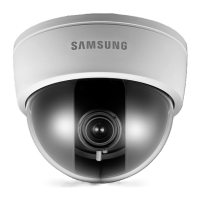
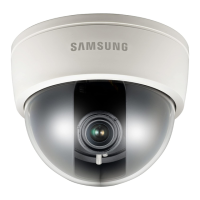
High Resolution Day & Night Dome Camera SCD-2020/2040/2021
User Guide
Before installing and operating this product,
please read this manual thoroughly.
ENGLISH

Questions and Answers

  • P
    Patrick DeanAug 13, 2025
    How to fix a Samsung SCD-2020 when nothing appears on the screen?
    • J
      Joshua DavidsonAug 13, 2025
      If nothing appears on the screen when using your Samsung Security Camera, first, ensure that the power cord and the line connection between the camera and the monitor are properly connected. Also, verify that you have correctly connected the VIDEO cable to the camera's VIDEO output jack.
  • J
    Joseph ChavezAug 16, 2025
    Why is the image on my Samsung Security Camera screen dim?
    • C
      cheryl87Aug 16, 2025
      If the image on the screen of your Samsung Security Camera is dim, try the following: First, clean the lens with a soft, clean cloth to remove any dirt. Next, ensure that the monitor or DVR is set to the correct settings. Finally, if the camera is exposed to very strong light, consider changing its position.
  • A
    ashleymartinezAug 20, 2025
    What to do if coaxial communication is not available on Samsung SCD-2020?
    • D
      David MorganAug 21, 2025
      If the coaxial communication is not available for your Samsung Security Camera, ensure that the camera and monitor are installed within the recommended distance. If the distance is exceeded, use a video amplifier equivalent to coaxitron.
  • G
    garnoldAug 25, 2025
    Why is the image on my Samsung SCD-2020 Security Camera screen dark?
    • E
      Erin RobinsonAug 25, 2025
      If the image on the screen is dark when using your Samsung Security Camera, try adjusting the contrast feature on your monitor or DVR. Also, if you are using an intermediate device, ensure that the 75 ? / Hi-z setting is properly configured.
  • H
    heather95Aug 28, 2025
    What to do if Samsung SCD-2020 Security Camera is hot and not working?
    • H
      Hannah DonovanAug 28, 2025
      If your Samsung Security Camera is not working properly and the surface is hot, ensure that you have correctly connected the camera to an appropriate power source.
  • S
    shawnweberSep 1, 2025
    Why does the screen flicker continually on my Samsung SCD-2020 Security Camera?
    • C
      Catherine SaundersSep 1, 2025
      If the screen flickers continually on your Samsung Security Camera, check to ensure that the camera is not pointed directly towards the sun.
  • R
    Rick ThompsonSep 4, 2025
    How to fix incorrect color on Samsung SCD-2020?
    • A
      Alexis GutierrezSep 4, 2025
      If the color is not correct on your Samsung Security Camera, verify the settings in the WHITE BAL SETUP menu.
  • M
    Mary StewartSep 8, 2025
    Why DAY/NIGHT menu does not work on Samsung SCD-2020 Security Camera?
    • D
      Dustin BookerSep 8, 2025
      If the DAY/NIGHT menu does not work on your Samsung Security Camera, check that the AGC (Automatic Gain Control) setting in the EXPOSURE SETUP menu is set to ‘OFF’.

Summary

Warnings and Cautions

Warning;Attention;Special Mark Messages

General warnings for potential material loss or injury.

General Precautions

Environmental Precautions

Installation

Adjusting Camera Angles

How to adjust pan, tilt, and rotate for optimal view.

Ceiling Bracket Mounting

Guide for installing the camera using a ceiling bracket.

Connection

Connecting to Monitor

How to connect the camera's video output to a monitor.

Coaxial Communication System

Details on using coaxial cables for communication.

Power Connection Guide

Instructions for connecting the power adapter.

Operating Your Camera

Menu Configuration Overview

Introduction to the camera's menu and setup system.

Menu Setup Navigation

How to navigate and select options in the setup menu.

Exposure Setup Details

In-depth explanation of Brightness, Shutter, AGC, SENS-UP.

White Balance Settings

Adjusting the camera's white balance for accurate colors.

Exposure Settings

Configuring camera exposure parameters.

Troubleshooting

No Image on Screen

Steps to resolve when the screen is blank.

Dim or Dark Image Issues

Solutions for low brightness or dark images.

Specifications

Samsung SCD-2020 Specifications

General IconGeneral
Camera TypeDome
Effective Pixels440, 000
Focal Length3.6mm
Ingress ProtectionIP66
Power Supply12V DC
Image Sensor1/3" CCD
Min. Illumination0.15 Lux (Color), 0.0 Lux (B/W, IR LED On)
LensFixed
Operating Temperature-10°C to +50°C
SensorCCD
Minimum Illumination0.5 Lux

Related product manuals