Getting to Know Your Camcorder
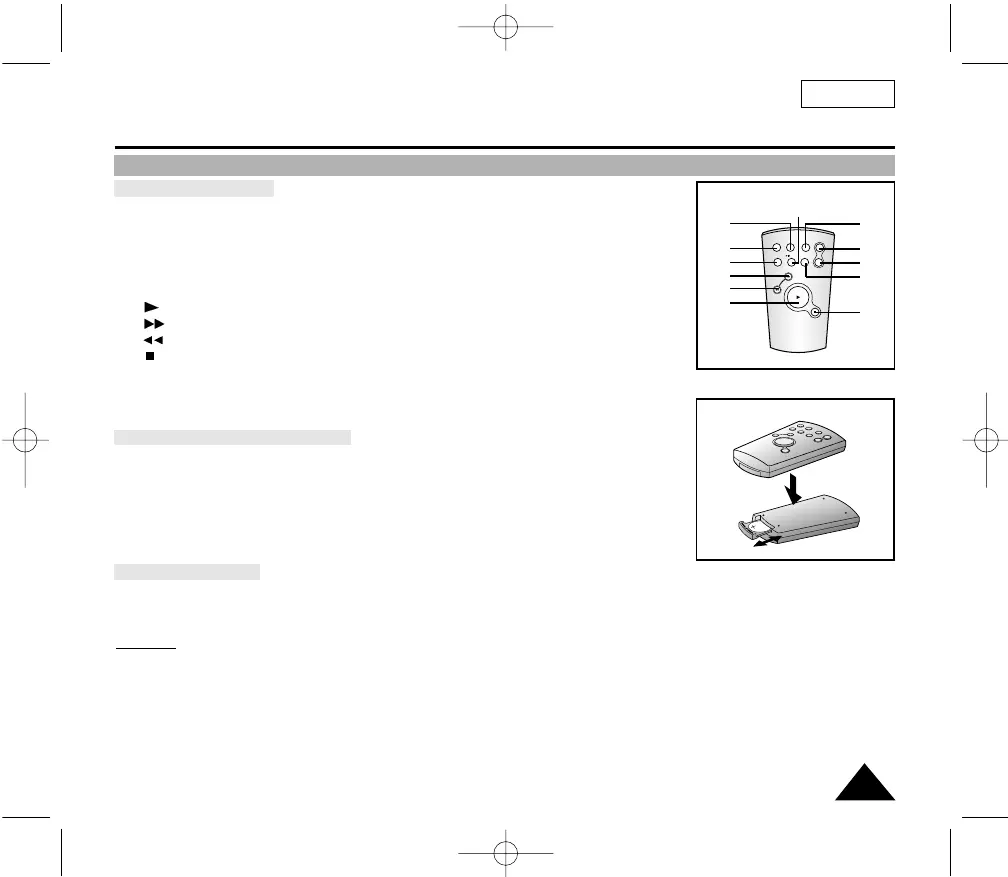
Remote Control (SCL906/L907 only)
ENGLISH
15
Description of Buttons
1. Start/Stop (see page 23)
2. Self Timer
3. Still (see page 55)
4. WIDE (see page 30)
5. TELE (see page 30)
6. Display (see page 12)
7. (Play) (see page 54)
8. (FF) (see page 55)
9. (REW) (see page 55)
10. (Stop) (see page 54)
11. Counter Reset (see page 55)
12. Zero Return (see page 55)
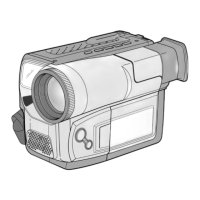
Remote Control Battery Installation
✤ You must insert or replace this battery when:
- You purchase the camcorder.
- The remote control doesn’t work.
✤ Insert Lithium Battery, following the + and - markings.
✤ Be careful not to reverse the polarity of the battery.
Self Timer Recording
✤ The Self Timer function on the remote control allows you to start and stop recording automatically.
Example:
Recording yourself
✤ Two options are available
- WAIT-10S/SELF-30S: wait 10 seconds, followed by 30 seconds of recording.
- WAIT-10S/SELF-END: wait 10 seconds, followed by recording until you press the START/STOP button again.



 To Next Page