ENGLISH
Contents
2
Notices and Safety Instructions
Features.........................................................................................................................................................................................................................8
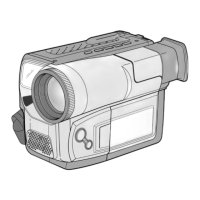
Descriptions
■
Front View/Side View/Rear View...............................................................................................................................................................9, 10, 11
■
OSD (On Screen Display) ..................................................................................................................................................................................12
Accessories Supplied with the Camcorder..................................................................................................................................................................14
Remote Control (SCL906/L907 only) ..........................................................................................................................................................................15
■
Self Timer Recording...........................................................................................................................................................................................15
Adjusting the Hand Strap and Shoulder Strap............................................................................................................................................................16
Attaching the Lens Cover............................................................................................................................................................................................17
Lithium Battery Installation ..........................................................................................................................................................................................17
Connecting the Power Source.....................................................................................................................................................................................18
■
To use the AC Power Adapter.............................................................................................................................................................................18
■
To use the Battery Pack ......................................................................................................................................................................................19
Using the Battery Pack................................................................................................................................................................................................20
■
Continuous Recording time table........................................................................................................................................................................20
■
Battery Level Display...........................................................................................................................................................................................21
Inserting and Ejecting a Cassette ..............................................................................................................................................................................22
Making your First Recording .......................................................................................................................................................................................23
Hints for Stable Image Recording ..............................................................................................................................................................................25
■
Recording with LCD Screen................................................................................................................................................................................25
■
Recording with Viewfinder...................................................................................................................................................................................25
Adjusting the LCD........................................................................................................................................................................................................26
Adjusting Focus of the VIEWFINDER.........................................................................................................................................................................27
Playing back a tape on the LCD .................................................................................................................................................................................28
■
Adjusting the LCD during PLAY ..........................................................................................................................................................................29
■
Controlling the Sound from the Speaker.............................................................................................................................................................29
■
Viewing a Still Picture..........................................................................................................................................................................................29
■
Picture Search.....................................................................................................................................................................................................29
Zooming In and Out.....................................................................................................................................................................................................30
Digital Zoom ................................................................................................................................................................................................................31
EASY mode (for Beginners)........................................................................................................................................................................................33
CUSTOM-Creating your own customized recording settings......................................................................................................................................34
DIS (Digital Image Stabilizer, SCL906/L907 only).......................................................................................................................................................35
MF/AF (Manual Focus/Auto Focus) ............................................................................................................................................................................36
BLC..............................................................................................................................................................................................................................37
Getting to Know Your Camcorder
Preparing
Basic Recording
Advanced Recording
00732M SCL901 SEA (1-19) 12/26/03 10:39 AM Page 2


 To Next Page
 Loading...