ENGLISH
49
Selecting OSD Language
Advanced Recording
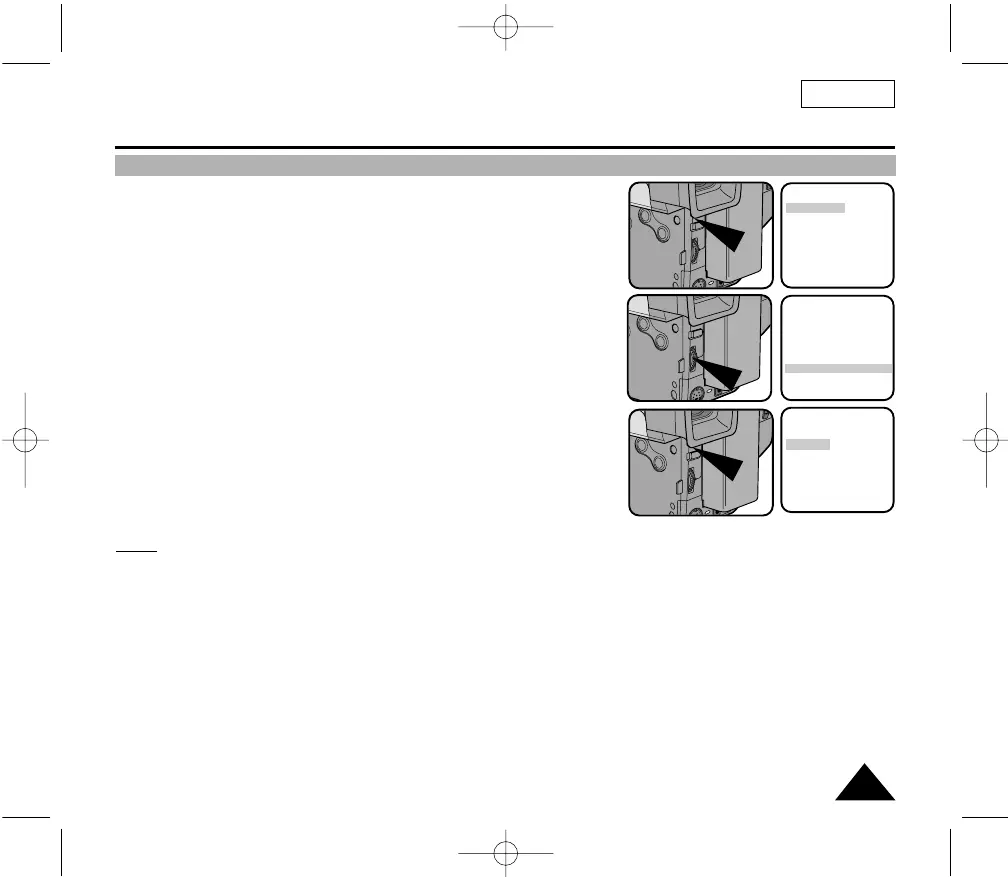
1. Press the MENU ON/OFF button.
■ The MENU list will appear.
2. Turn the UP/DOWN dial to LANGUAGE and press the ENTER button.
3. Turn the UP/DOWN dial to select the appropriate language.
■ You may select languages among ENGLISH/ESPAÑOL/FRANÇAIS.
4. Press the ENTER button.
5. To exit the menu, press the MENU ON/OFF button.
■ The OSD changes with the language which is selected.
Notes:
■ The factory default language is ENGLISH.
■ Selecting a language is possible in CAMERA mode or VCR mode.
MENU
LCD ADJUST
DIS........................OFF
D.ZOOM ..............OFF
WHITE BAL ..........AUTO
DISPLAY ..............ON
LANGUAGE..........
ENGLISH
WL REMOCON ....ON
EXIT: MENU
MENU
LCD ADJUST
DIS........................OFF
D.ZOOM ..............OFF
WHITE BAL ..........AUTO
DISPLAY ..............ON
LANGUAGE..........
ENGLISH
WL REMOCON ....ON
EXIT: MENU
LANGUAGE SELECT
[ENGLISH]
ENGLISH
ESPAÑOL
FRANÇAIS
EXIT: MENU
00732M SCL901 SEA (46-71) 12/26/03 10:46 AM Page 49



 To Next Page