SAMSUNG Proprietary-Contents may change without notice
Exploded View/Disassembly&Assembly Instructions
5-4
This Document can not be used without Samsung's authorization
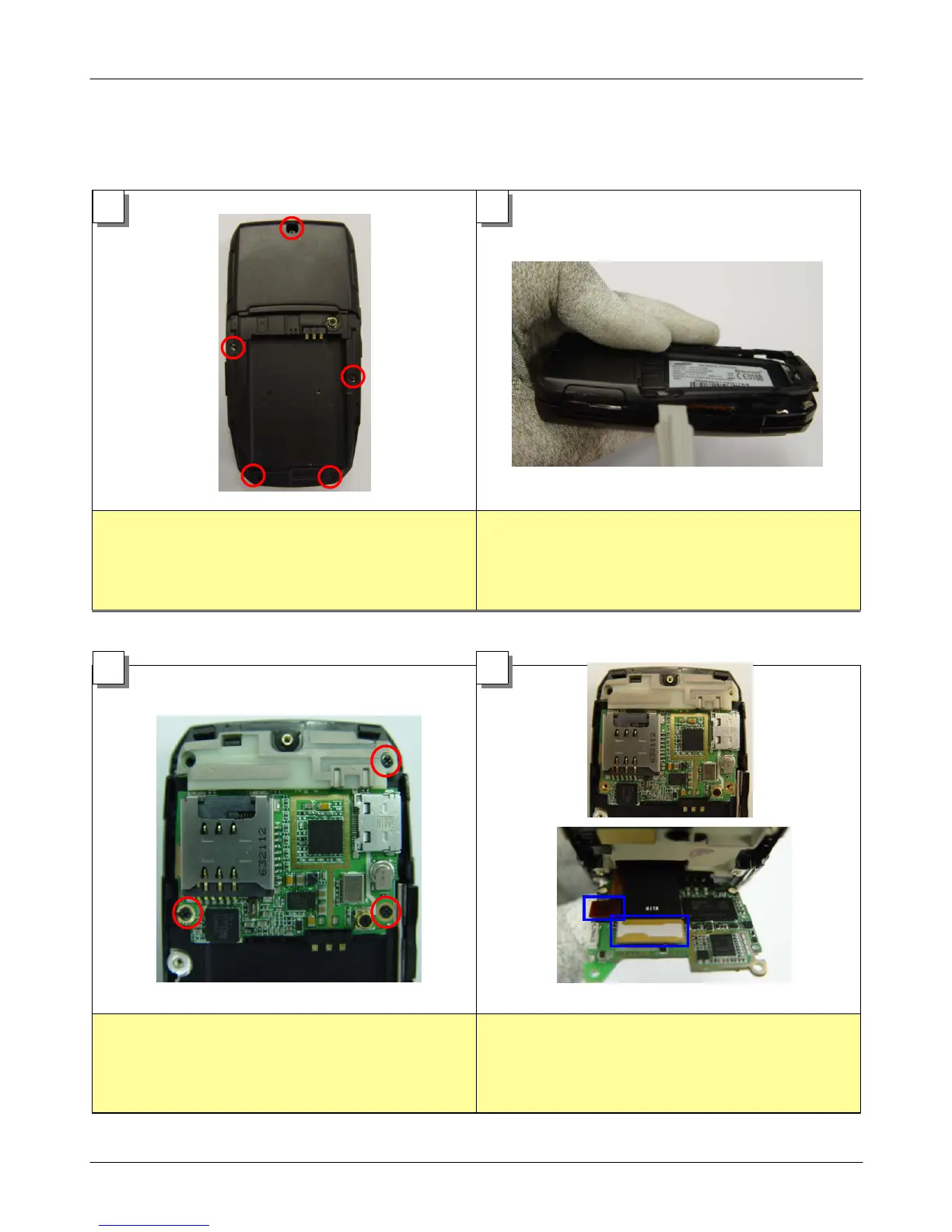
1. Unscrew 5 points of rear case as shown in
the picture.
1. Make space between rear cover and
front cover using assembly stick.
2. Widen space with hand and separate 2
parts.
1. Loosen a screw these 3 points from the
PBA.
1. Disjoint the intenna.
2. Disjoint the LCD connector and key
connector.
1
2
3
4
5-3. Disassembly and Assembly Instructions
―
Disassembly



 To Next Page