18_ assembling
■
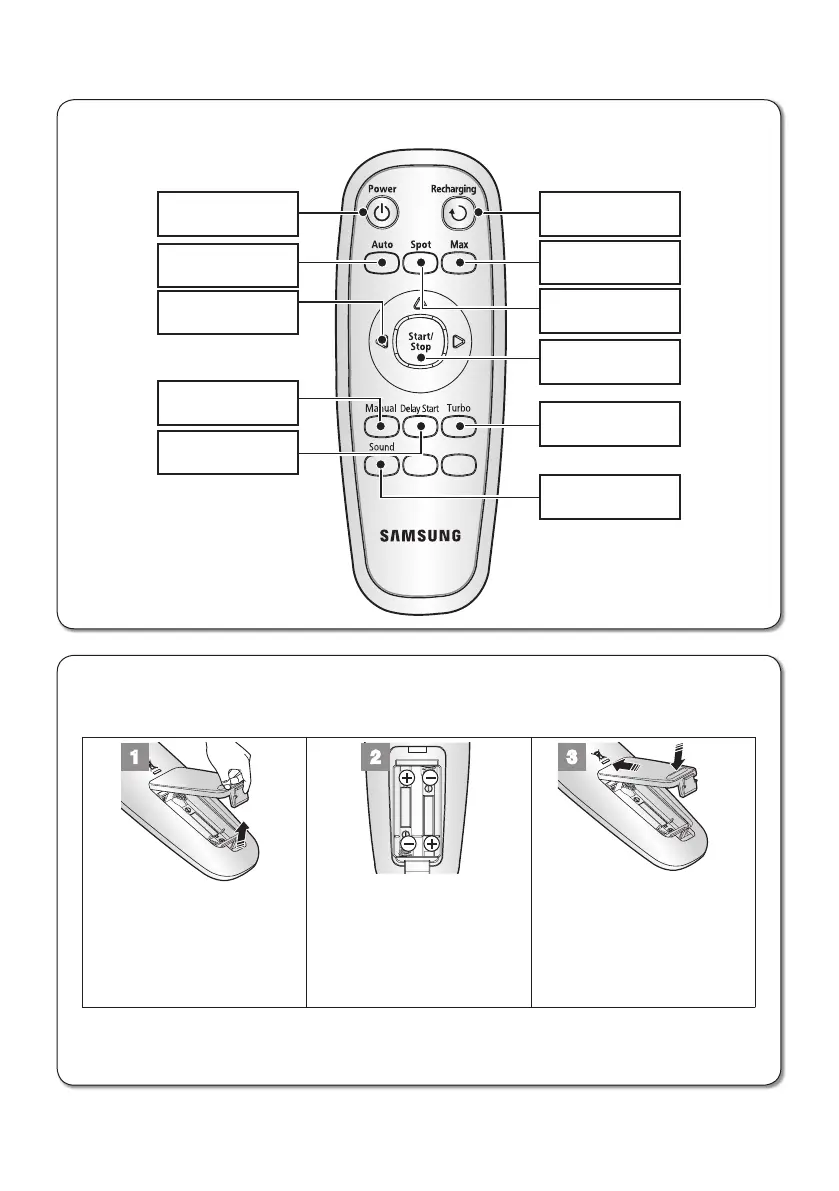
Installing the Remote Control Batterise
Batteries are not installed in the remote control when purchasing the product.
Install the batteries (type AAA) before use.
1 2 3
Lift the battery compartment
cover at the back of the
remote control, while
pressing the locking tab.
Install the batteries into the
remote control as shown
by the figure below. (If the
batteries are installed with
the wrong polarity, the
remote control will not work.)
After inserting the tip of the
cover into the slot, push the
other end to close it until it
clicks into place.
❈
Specification: AAA type batteries
■
Remote Control
Power Recharging
Max
Spot
Start/Stop
Turbo
Sound
Auto
Directional
Buttons
(moving backwards is
not supported.)
Manual
Delay Start



 To Next Page