40_ maintain
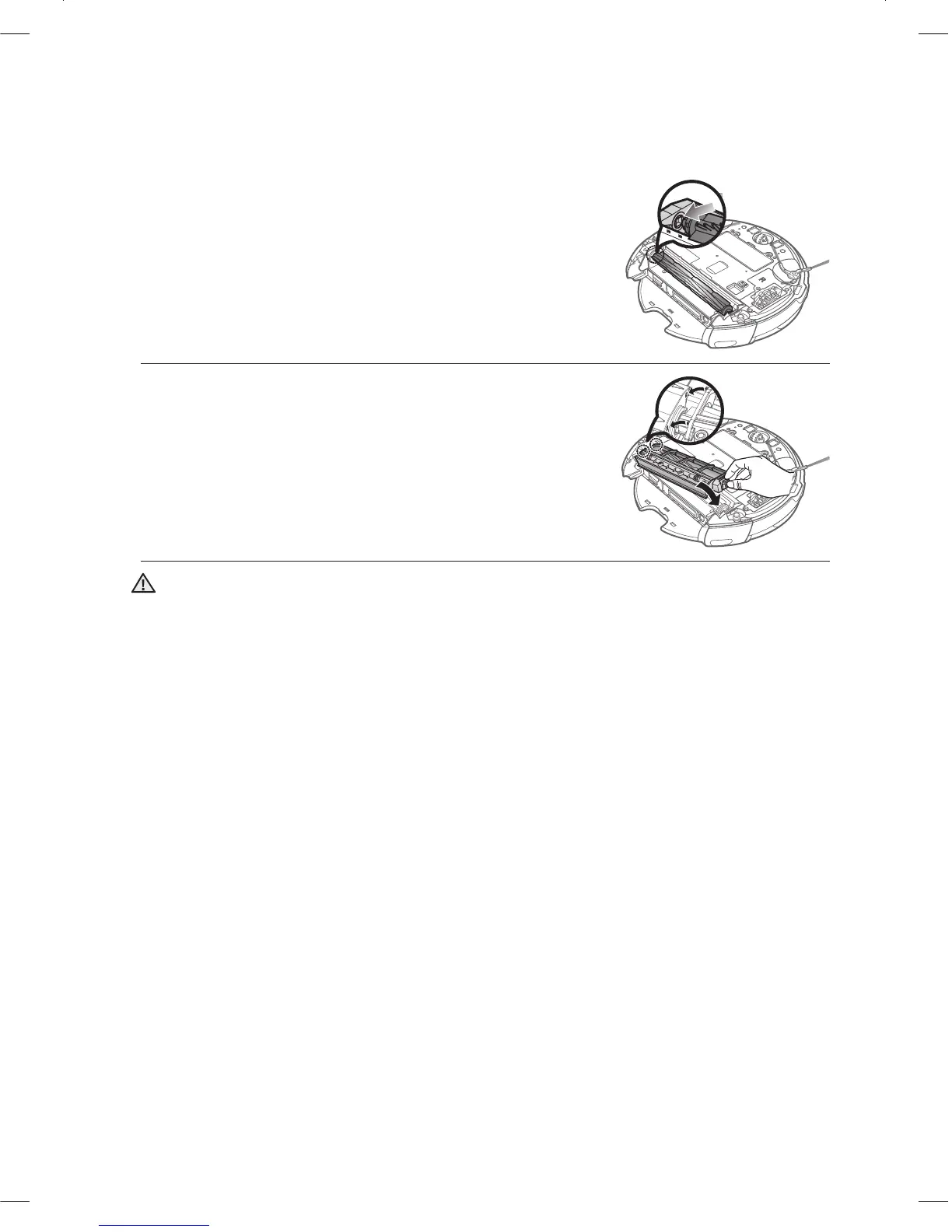
After a cleaning run, fi rst fi x the side of the power brush 4.
opposite to the Power Switch and then fi x the other side.
Insert the side into the two grooves and assemble it by 5.
slightly sliding it down until it clicks into place.
To prevent the vacuum cleaning robot from becoming clogged, be careful not to vacuum tooth •
picks or cotton swabs.
When removing foreign substances becomes diffi cult, contact a customer care center.•
Because the power brush vacuums the dust on the fl oor, long strings or hair can become •
wrapped around the brush. Check and clean the power brush regularly.
CAUTION
DJ68-00633G(EN).indd 40DJ68-00633G(EN).indd 40 2012.2.15 6:46:5 PM2012.2.15 6:46:5 PM



 To Next Page