troubleshooting _45
05 TROUBLESHOOTING
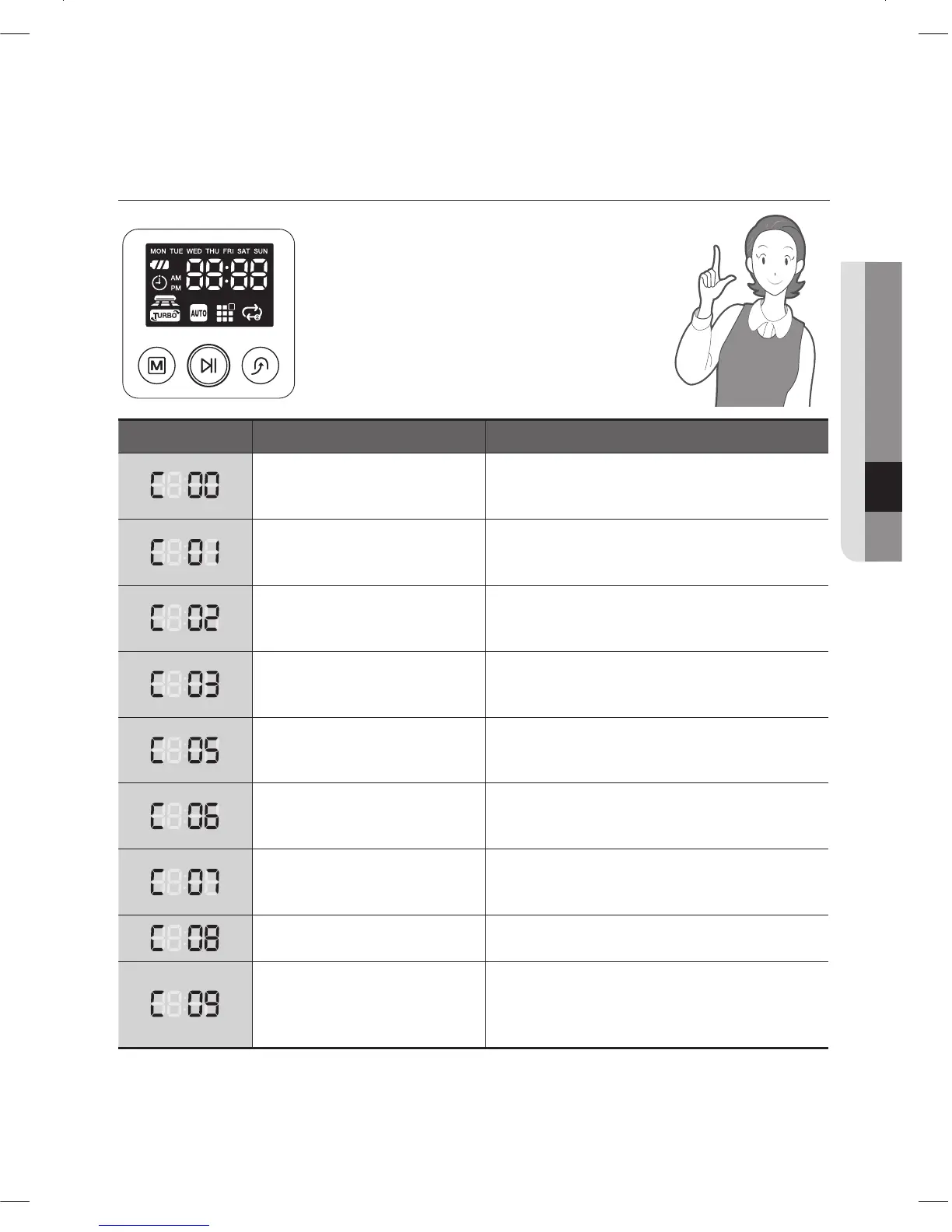
TROUBLESHOOTING FOR ERROR CODES
ERROR CODE CAUSE SOLUTION
Vacuum cleaning robot is •
caught, stuck or trapped
while navigating.
Turn off the Power Switch at the bottom and •
move the vacuum cleaning robot to a different
location.
A foreign substance (string, •
paper, toy etc.) is caught in
the power brush.
Turn off the Power Switch at the bottom and •
remove the foreign substance from the power
brush.
A foreign substance (string, •
paper, toy etc.) is caught in
the left driving wheel.
Turn off the Power Switch at the bottom and •
remove the foreign substance from the left
driving wheel.
A foreign substance (string, •
paper, toy etc.) is caught in
the right driving wheel.
Turn off the Power Switch at the bottom and •
remove the foreign substance from the right
driving wheel.
Check the Bumper sensor.• Turn off the at the bottom, and then remove •
the obstacle from the front of the vacuum
cleaning robot or move it to a different location.
A foreign substance (dust, •
stain etc.) is on the Obstacle
sensor window.
Turn off the Power Switch at the bottom and •
wipe the foreign substance from the front and
rear sensor windows using a soft cloth.
A foreign substance (Dust, •
stain etc.) is on the Cliff sensor
window.
Turn off the Power Switch at the bottom and •
wipe the foreign substance on the cilff sensor
window with a soft cloth.
Dust bin not inserted.• Insert the dust bin until you hear a “Click” •
sound.
A foreign substance (String, •
cloth etc.) is caught on the
edge-cleaning side rotating
brush.
Turn off the Power Switch at the bottom and •
wipe the foreign substance from the edge-
cleaning side rotating brush.
If you press the Start/Stop button or turn off the Power Switch, the error code is cleared.
❈
DJ68-00633G(EN).indd 45DJ68-00633G(EN).indd 45 2012.2.15 6:46:7 PM2012.2.15 6:46:7 PM



 To Next Page