EasyManua.ls Logo

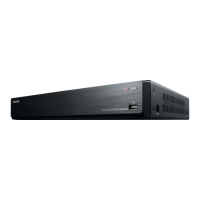
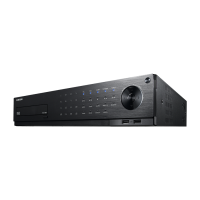
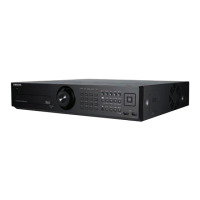
Samsung SRD-1610 - User Manual

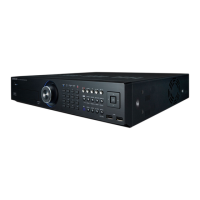
Samsung SRD-1610
132 pages
Print Icon
To Next Page IconTo Next Page
Loading...
8 CHANNEL/
16 CHANNEL DVR
User Manual
SRD-830/830D/830DC/
850/850D/850DC/870/870D/870DC/
1610/1610D/1610DC/1630/1630D/1630DC/
1650/1650D/1650DC/1670/1670D/1670DC

Table of Contents

Other manuals for Samsung SRD-1610

Questions and Answers

  • K
    Kimberly FletcherSep 18, 2025
    What to do if ESC key doesn't exit full screen on Samsung SRD-1610 WebViewer?
    • N
      Nathaniel CampbellSep 18, 2025
      If pressing the ESC key in full screen mode of the WebViewer on your Samsung DVR doesn't switch the system to a normal split mode, press the ALT+TAB keys to select ‘ACTIVE MOVIE’ and then press the ESC key again.
  • B
    Bryan LarsonAug 25, 2025
    What to do if my Samsung SRD-1610 DVR displays 'NO HDD' icon?
    • T
      timothyknightAug 25, 2025
      If your Samsung DVR displays the “NO HDD” icon and an error message, check the HDD for connection. If the problem persists in a normal condition, contact the nearest service center to have the HDD checked by the service personnel.
  • M
    Michael TaylorAug 26, 2025
    What to do if my Samsung SRD-1610 DVR does not recognize all installed disks?
    • K
      Kerry OrtegaAug 26, 2025
      If your Samsung DVR does not recognize all the installed disks, it may simply need more time to recognize multiple external HDDs, so try again in a moment. If the problem persists, it may occur due to a mechanical error of the HDD installed, so try again with a different HDD.
  • C
    Craig OconnorAug 27, 2025
    Why does my Samsung DVR display a black screen on some channels?
    • J
      jamesarroyoAug 27, 2025
      If some channels on your Samsung DVR display a black screen even if they receive video sources, first check if the camera connected to the system properly displays the image and if the camera is properly supplied with power. Sometimes, this problem may occur on a channel with weak video signal from a video distributor that is connected to multiple systems. In this case, input the video source of the camera directly into the DVR.
  • J
    Jonathan WeissSep 18, 2025
    Why is the time bar not showing in search mode on my Samsung DVR?
    • A
      Ariel FreemanSep 18, 2025
      The timeline on your Samsung DVR can switch between normal and extension mode. If the time bar is not displayed in Search mode, switch to normal mode or use the left or right button to navigate through the time bar.
  • R
    Rachel CurtisSep 23, 2025
    How to exit full screen mode on Samsung SRD-1610 DVR WebViewer?
    • J
      James WhiteSep 23, 2025
      Press the ALT+TAB keys to select ‘ACTIVE MOVIE’ and press the ESC key again.
  • N
    nfigueroaSep 9, 2025
    How to improve the recording quality on my Samsung DVR?
    • B
      Bradley MartinezSep 9, 2025
      If the image quality of the recording data on your Samsung DVR isn't satisfactory, try increasing the resolution and quality level in Menu – Record – Quality / Resolution. Select a bigger size when specifying the recording size (4CIF>2CIF>CIF). Specify a bigger level for the recording quality. Keep in mind that increasing resolution and recording quality will increase the data size, filling the HDD faster and overwriting existing data sooner.
  • D
    Desiree FuentesSep 10, 2025
    What to do if the REC button doesn't work on my Samsung SRD-1610?
    • B
      brianallenSep 10, 2025
      If you press the [REC] button on the front panel of your Samsung DVR and the REC indicator doesn't flash, and the player doesn't start recording, check if there is free space on the HDD. Also, verify that the record mode is set to ON in the record mode setting.
  • S
    Shelby SimmonsSep 3, 2025
    How to fix a Samsung SRD-1610 that does not turn on?
    • G
      Gabriel PatelSep 3, 2025
      If your Samsung DVR does not turn on and the indicator on the front panel remains off, check whether the power supply system is properly connected. Also, verify the system's input voltage from the power source. If the problem continues, it might be necessary to inspect the power supplier and replace it if needed.
  • A
    Ashley StevensSep 1, 2025
    Why does my Samsung SRD-1610 DVR say 'Need to reset date/time'?
    • B
      Benjamin BergerSep 1, 2025
      If your Samsung DVR displays a message saying “Need to reset date/time,” it means there's an issue with the internal clock's time setting or the clock itself. In this case, it is recommended to contact the retailer or a service center for further assistance.

Samsung SRD-1610 Specifications

General IconGeneral
Video Input Channels16 channels
CompressionH.264
USB Ports2 x USB 2.0
Operating SystemEmbedded Linux
Power SupplyDC 12V
Video Output1 x VGA, 1 x HDMI
Recording Rate120fps
Hard Drive Support1 SATA HDD
Hard Drive CapacityUp to 4TB
Audio Inputs16
Audio Outputs1
Network InterfaceEthernet
Playback ResolutionCIF

Related product manuals