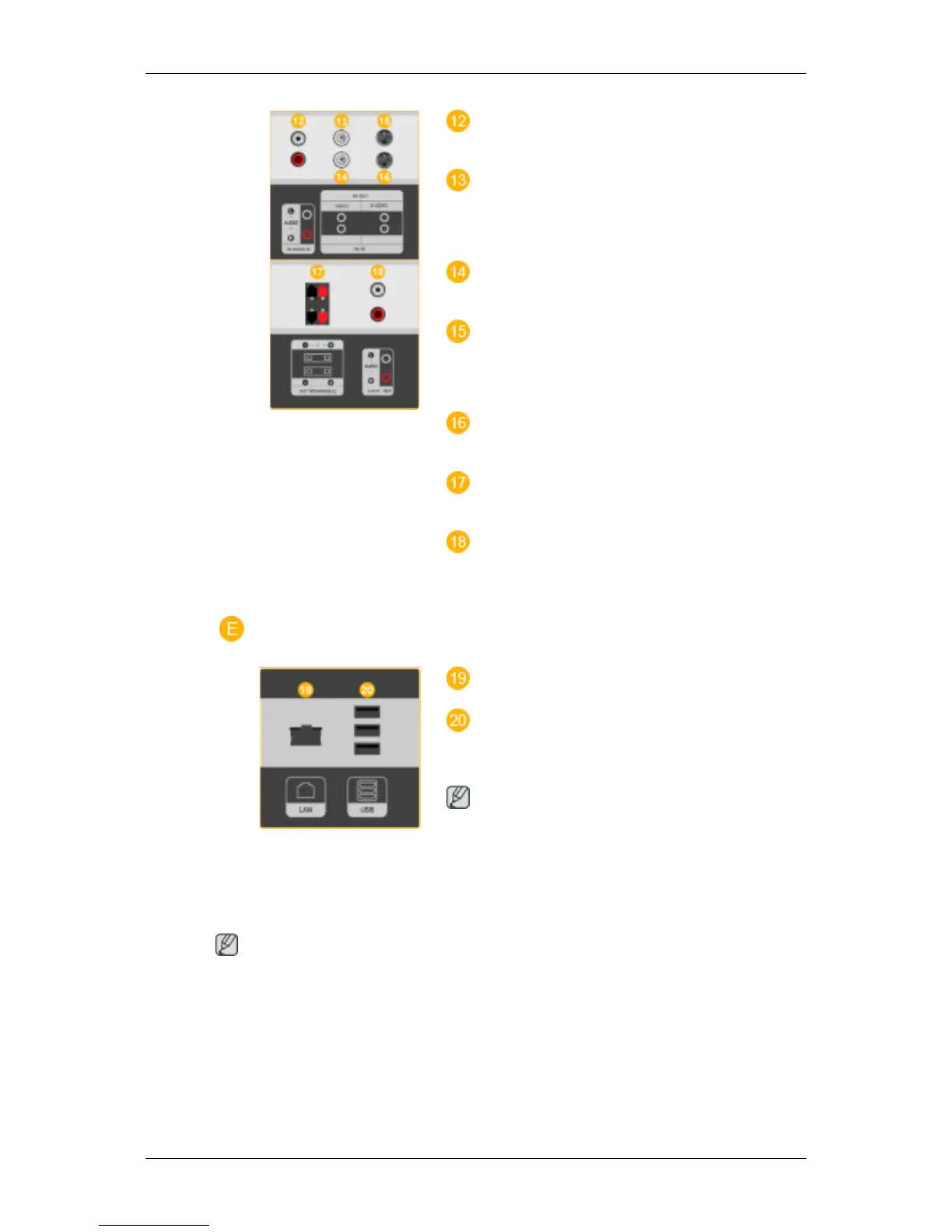
AV AUDIO IN [L-AUDIO-R] (LCD Display
Audio Connection Terminal (Input))
AV OUT [VIDEO](VIDEO Connection Ter-
minal)
AV mode (Output)
AV IN [VIDEO](VIDEO Connection Termi-
nal) (Input)
AV OUT [S-VIDEO] (S-VIDEO Connection
Terminal)
S-VIDEO mode (Output)
AV IN [S-VIDEO](S-VIDEO Connection
Terminal) (Input)
EXT SPEAKER(8 Ω)[- - L - +, - - R - +] (EXT
Speaker Connection Terminal)
AUDIO OUT [L-AUDIO-R] (LCD Display
Audio Connection Terminal (Output))AUDIO
OUT is the terminal for sound output of PC, DVI
or BNC.
LAN (LAN Connection Terminal)
USB(USB Connection Terminal)
Keyboard / Mouse, Mass Storage Device Com-
patible.
Note
The number of LCD Displays that can be con-
nected to loopout may differ depending on the
cables, signal source etc. With cables where there
is no degradation or signal source, up to ten LCD
Displays can be connected.
Note
See Connecting Cables for further information regarding cable connections.
Introduction







 To Next Page