User Controls
Adjusting Your Monitor
6
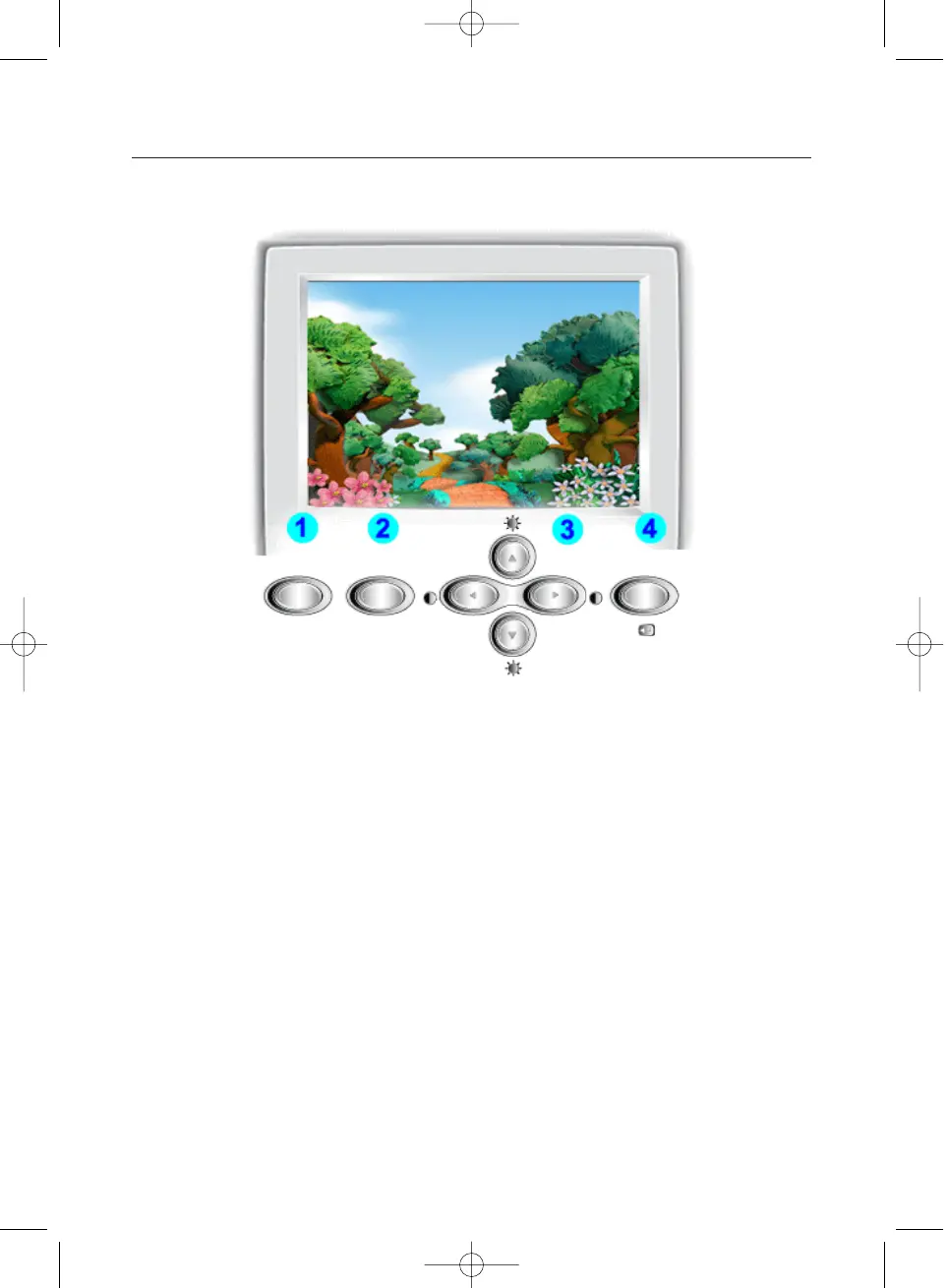
1 Highlight button : The Highlight Zone ensures clear images on TVs, video conferencing
systems or photos by emphasizing a certain area on the screen.
2 Exit/MagicBright button :
Use this button to exit or to activate the MagicBright menu.
3 Adjust buttons : These buttons allow you to highlight and adjust items in the menu.
4 Menu button : Use this button to open the OSD and activate a highlighted menu item.
Highlight MagicBright
Exit
Menu












 To Next Page