Adjusting Your Monitor
19
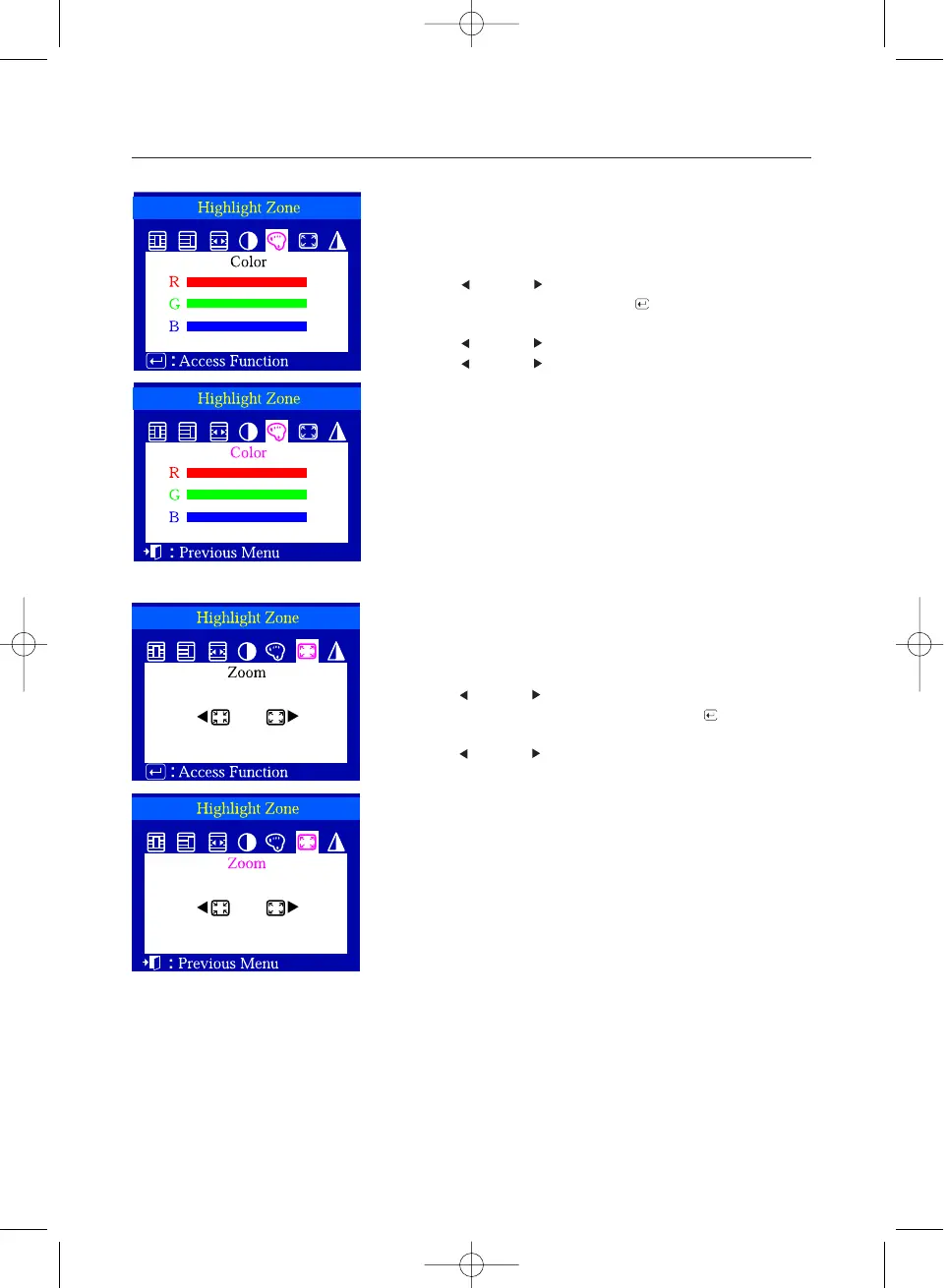
Color
Zoom
1 Push the Highlight button.
2 Push the button or button to select the Color
Adjustment and then push the Menu ( ) button.
3 Push the button or button to select a color from R, G or B.
Push the button or button to adjust the R, G or B color of
the Highlight Zone.
This function is to adjust the size of the Highlight Zone.
1 Push the Highlight button.
2 Push the button or button to select the Enlargement and
Reduction Adjustment and then push the Menu ( ) button.
3 Push the button or button to enlarge or reduce the
Highlight Zone.
This function is to enlarge or reduce the Highlight Zone.












 To Next Page