2-2 Installing the Product
2-2 Installing the Stand
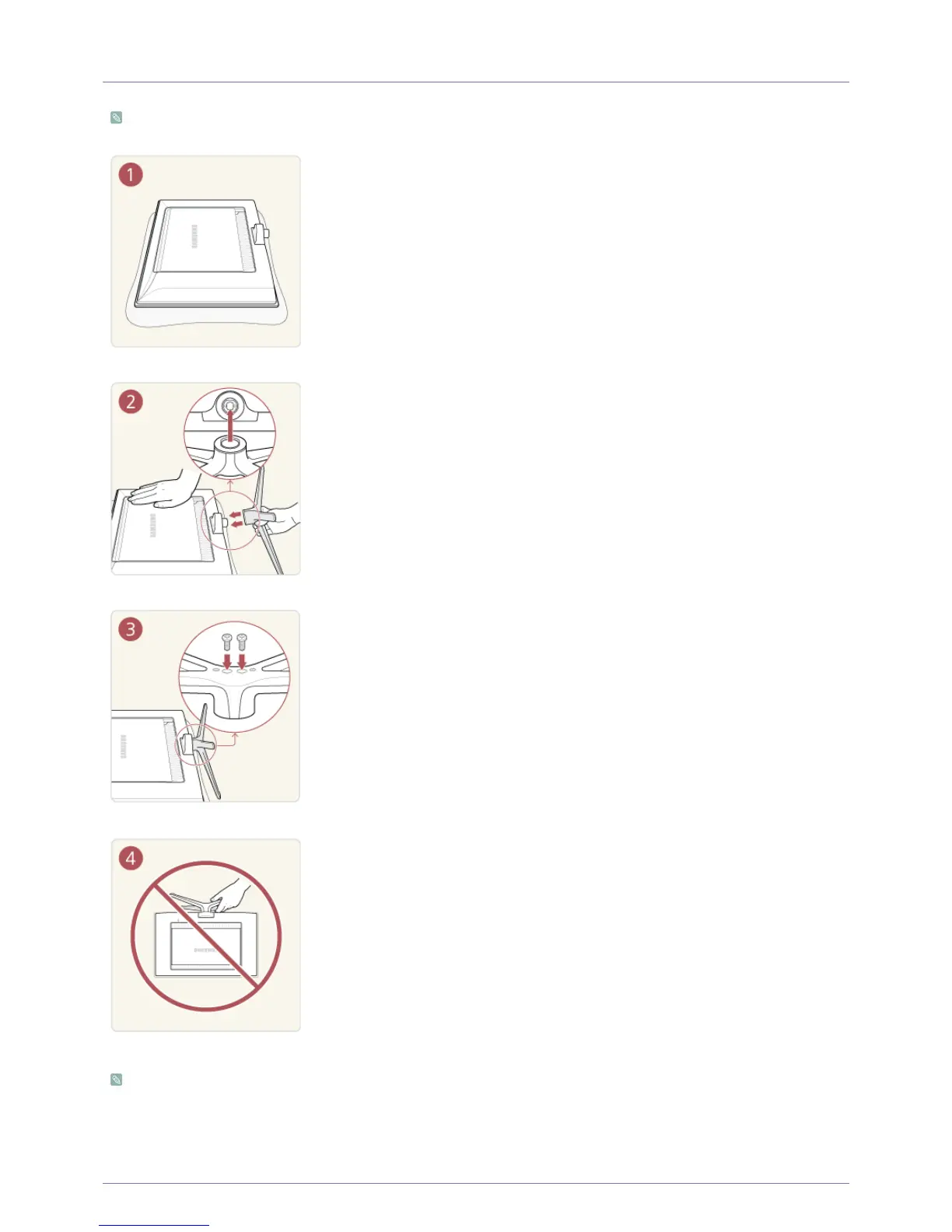
Before assembling the product, place the product down on a flat and stable surface so that the screen is facing downwards.
The colour and the appearance may differ depending on the product, and the specifications are subject to change without
prior notice to improve the performance.
Place a soft cloth over the table to protect the product and place the product onto the
cloth face down.
Insert the stand base into the stand as shown in the figure.
Firmly fasten the stand using the screws.
- Caution
Do not lift the product by only its stand.












 To Next Page