2-7 Installing the Product
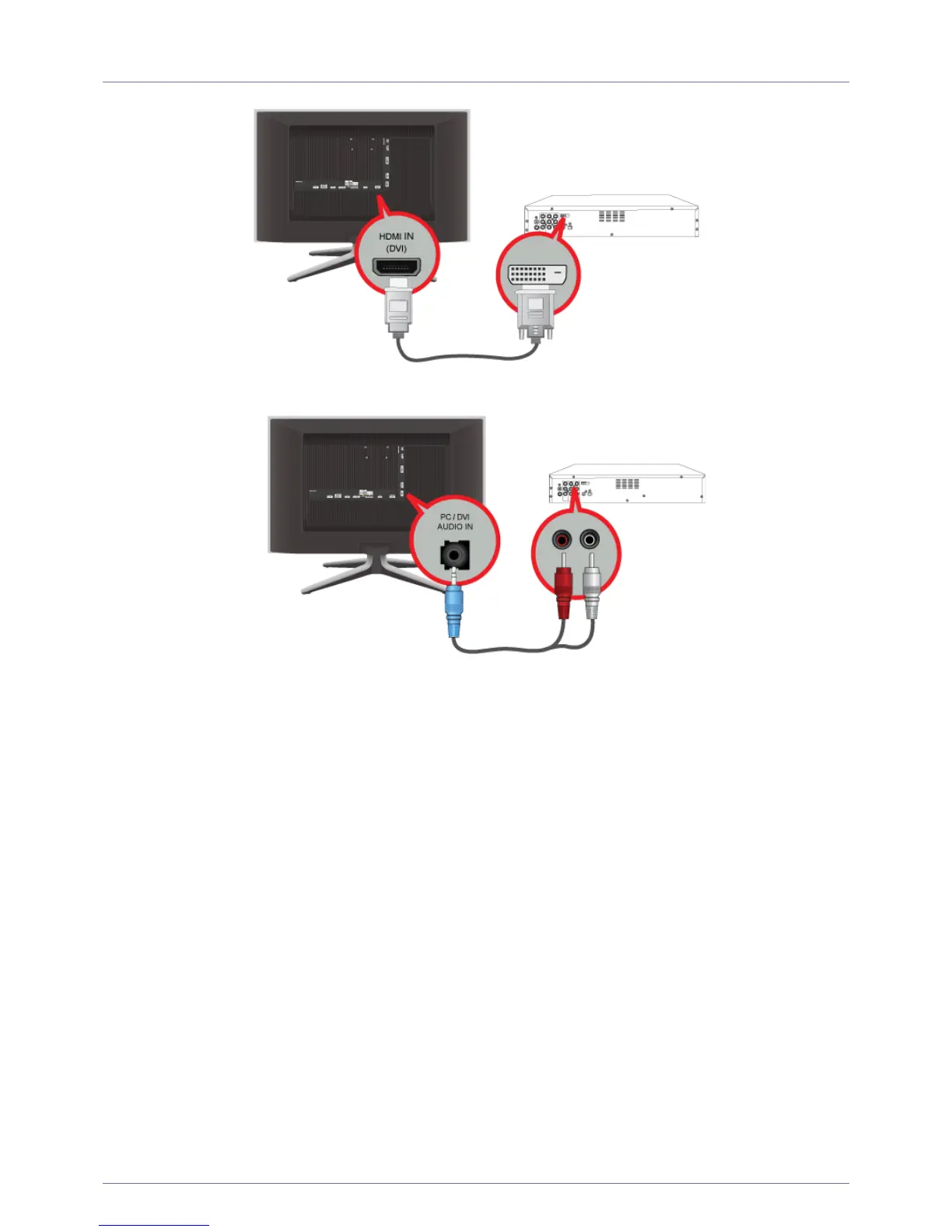
2-7 Connecting Using a HDMI to DVI Cable
1. Connect the DVI output terminal of an external device to the [HDMI IN 1, 2 (DVI)] terminal of the product using a HDMI to DVI
cable.
2. Connect the red and white plugs of an RCA to stereo (for PC) cable to the same coloured audio output terminals of the digital
output device, and connect the opposite plug to the [PC / DVI AUDIO IN] terminal of the product.
Press the [SOURCE] button at the front of the product or on the remote control to select <HDMI> mode.











 To Next Page