Installing the Product 2-10
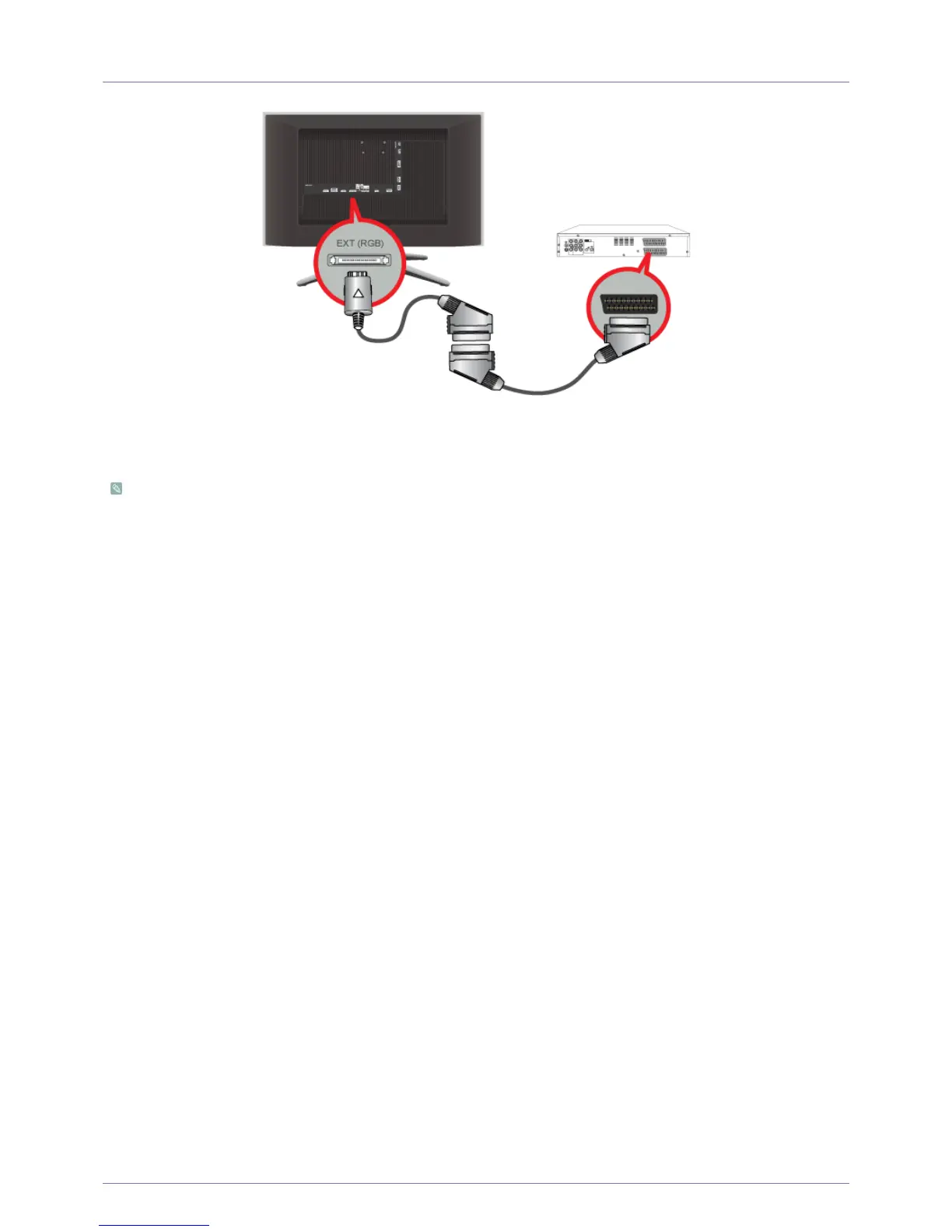
2-10 Connecting a Scart cable
1. Connect the Scart adapter to [EXT (RGB)] on the rear of the product.
2. Connect the Scart cable to the Scart adapter and AV device.
3. Press the [SOURCE] button at the front of the product or on the remote control to select the <Ext.> mode.
• Connect to the DVD Devices input if the device has a [EXT [RGB]] jack.
• You can watch DVD simply by hooking up the DVD player with the product as long as the power is on.











 To Next Page