Major Safety Precautions 1-2
1-2 Care and Maintenance
External Surface and Screen Maintenance
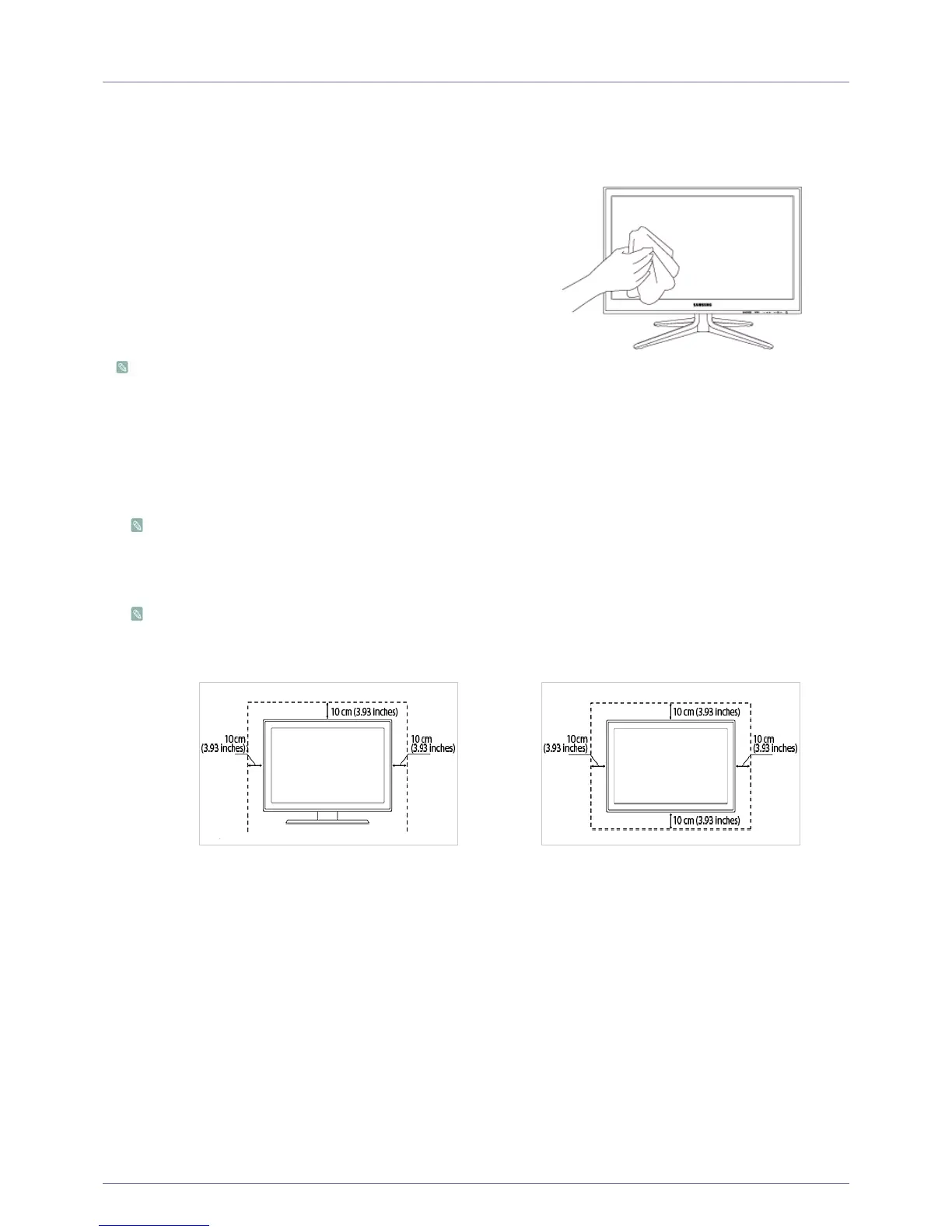
Securing the Installation Space
• Keep the required distances between the product and other objects (e.g. walls) to ensure proper ventilation.
Failing to do so may result in fire or a problem with the product due to an increase in the internal temperature of the product.
When using a stand or wall-mount, use parts provided by Samsung Electronics only.
• If you use parts provided by another manufacturer, it may result in a problem with the product or an injury due to the
product falling.
The appearance may differ depending on the product.
About persistent images
• Displaying a still image for a long time may create a persistent image or stain on the screen.
If you do not use the product for a long time, set the power-saving mode or screen saver.
• Due to technological constraints of the Panel manufacturer, the images generated by this product may appear either
brighter or darker than normal by appr. 1ppm (parts per million) pixel.
The number of sub-pixels of an panel by size: The number of Sub-Pixels = Max. Horizontal Resolution x Max. Vertical
Resolution x 3
Example) If the maximum resolution is 1920 x 1080, the number of sub-pixels is 1920 x 1080 x 3 = 6,220,800.
Clean the product with a soft dry cloth.
• Avoid cleaning the product with an inflammable substance
such as benzene or thinner or with a wet cloth. This may
result in a problem with the product.
• Avoid scratching the screen with your fingernails or a sharp
object.
• Avoid cleaning the product by spraying water onto it. If water
enters the product, it may result in fire, electric shock or a
problem with the product.
• A white stain may be generated on the surface of the model if
a supersonic humidifier is used near it.
The appearance and the colour may differ depending on
models.
When installing the product with a stand When installing the product with a wall-mount











 To Next Page