3-2 Using the Product
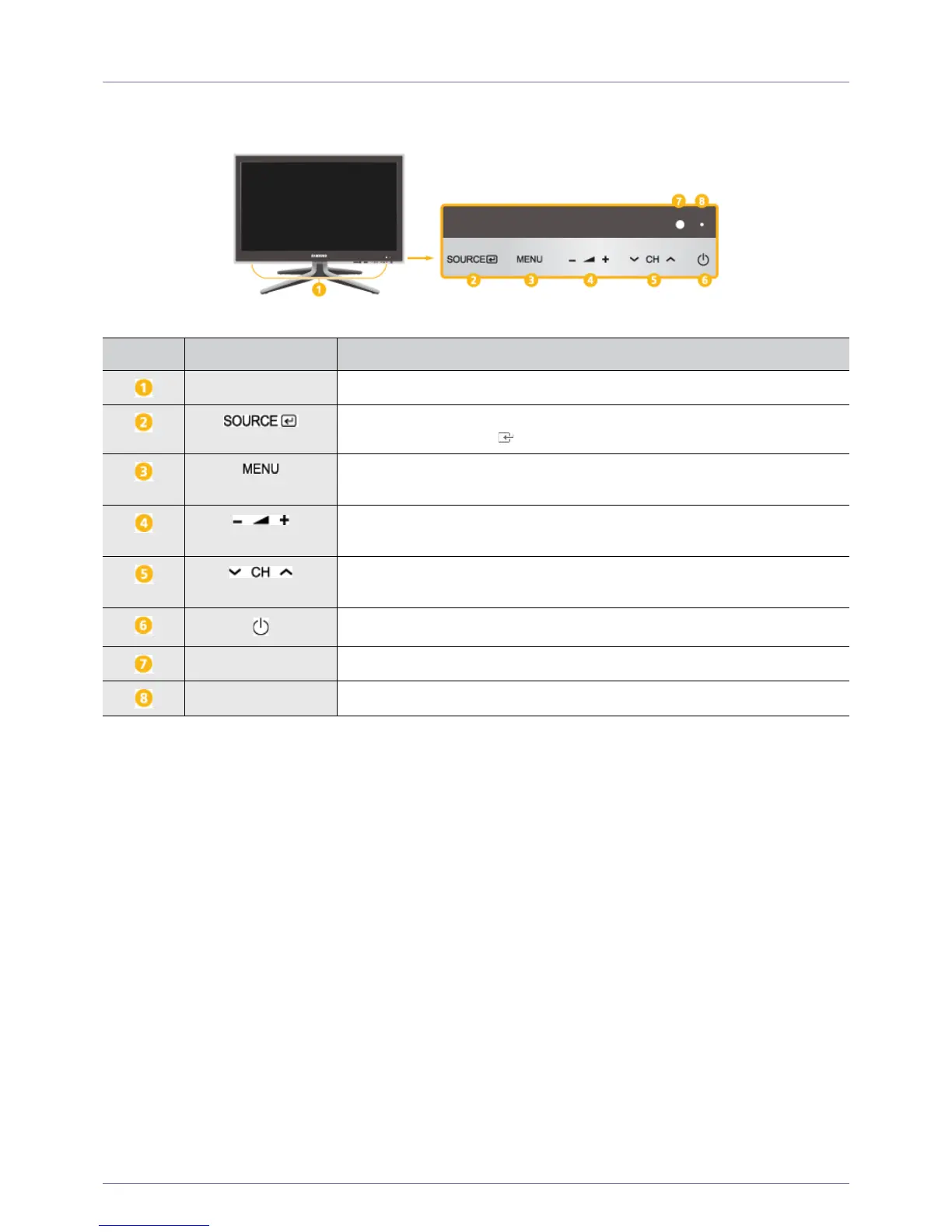
3-2 Viewing the Control panel
NUMBER ICON DESCRIPTION
Speaker -
Toggles between all the available input sources. In the on-screen menu, use this but-
ton as you would use the [ ] button on the remote control.
Press this button to view the On Screen Display (OSD).
This button is also used to exit the OSD or to return to a higher-level OSD menu.
Moves from one menu item to another horizontally or adjusts selected menu values.
Adjusts the audio volume.
Use these buttons to navigate the menu or to adjust a value in the OSD.
Press to change channels in <TV> mode.
Press this button to turn the product on or off.
Remote control sensor Aim the remote control towards this spot on the TV.
Power Indicator -











 To Next Page