Installing the Product 2-3
2-3 Removing the Stand
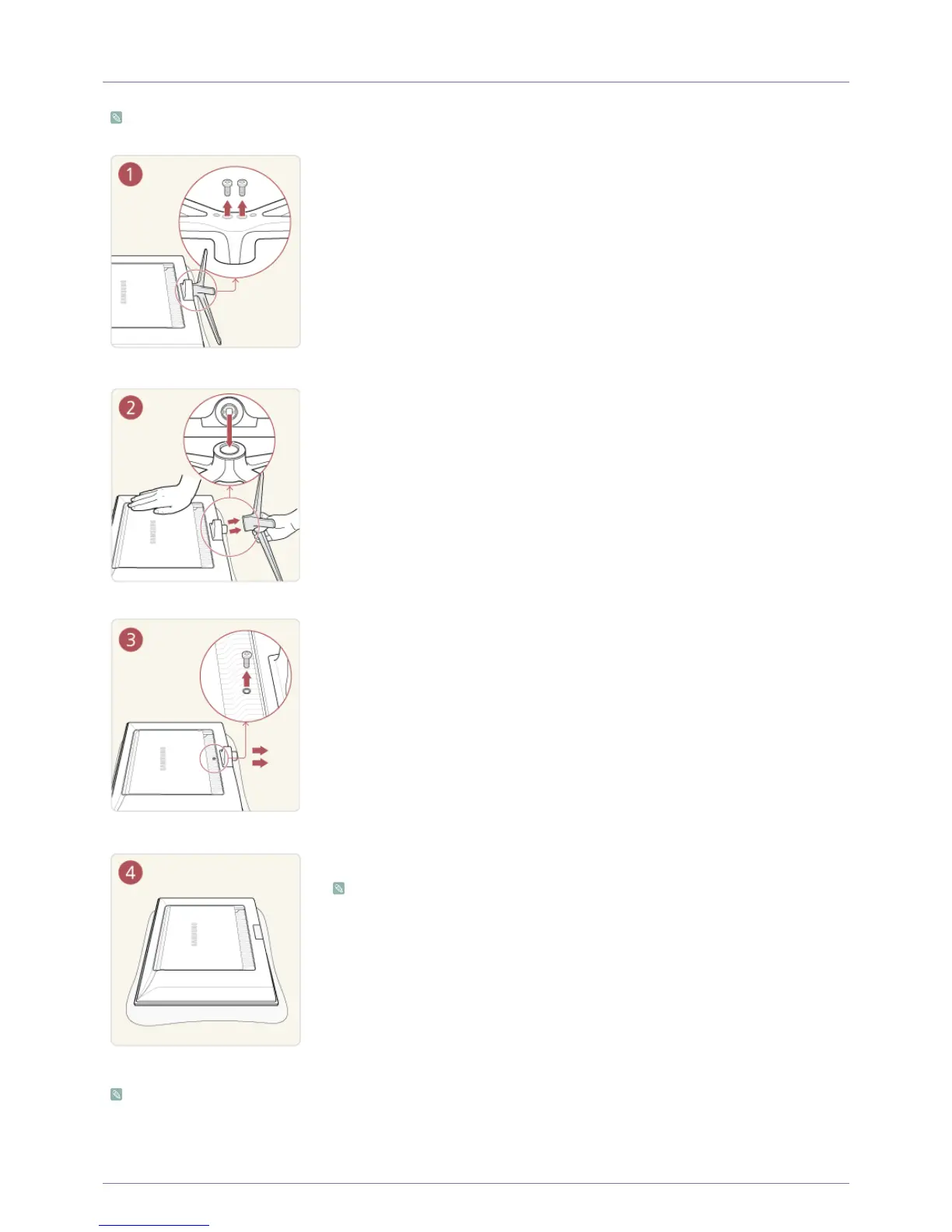
Before removing the stand, place the product down on a flat and stable surface so that the screen faces downwards.
The colour and the appearance may differ depending on the product, and the specifications are subject to change without
prior notice to improve the performance.
Place a soft cloth over the table to protect the product and place the product face down.
Remove the screws from the bottom of the stand.
Pull the stand from the stand base to remove.
Before you attach the bracket, unfasten the screw and remove the stand base.
After the stand base is removed, you can attach the bracket to the product.
• If you want to purchase this Wall Mount, contact an authorized dealer.
• The Wall mount of this model is only supported as WMN-2490.
• The wall mount kit is not supplied, but sold separately.











 To Next Page