Installing the Product 2-4
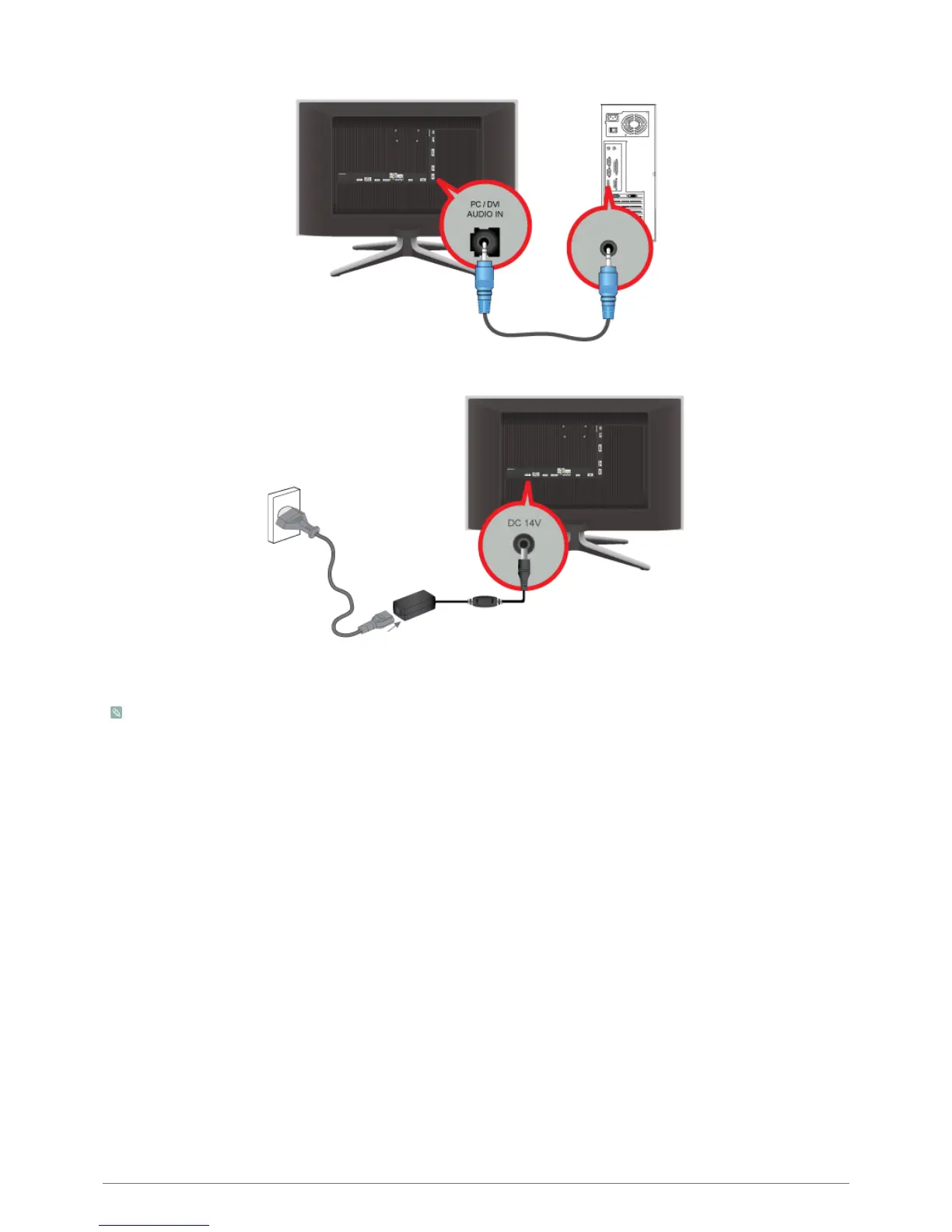
2. Connect the [PC / DVI AUDIO IN] port on the rear side of the product to the sound card of the PC.
3. Connect the power adapter to [DC 14V] on the rear of the product. Connect the power cord to the adapter and wall socket.
(The input voltage is switched automatically.)
You may enjoy clear and quality sound from the computer sound card using the product's speakers.
(You don't need to install separate speakers for your computer.)











 To Next Page