Using the Product 3-5
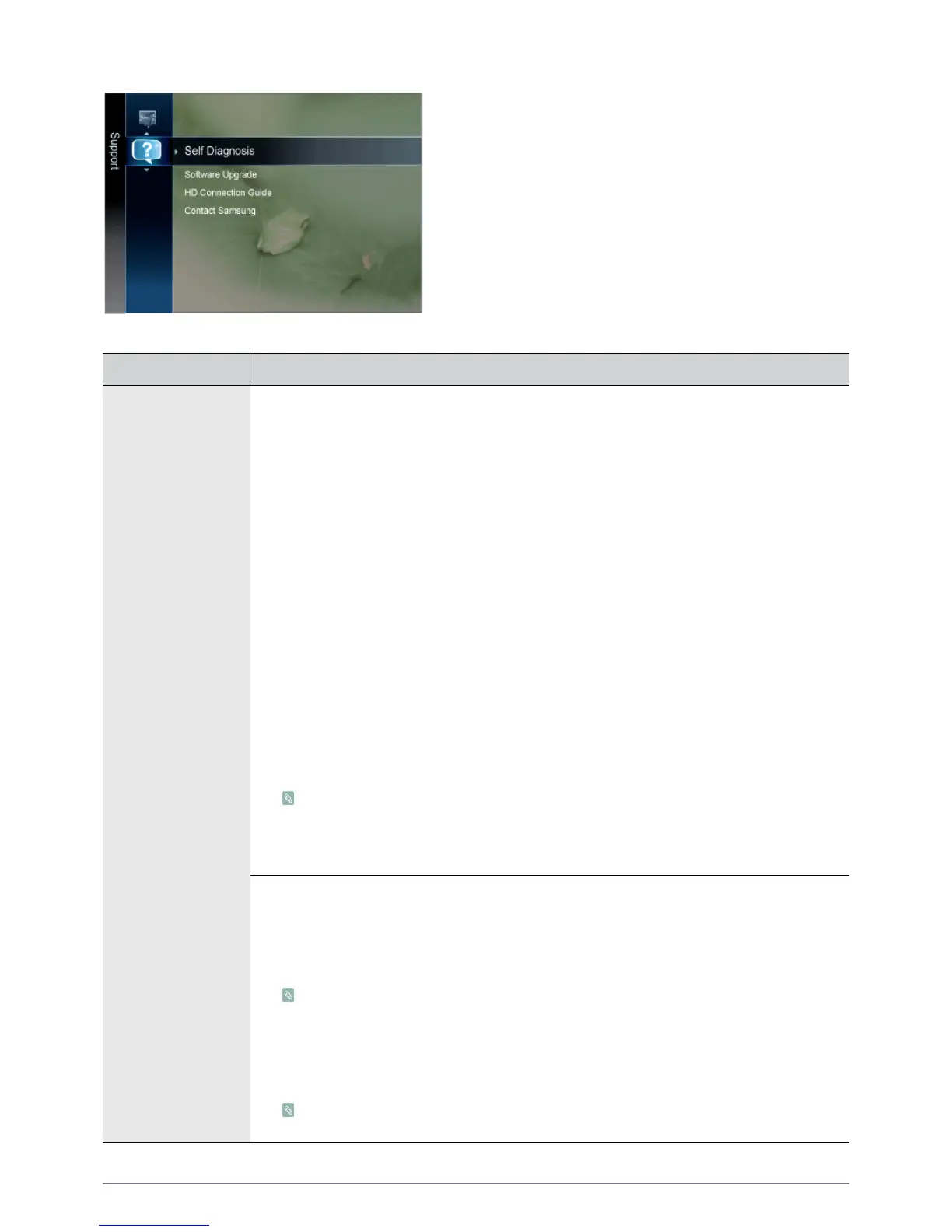
Support
MENU DESCRIPTION
Self Diagnosis • <Picture Test>
If you think you have a picture problem, perform the picture test. Check the colour pattern on
the screen to see if the problem still exists.
-<Yes>
If the test pattern does not appear or there is noise in the test pattern, select <Yes>. There
may be a problem with the TV. Contact Samsung‘s call centre for assistance.
-<No>
If the test pattern is properly displayed, select <No>. There may be a problem with your
external equipment. Please check your connections. If the problem still persists, refer to the
external device‘s user manual.
• <Sound Test>
If you think you have a sound problem, please perform the sound test. You can check the
sound by playing a built-in melody sound through the TV.
- <Yes>
If during the sound test you can hear sound only from one speaker or not at all, select
<Yes>. There may be a problem with the TV. Contact Samsung’s call centre for assistance.
-<No>
If you can hear sound from the speakers, select <No>. There may be a problem with your
external equipment. Please check your connections. If the problem still persists, refer to the
external device’s user manual.
• If you hear no sound from the TV‘s speakers, before performing the sound test, make
sure <Speaker Select > is set to <TV Speaker> in the <Sound> menu.
• The melody will be heard during the test even if <Speaker Select> is set to <External
Speaker> or the sound is muted by pressing the [MUTE] button.
• <Signal Information (digital channels only)>
Unlike analogue channels, which can vary in reception quality from snowy to clear, digital
(HDTV) channels have either perfect reception quality or you will not receive them at all. So,
unlike analogue channels, you cannot fine tune a digital channel. You can, however, adjust
your antenna to improve the reception of available digital channels.
If the signal strength meter indicates that the signal is weak, physically adjust your antenna to
increase the signal strength. Continue to adjust the antenna until you find the best position
with the strongest signal.
• <Troubleshooting>
If the TV seems to have a problem, refer to this description.
If none of these troubleshooting tips apply, contact the Samsung customer service centre.











 To Next Page