EasyManua.ls Logo

Samsung VS30D97 Series - User Manual

Samsung VS30D97 Series
52 pages
Print Icon
To Next Page IconTo Next Page
Loading...
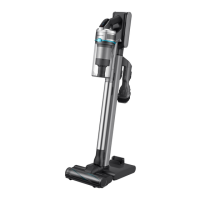
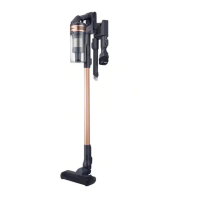
Vacuum cleaner
User manual
VS30D97****/VS28C97****/VS25C97****
Before operating this unit, please read the instructions carefully.
For indoor use only
Untitled-19 1 2023-11-17  2:56:22

Questions and Answers

  • T
    Thomas BrennanSep 23, 2025
    How to prevent static electricity when cleaning a mat with my Samsung VS30D97?
    • R
      ryangarciaSep 23, 2025
      Static electricity may occur when cleaning certain mats due to their materials. To reduce static electricity, move the brush on a normal floor for a while before cleaning the mat again.
  • D
    Dale CampbellAug 25, 2025
    How to fix Samsung VS30D97 Vacuum Cleaner brush not spinning?
    • V
      veronica60Aug 25, 2025
      If the spin brush (or spin disk) of your Samsung Vacuum Cleaner accessory isn't moving: * If the 'Check Brush' message appears, turn off the vacuum cleaner and remove any foreign matter clogging the brush, then restart the vacuum cleaner. * Try turning the vacuum cleaner off and on again. * For the Slim LED Brush+ and Spray Spinning Sweeper, the motor's overheating prevention device may be enabled. Allow about 30 minutes for the motor to cool down.
  • B
    brownchristinaAug 25, 2025
    How to fix Samsung Vacuum Cleaner that does not work?
    • S
      Susan FisherAug 26, 2025
      If your Samsung Vacuum Cleaner isn't working, start by checking the battery level and charging it if necessary. Ensure the device is powered on by pressing the Power button. Verify the battery is correctly inserted. Also, inspect the Telescopic Pipe, dustbin, and brush for any blockages. Confirm the Washable Micro Filter is properly inserted. If the vacuum hasn't been used recently, charge the battery. If the battery is dead, it should be replaced.
  • S
    Sara TuckerAug 27, 2025
    Why is my Samsung VS30D97 Vacuum Cleaner not charging?
    • A
      adamsmikeAug 27, 2025
      If your Samsung Vacuum Cleaner cannot be charged, ensure it is properly placed on the Clean Station and that the Clean Station is correctly plugged in. Verify that the voltage provided to the Clean Station matches its requirements. Check that the vacuum cleaner is turned on and that the LED of the battery level indicator is on. Remove any foreign matter from the charging terminal using a cotton swab or soft cloth. Also, check if you have turned the Lighting option off in the SmartThings app.
  • C
    Christina KellerAug 27, 2025
    Samsung Vacuum Cleaner: cannot turn on vacuum cleaner on SmartThings app?
    • C
      Christopher LewisAug 27, 2025
      If you cannot turn on the vacuum cleaner on the SmartThings app, check if the vacuum cleaner is offline on the SmartThings app. Also, try connecting the wireless router with the Clean Station again by referring to the ‘SmartThings app’ section in the user manual.
  • D
    Donna StanleySep 14, 2025
    Why does my Samsung VS30D97 Vacuum Cleaner smell?
    • T
      Travis LindseySep 14, 2025
      If an odor emits from the air outlet or filter of your Samsung Vacuum Cleaner, empty the dustbin and clean the filters frequently. New vacuum cleaners may have a slight odor for the first 3 months. Accumulated dirt in the dustbin or dust on the filter may also generate an odor after prolonged use. Replacement filters are available at your local Samsung service agent.
  • M
    maria37Sep 12, 2025
    SmartThings app won't connect to my Samsung VS30D97 Vacuum Cleaner, what do I do?
    • R
      Robert WallaceSep 12, 2025
      If you've installed the SmartThings app but are failing to connect with the Clean Station, refer to the ‘SmartThings app’ section in the user manual to connect the Clean Station to a wireless router. Check the Bluetooth connection. You can also try pressing and holding the Clean Station’s START/STOP button for 5 seconds. Note that the Clean Station’s START/STOP button blinks red for 5 seconds when the Bluetooth is not connected and blinks in blue for 5 seconds when the Bluetooth is connected.
  • S
    Steve VazquezSep 13, 2025
    Why is there a delay when controlling my Samsung VS30D97 Vacuum Cleaner with a smartphone?
    • J
      James WilsonSep 13, 2025
      If you experience a delay when controlling your Samsung Vacuum Cleaner with a smartphone, it could be because your smartphone is not connected to the same network as the Clean Station. Response times can vary depending on the network environment.
  • L
    Lisa HillSep 5, 2025
    What to do if the spin brush of my Samsung Vacuum Cleaner is not moving?
    • J
      jeremy30Sep 5, 2025
      If the spin brush or disk of your Samsung Vacuum Cleaner accessory isn't moving, and a 'Check Brush' message appears, turn off the vacuum. Check the brush for any obstructions and remove them. Then, restart the vacuum cleaner. If that doesn't work, try turning the vacuum cleaner off and then on again. For the Slim LED Brush+ and Spray Spinning Sweeper, the motor's overheating prevention device may be enabled; allow about 30 minutes for it to cool down.
  • C
    calvarezSep 2, 2025
    Why does my Samsung VS30D97 Vacuum Cleaner keep stopping?
    • L
      lydia11Sep 2, 2025
      If your Samsung Vacuum Cleaner stops during cleaning, it might be due to several reasons. The product will stop operation temporarily under certain conditions, so after correcting the cause of the problem, turn the product on again. This can occur when the dustbin is full, or when the brush, pipe, or tool is clogged. Also, using the Extension Crevice Tool for extended periods can cause this issue.

Samsung VS30D97 Series Specifications

General IconGeneral
ModelVS30D97 Series
CategoryVacuum Cleaner
TypeStick
Dust CollectionBagless
CordlessYes
Power SourceBattery
Battery TypeLithium-Ion
Filter TypeHEPA

Related product manuals