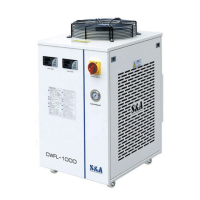
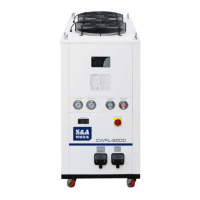
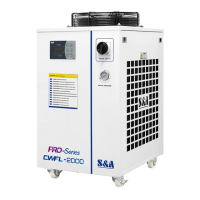
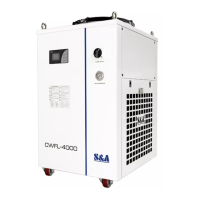
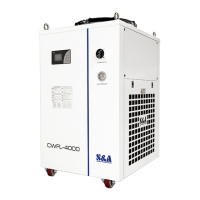
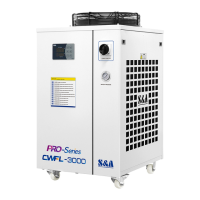
This document is the user manual for the CWFL-500/1000/1500/2000/3000 Industrial Chiller, identified by document number TY-JS-211220-009. It provides comprehensive information for the safe and effective operation, installation, and maintenance of the chiller.
Function Description
The industrial chiller is a cooling device specifically designed for laser processing equipment, including laser cutting, welding, marking, and engraving machines. Its primary function is to provide a temperature-stable cooling medium to these applications. The chiller operates on a refrigeration cycle, consisting of a compressor, condenser, throttling device (expansion valve or capillary), evaporator, and a water pump. The refrigeration system cools water, which is then circulated by the water pump to the laser equipment. This cooling water absorbs heat from the equipment, heats up, and returns to the chiller to be re-cooled. Within the refrigeration system, refrigerant in the evaporator coils absorbs heat from the return water and vaporizes into steam. The compressor then extracts and compresses this steam, sending the high-temperature, high-pressure steam to the condenser. The condenser releases heat (aided by a fan) and condenses the steam into a high-pressure liquid. This liquid then passes through a throttling device, reducing its pressure, before entering the evaporator to vaporize again, absorbing more heat from the water. This continuous cycle ensures a stable cooling medium for the laser equipment. Users can monitor and adjust the water temperature and working status via the temperature controller.
Important Technical Specifications
The manual outlines several critical specifications and requirements for the chiller's operation:
- Model Series: CWFL-500, CWFL-1000, CWFL-1500, CWFL-2000, CWFL-3000. The model nomenclature CWFL-XXXX AN indicates: CWFL (Chiller application), XXXX (Chiller model series), A (Electric source type), N (Water pump).
- Operating Voltage: Standard products operate at 210~240V, with 110V models operating at 100~120V. Customization for wider operating voltage ranges is available.
- Operating Environment:
- Ambient Temperature: 0~45°C.
- Ambient Humidity: ≤90%RH.
- Altitude: ≤3,000m.
- Installation Surface: Must be horizontal and not tilted.
- Clearance: Air outlet must be at least 1.5m from obstacles, and air inlet at least 1m from obstacles.
- Prohibited Environments: Corrosive, flammable gas, dust, oil mist, conductive dust, high temperature and humidity, strong magnetic field, direct sunlight.
- Cooling Medium: Purified water, distilled water, high-purity water, and other softened water are allowed. Oily liquids, liquids containing solid particles, or corrosive liquids are forbidden.
- Antifreeze: If ambient temperature is below 2°C and the machine is shut down for a long time, drain the liquid and blow water away with compressed air to prevent freezing and cracking. If room temperature is below 0°C, use antifreeze with a concentration of not more than 30% containing ethylene glycol or propylene glycol.
- Electrical Connection:
- Power Cord Selection: Based on the max. rated current indicated on the chiller label. Recommended wire diameters (copper wire) for various rated currents are provided: ≤5A (1.0mm²), ≤10A (1.5mm²), ≤15A (2.5mm²), ≤25A (4.0mm²), ≤35A (6.0mm²), ≤50A (10.0mm²).
- Protection Devices: Main circuit must have appropriate electric leakage and overload protection devices.
- Grounding: Chiller must be well grounded.
- Voltage/Frequency Fluctuation: Less than ±10% voltage fluctuation and less than ±1Hz frequency fluctuation are allowed. Keep away from electromagnetic interference sources.
- Alarm System: Includes alarm output terminals and a table of alarm causes (e.g., ultrahigh room temp, ultrahigh/ultralow water temp, faulted sensors, water shortage, low flow rate, faulted circulating pump, chiller power failure) with corresponding display codes and buzzer indications. The alarm output port is connected to normally open and normally closed contacts of a relay, with a working current smaller than 3A and working voltage smaller than 300V.
Usage Features
- Temperature Controllers: Equipped with T-506A (intelligent control mode) and T-506B (constant temperature control mode) intelligent temperature controllers.
- T-506A (Intelligent Control Mode): Self-adjusts controlling parameters based on room temperature to meet cooling requirements.
- T-506B (Constant Temperature Control Mode): Factory set to 25°C water temperature, adjustable by the user.
- Display: Shows actual temperature, set temperature, and various working status indicators (COMP, SV, Heating, INT Ctrl, CT Ctrl, PARAM Set, ALM OUT, Room Temp, ST DLA).
- Parameter Adjustment: Keys for modifying parameter values and switching parameter items. RST key confirms settings, SET key accesses setting functions.
- Factory Reset: Press and hold the up and down arrow keys simultaneously until "rE.6" is displayed to restore factory settings.
- Initial Startup:
- After powering on, the circulating pump starts. Air bubbles may cause temporary alarms, which should normalize after a few minutes.
- Check for water pipe leaks immediately after the first startup.
- Cooling fan and other devices may not operate if water temperature is below the set temperature, as the controller automatically manages components based on set parameters.
- Avoid frequent power cycling, as the compressor and other components require time to start.
- Water Filling and Air Exhaust:
- Water level will drop after initial startup due to air emptying from pipes; refill to the green area of the water level gauge.
- Observe water level regularly for significant drops, indicating potential leaks.
- Air Exhaust Methods:
- Under shutdown state, remove the water outlet from the laser circuit (OUTLET L), connect a water pipe, drain for 2 minutes, then firmly reinstall.
- Open the water supply inlet, start the machine, and repeatedly press and fold the water pipe to drain air.
- Loosen the air exhaust plug of the water pump until water flows out, then tighten the plug.
- Test-run Checks: Verify pipeline connections, water ball valve positions (open inlet/outlet, closed drain), water tank liquid level, electrical wiring, and grounding.
Maintenance Features
- Safety Precautions: Always shut down the equipment and cut off power before maintenance. Wait at least 3 minutes to allow high-voltage charging parts to discharge to avoid electric shock.
- Dust Removal:
- Regularly disassemble the filter gauze for cleaning (recommended weekly).
- Use a compressed air gun to blow dust off the condenser.
- Ensure the air filter is always in place.
- Water Quality Maintenance:
- Regularly clean or replace the filter element to prevent impurity accumulation, decreased water flow, and secondary pollution.
- Use non-corrosive cleaning agents for metals and plastics.
- Store cleaning agents properly to prevent leakage and danger.
- Protective Measures:
- Wear protective gloves during maintenance, inspection, and cleaning due to sharp condenser fins and hot internal components (compressor, refrigerant piping).
- Do not blow air into the water outlet with an air gun, as a temperature sensor is installed there.
- Antifreeze Management:
- If antifreeze is used, change to purified water, distilled water, or other suggested cooling media when temperatures warm up.
- Run the chiller for 30 minutes to remove residual antifreeze, drain it, and then refill with unused circulating water.
- Troubleshooting Guide: The manual provides a table for simple troubleshooting, listing common failures (e.g., un-electrified, flow alarm, ultrahigh/ultralow water temperature alarm, ultrahigh room temperature alarm, condensate water, slow drain, startup flow alarm), their causes, and recommended approaches for resolution.



 To Next Page
 General