11
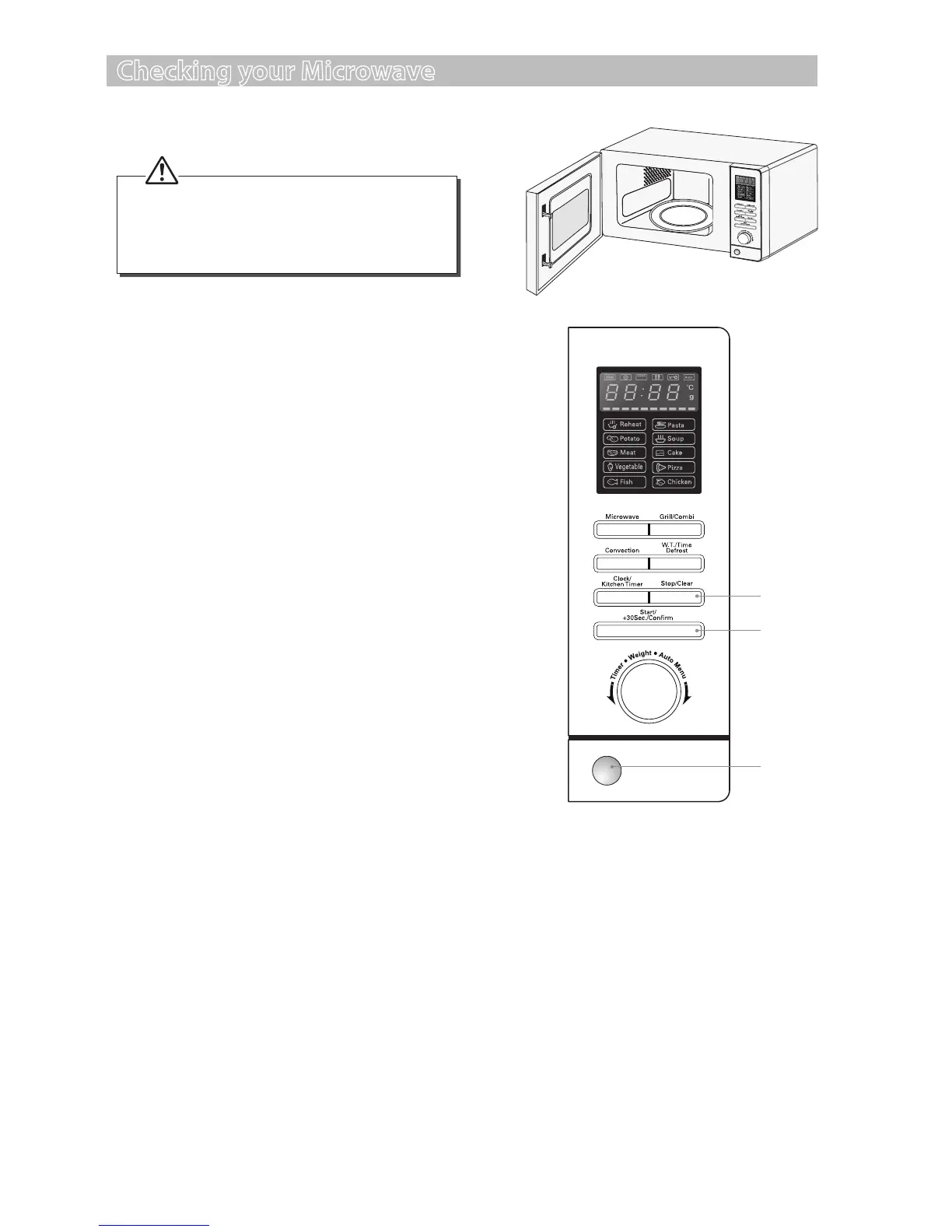
1. Push the Door Open button to open the door.
2. Place a cup of water on the glass turntable
plate. Make sure the cup is microwave safe (it
should not have any decorative metal trim).
3. Close the door.
4. Press the Stop/Clear button to clear any
settings that have already been made.
5. Press the Start/+30Sec./Conrm button
once to start a simple 30-second microwave
cooking cycle and that allows you to check
the operation of the microwave.
6. When the cooking cycle has nished, the
water should be hot (be careful when you
take the cup out of the microwave). Press the
Stop/Clear button to clear any settings.
Checking your Microwave
Check your microwave after unpacking.
4, 6
5
1
For your safety, the microwave stops if the
door is opened during cooking. Close the
door and press the Start/+30Sec./Conrm
button to continue the cooking cycle.
S25CSS11_IB_final111018.indd 11 18/10/2011 12:35 PM


 To Next Page