16
Grilling or Combination Cooking
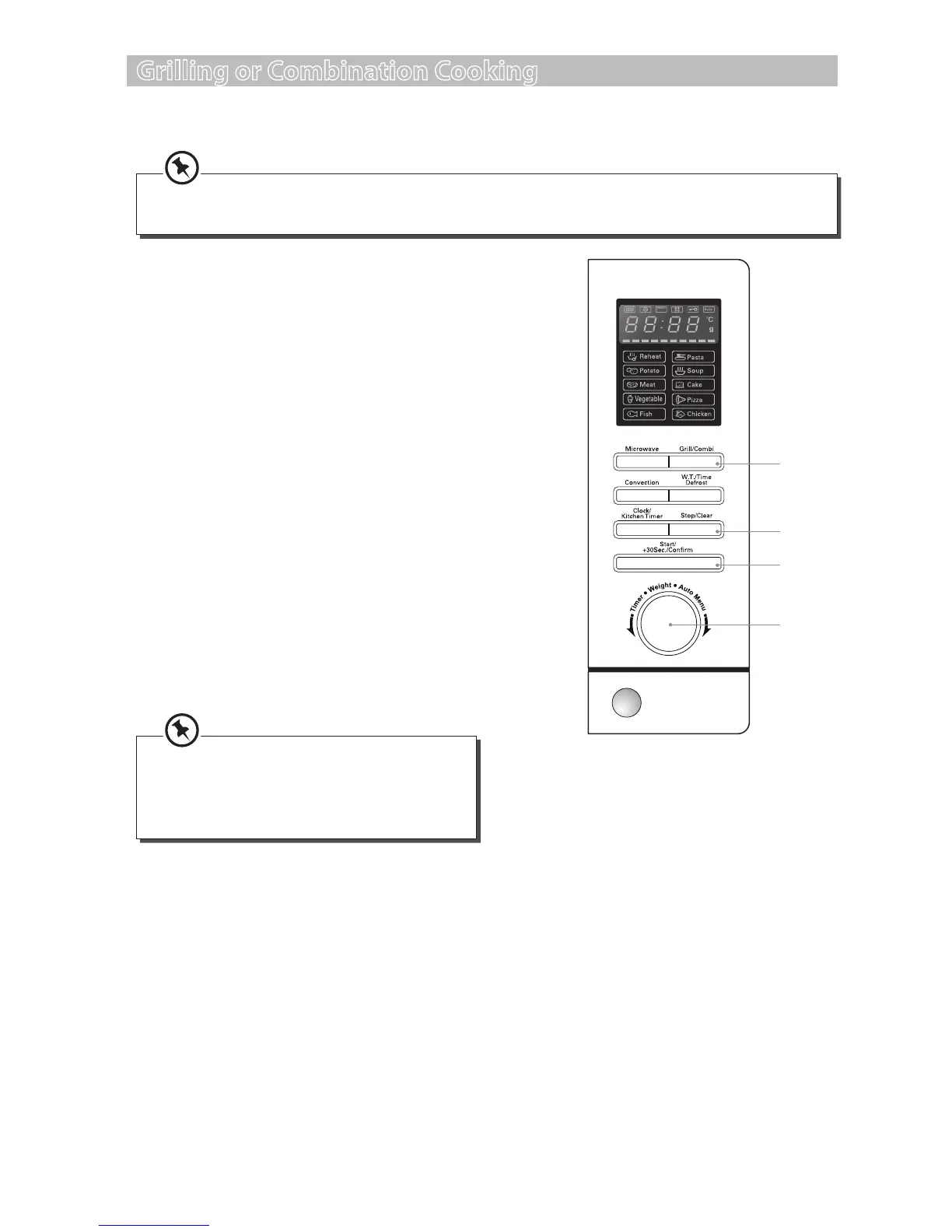
For Grilling, follow the steps below.
Alternatively, after you press the Grill/
Combi button once, you can turn the Time/
Weight/Auto Menu dial until the LED
display shows ”C-1”, ”C-2”, ”C-3” , or ”C-4”.
We recommend that you use the supplied grill rack. Place your food on the grill rack then place on
top of the glass turntable plate.
1. Press the Grill/Combi button once and the
LED display will show ”G-1”.
2. Press the Start/+30Sec./Conrm button to
conrm the grill cooking setting.
3. Turn the Time/Weight/Auto Menu dial to
adjust the cooking time.
4. Press the Start/+30Sec./Conrm button to
conrm and start cooking.
5. Press the Stop/Clear button once to stop the
cooking. Press the Stop/Clear button again to
cancel the setting.
For Combination Cooking, follow the steps below.
1. Press the Grill/Combi button twice and the
LED display will show ”C-1”. Press the Grill/
Combi button three times and the LED
display will show ”C-2” and so forth.
2, 4
3
1
5
2. Press the Start/+30Sec./Conrm button to
conrm the cooking setting.
3. Turn the Time/Weight/Auto Menu dial to
adjust the cooking time.
4. Press the Start/+30Sec./Conrm button to
conrm and start cooking.
5. Press the Stop/Clear button once to stop the
cooking. Press the Stop/Clear button again to
cancel the setting.
S25CSS11_IB_final111018.indd 16 18/10/2011 12:35 PM


 To Next Page