13
Kitchen Timer
While the microwave is operating or not in use, this feature allows you to use the microwave as a timer.
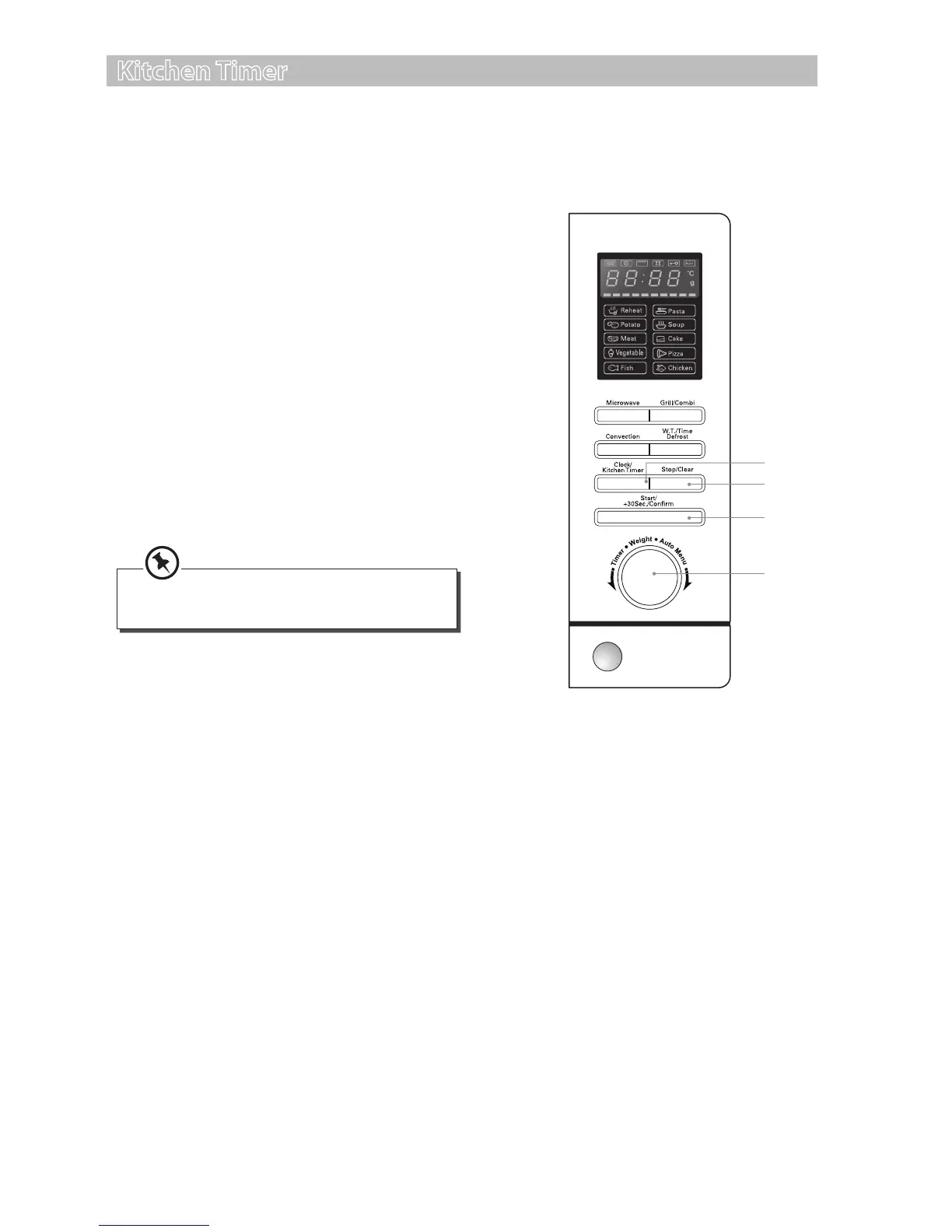
For setting the Kitchen Timer, follow the steps below.
1. Press the Clock/Kitchen Timer button twice.
The LED display will show “00:00“ and the
timer indicator will illuminate.
2. Turn the Timer/Weight/Auto Menu dial to
select the timer time.
3. Press the Start/+30Sec./Conrm button to
conrm the setting, the timer indicator will
ash and the timer will start counting down.
4. Once the elapsed time is reached, the timer
indicator will disappear from the LED display.
The microwave will sound 5 times and return
to its original state.
5. Press the Stop/Clear button to pause the
timer.
2
3
5
1
During kitchen timer, programmes cannot
be set.
S25CSS11_IB_final111018.indd 13 18/10/2011 12:35 PM


 To Next Page