21
Auto Cooking
This feature allows you to cook most of your food based on the food category and the weight. Select the
category and choose the default weight of the food. For quick reference of the cooking time and the default
weight, please refer to the Auto Menu table.
Auto Menu
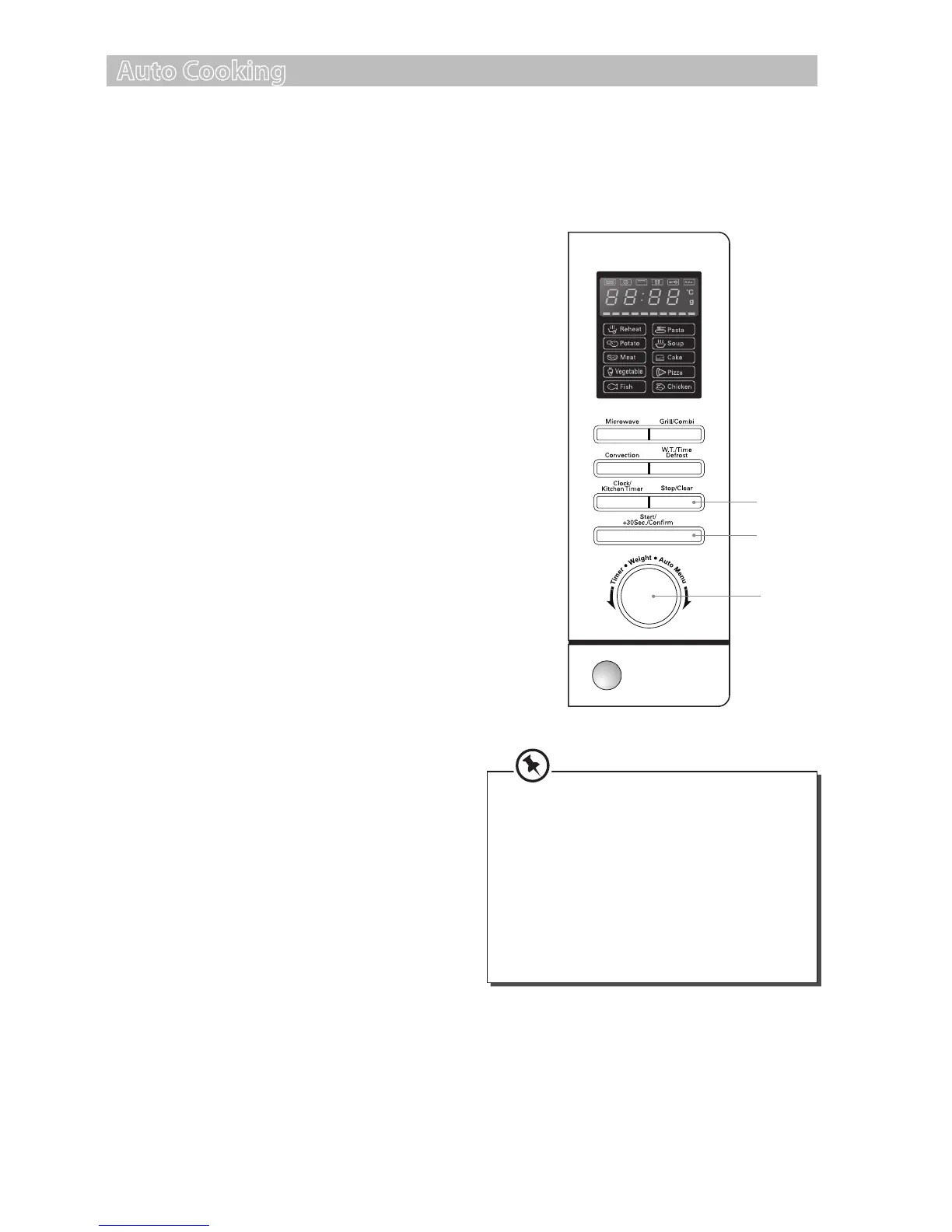
1. Turn the Time/Weight/Auto Menu
dial clockwise to select the Auto Menu
programme required. The LED display will
show ”A1”, ”A2”, ”A3” etc.
2. Press the Start/+30Sec./Conrm button to
conrm.
3. Turn the Time/Weight/Auto Menu dial again
to choose the weight option for your chosen
programme. Please refer to the Auto Menu
table for information.
4. Press the Start/+30Sec./Conrm button to
conrm and start cooking.
5. Press the Stop/Clear button once to stop the
cooking. Press the stop/clear button again to
cancel the setting.
For instance: If you want to cook 350g of sh using
Auto Menu programme. Please follow the steps
below.
1. Turn the Time/Weight/Auto Menu
dial clockwise to select the Auto Menu
programme for sh. The LED display will show
”A4”.
2. Press the Start/+30Sec./Conrm button to
conrm.
3. Turn the Time/Weight/Auto Menu dial again
to select the weight option for A4 programme
until the LED display shows “350”.
4. Press the Start/+30Sec./Conrm button to
conrm and start cooking.
Cake menu is under convection cooking.
Once you conrmed the cooking
programme, the 160°C pre-heating
function will automatically integrate in the
process. When the preheating temperature
is reached, the microwave will sound twice.
Place the cake in the microwave and press
the Start/+30Sec./Conrm button to
conrm and start baking the cake for 45
minutes.
1, 3
2, 4
5
S25CSS11_IB_final111018.indd 21 18/10/2011 12:35 PM


 To Next Page