3. The total number of tracks will be shown on the display, tap the icon on the unit or
press the button on the remote control to play the rst track on the CD/MP3/WMA
disc automatically.
• This unit can play CD, CD-R, CD-RW, MP3, WMA disc, 8cm and Multi sectioned of
MP3 DISCS.
• The unit also supports “Playback Transfer Rate in 32-320 kbps for MP3, and 64-320
kbps for WMA”.
• If there is no disc or the disc can’t be read, “NO DISC” will show on the display.
To Pause Playback
1. Tap the icon on the unit or press the button on the remote control to pause the
playback.
2. To resume playback, tap the
icon on the unit or press the button on the remote
control again.
To Stop Playback
Tap the icon on the unit or press the button on the remote control to stop playback.
Skipping to Another Track
Tap the icons on the unit or press the buttons on the remote control to skip
backwards to the previous track or skip forwards to the next track.
CD/MP3/WMA Operation
Tap the icon repeatedly on the unit or press the DISC button on the remote control to
select DISC mode.
Playback
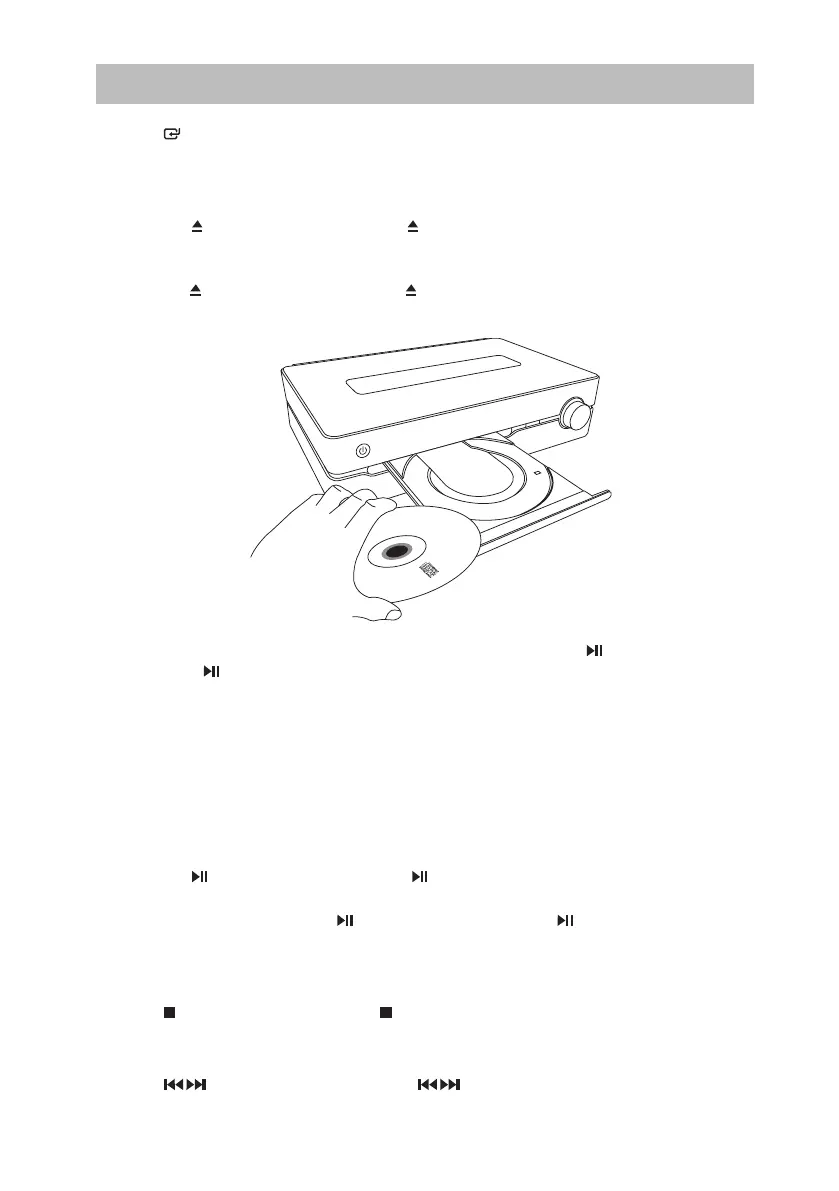
1. Tap the icon on the unit or press the button on the remote control and the disc tray
will open automatically.
2. Place the CD/MP3/WMA disc with the label side up into the CD compartment, and then
tap the
icon on the unit or press the button on the remote control to close the disc
tray.
24
SDABTIP12_IB_130624_candice.indd 24 24/06/2013 2:43 PM



 To Next Page