VOLUME
+
_
iR
Product Overview
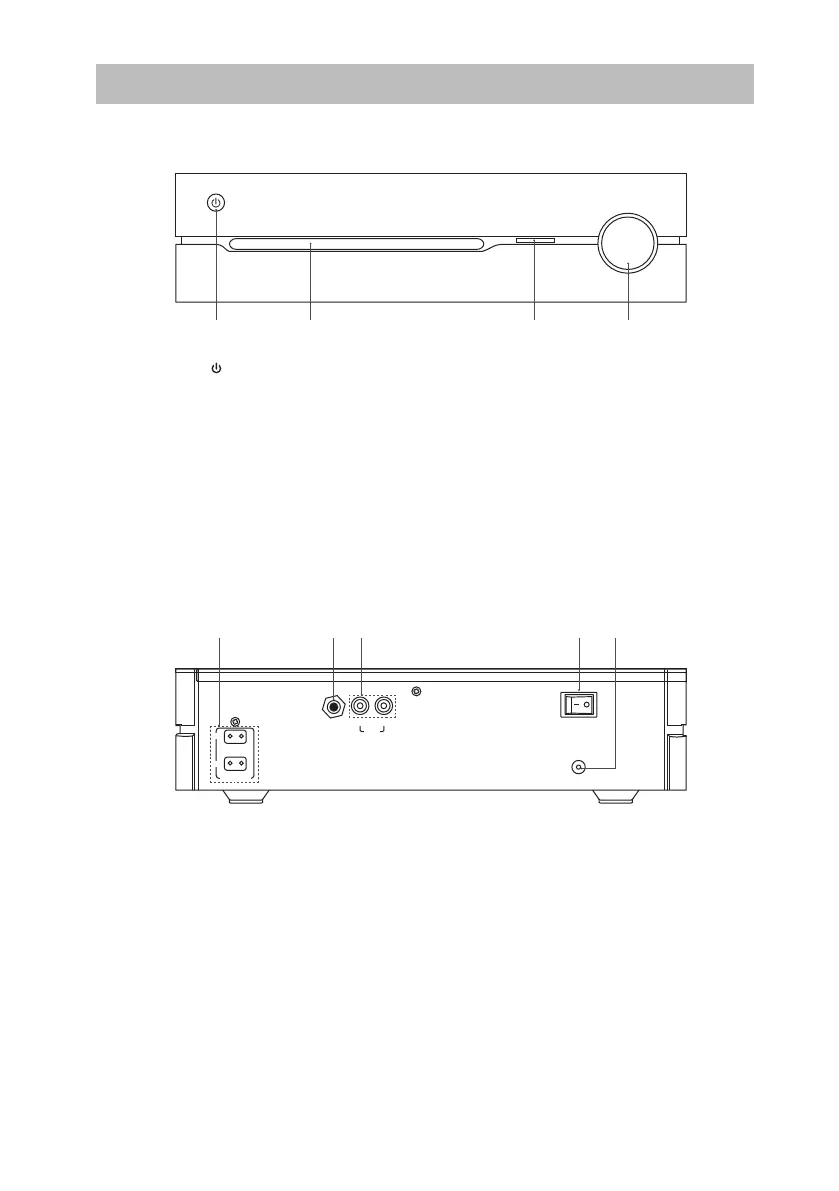
Front View
1. STANDBY Button
• Switches the unit between the ON
and STANDBY modes.
• Indicator lights up red when the unit
is in STANDBY mode.
• Indicator lights up blue when the unit
is ON.
Rear View
1 2 3 4
R
DAB
L
AC ~
ON
OFF
R
L
SPEAKER OUT
AUX
1. SPEAKER OUT Sockets
2. DAB Aerial Socket
3. AUX IN Sockets
1 432 5
2. CD Tray
3. Remote Sensor
Receives signals from the remote
control.
4. VOLUME +/– Dial
Adjusts the volume.
4. Power ON/OFF Switch
5. AC IN Socket
Connects the mains cable to the mains
socket.
8
SDABTIP12_IB_130624_candice.indd 8 24/06/2013 2:43 PM



 To Next Page